/
20 Best Partner Training Software for 2026

Quick Summary
Drawing on 20+ years of strategic technology leadership, I've tested and evaluated the best partner training software to help you find the right solution for channel partner enablement, reseller certification, and scaling your partner education programs.
Table of Contents
Top 10 Partner Enablement Software Shortlist
Based on features, business impact, and reviews, here's the top 10 best partner enablement, education, and training software:

Share this article:


Managing partner training across disconnected tools and scattered content is costing you revenue.
Partner training software centralizes your channel partner education, reseller certification, and enablement programs into a single platform.
The result?
Companies that train partners alongside employees report:
- 57% higher revenue compared to peers
- Certified partners generate 40% more clients on average
- Organizations with mature partner programs see twice the revenue growth.
But the wrong platform creates more problems—clunky interfaces partners ignore, weak reporting that can't prove ROI, and integrations that don't connect to your tech stack.
At Continu, I work directly with companies scaling partner education programs worldwide.
This guide breaks down the 20 best partner training software for 2026—covering features, pricing, and how to choose the right solution for your organization.
You Can Trust Our Partner Training Software Reviews
Our team has tested 50+ partner training platforms, LMS solutions, and channel enablement tools—backed by 20+ years of commercial strategy and technology leadership across enterprise organizations.
We've helped hundreds of organizations implement partner education programs that drive measurable revenue results.
Here's how we built this guide.
Independent researchers compiled data on each platform, which we combined with our hands-on assessments of functionality, features, integrations, reporting capabilities, and value for price.
Our recommendations are based solely on platform performance—not partnerships or commissions.
For a deeper look at our scoring process, see our complete ranking methodology below.
This guide is updated quarterly to reflect new features, pricing changes, and emerging partner training solutions.
Last Updated: April 2026
Channel Partner Enablement Solutions Compared
The table below summarizes our rankings that includes relevant quick info to find the ideal partner enablement platform for your organization.


4.7 (759)
No
Starts around $800–$1,000/month for up to 100 users; custom pricing for larger teams
View pricing details →
4.6 (1982)
Yes
Plans start at $69/month (annual) for 40 users; Core plan $119/month; Pro plan $449/month
View pricing details →20 Best Partner Enablement Platforms Reviewed
Explore our in-depth breakdown of the top partner training software for businesses. We’ve compiled the most relevant information and ranked all products based on features, pricing, and its overall rating and reviews from trusted sources.


4.6 (727)
Best for turning partner training into measurable revenue growth
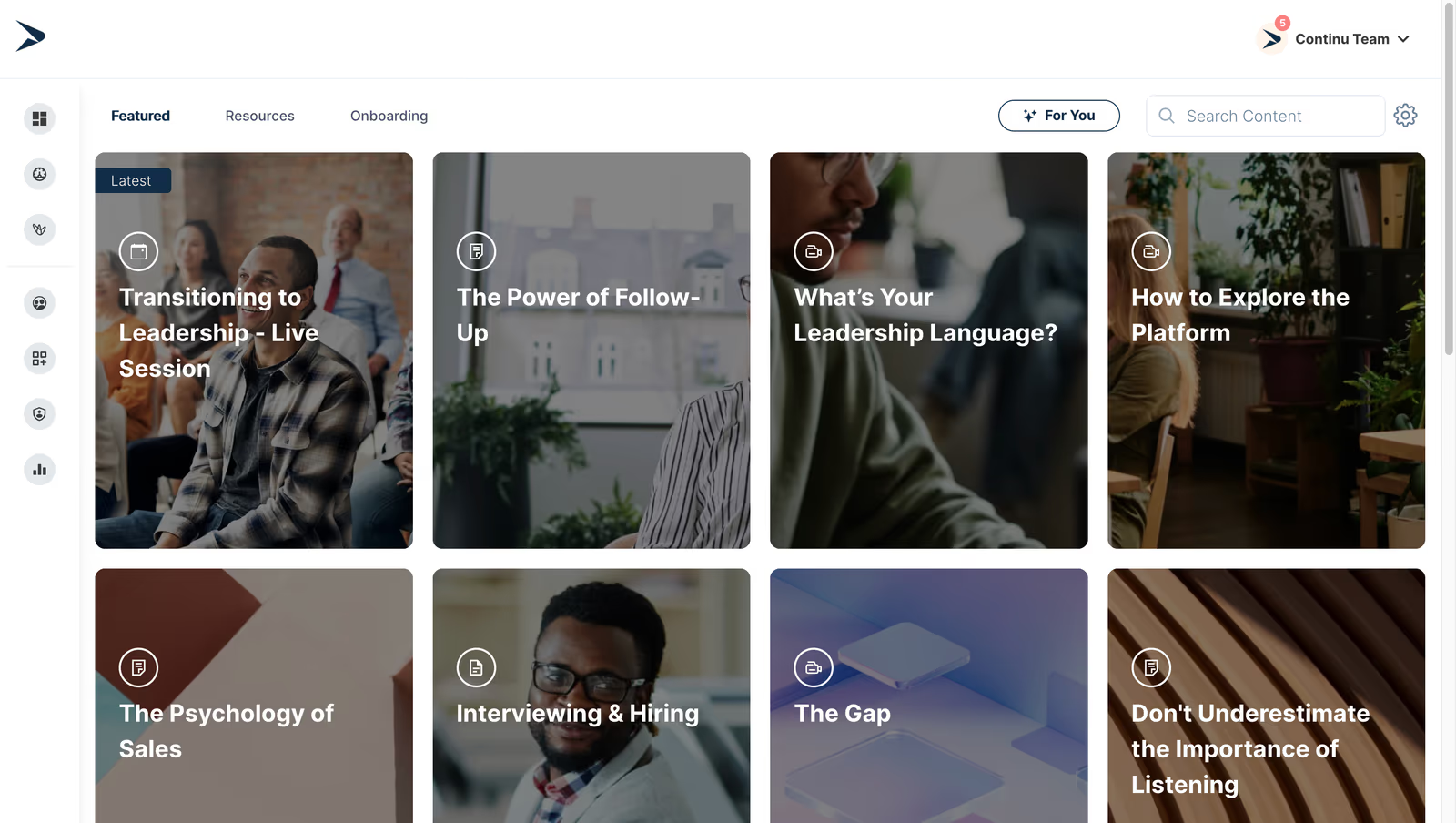
Continu is an AI-powered conversational learning platform that centralizes learning initiatives for employees, customers and partners. It automates onboarding and training workflows, provides real-time tracking and analytics, and personalizes learning paths for external partners, helping organizations scale channel enablement and drive revenue. Its modern interface and integrations with tools like Slack and Zoom deliver engaging experiences while cutting admin time.
Continu is the best partner training software because it delivers channel partner onboarding and sales training at scale with real-time analytics that connect partner training to revenue and overall business growth.
- Automated onboarding & course assignments
- Real‑time progress monitoring & analytics
- AI‑powered conversational interface & personalized learning
Pros:
- Intuitive interface and engaging conversational experience
- Automation saves admin and partner time
- Real-time analytics to monitor partner performance
Cons:
- Not a great fit for non-profits, governments, and educational institutions
- Requires internet access for most features
- Limitations in customizing workflows or content to fit niche requirements

4.6 (141)
Best for seamless external partner academies with robust analytics
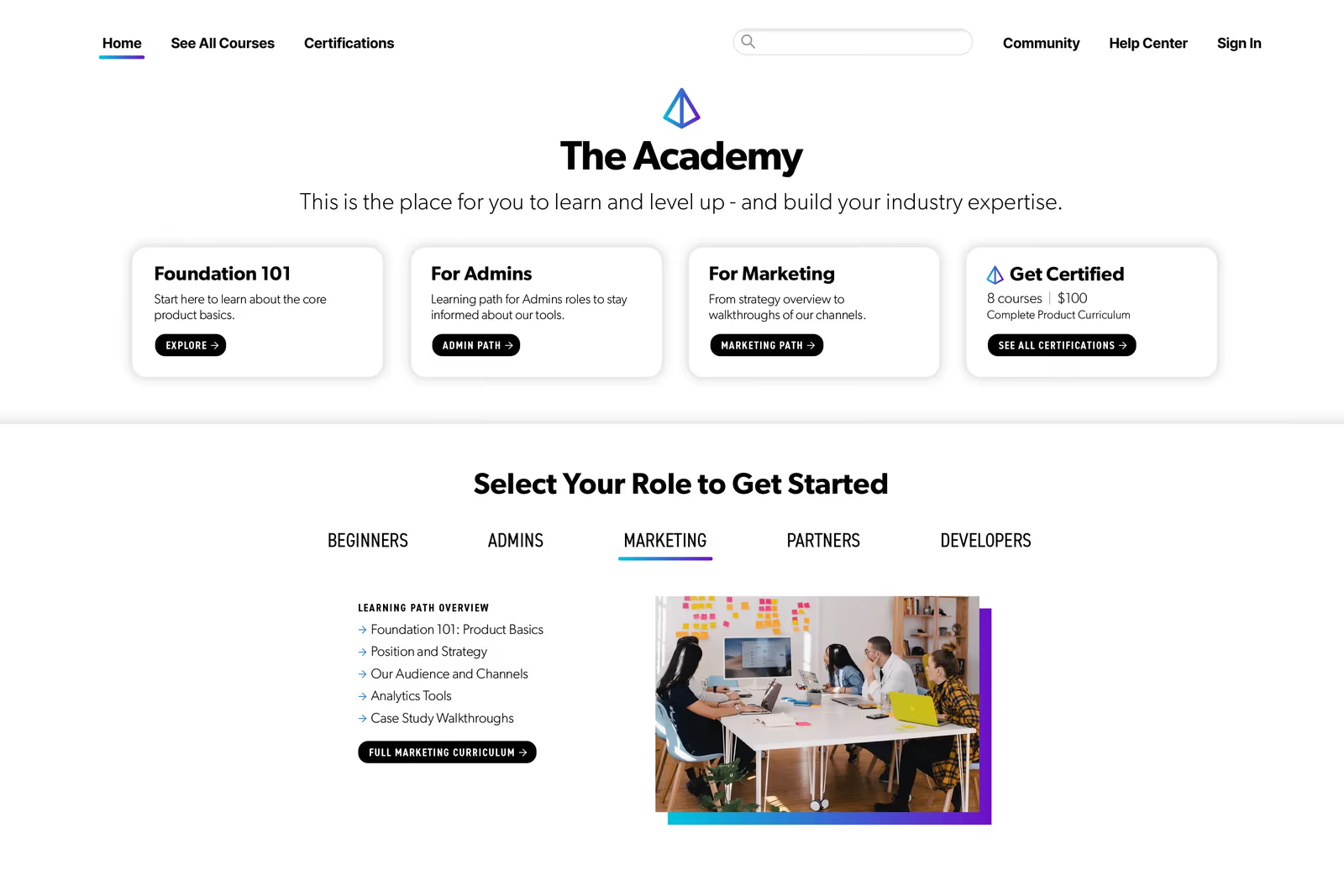
Skilljar is designed for external training audiences, enabling companies to deliver customized learning paths with on-demand courses, live training and certifications. The platform integrates deeply with CRM and analytics tools to measure partner engagement and ROI. It offers scalable portals with white-label branding and supports various content formats, ensuring partners can access training anywhere.
Skilljar's deep CRM integrations connect partner training efforts directly to business outcomes with strong analytics.
- Personalized learning journeys & certification management
- Deep CRM & analytics integrations
- Support for on-demand and live training formats
Pros:
- Robust and intuitive platform easy to build and scale
- Deep CRM and analytics integrations
- Support for personalized learning paths and certifications
Cons:
- Limited out-of-box community features
- Pricing can be high for smaller programs
- No native mobile app

4.6 (150)
Best for fixed-price partner training with unlimited users

Northpass offers a user-friendly LMS that provides unlimited users, administrators and content across all plans. It is designed for external training, enabling you to build partner academies quickly using templates and learning paths. The platform supports course authoring, assessments and certifications, but advanced customization and analytics are limited compared to premium solutions.
Northpass offers fixed pricing with unlimited seats, making it a practical choice for smaller partner programs without per-user costs.
- Unlimited users, admins and content
- Easy course creation with templates
- Learning paths and assessments
Pros:
- Intuitive user experience and easy to use
- Unlimited users and administrators at fixed price
- Good price-to-value ratio
Cons:
- Limited advanced reporting and analytics
- Fewer integrations than competitors
- Interface may lack modern polish

4.9 (45)
Best for dynamic partner academies with AI-driven personalization

AcademyOcean provides a versatile LMS for partner training, offering dynamic content with AI-driven personalization and multiple academies for different audiences. The platform allows you to create customized courses, host webinars and product updates, and adapt content to learner needs using content variables. It has high ratings for ease of use and support, although it lacks a free trial and pricing starts at $300/month.
AcademyOcean's AI-driven customization and multi-academy capabilities excel at building tailored partner learning experiences that adapt to different audiences.
- AI-driven personalization & dynamic content variables
- Multiple branded academies for different audiences
- Webinars, product updates & certification tools
Pros:
- AI-driven personalization and dynamic content
- Multiple branded academies for different audiences
- High ease of use and support
Cons:
- No free trial and relatively high starting price
- Limited public integrations compared to larger platforms
- Less established ecosystem due to smaller vendor

4.6 (1443)
Best for scalable partner portals with advanced reporting
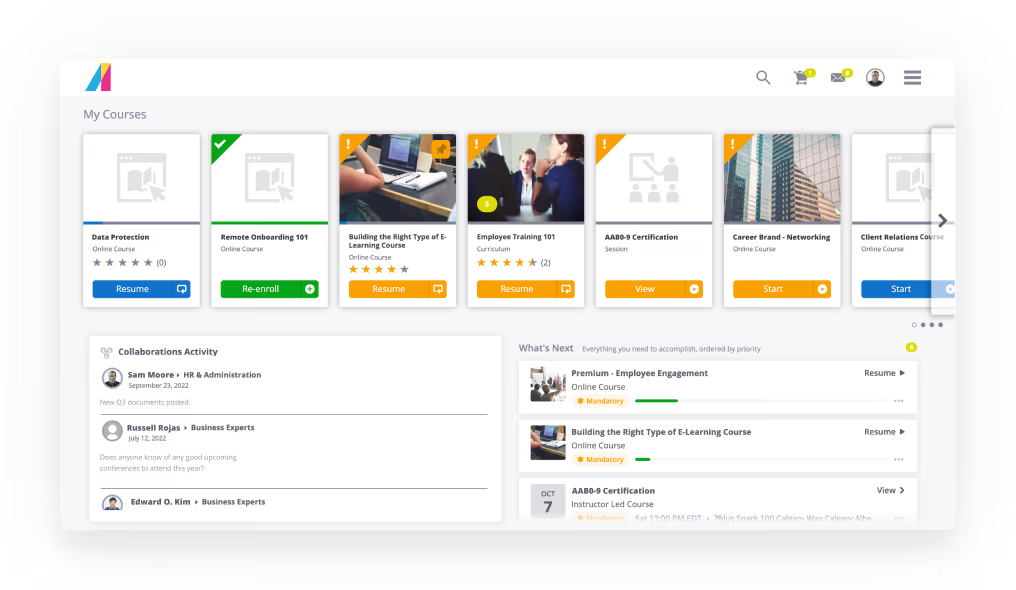
Absorb LMS enables organizations to create secure, branded portals for different partner groups, providing tailored training curricula and resources. The platform supports a wide range of content formats and offers comprehensive reporting and analytics, so you can track partner progress and program effectiveness. Its flexible scalability and intuitive UI make it suitable for growing partner networks.
Absorb LMS builds secure, branded partner portals with reporting tools that measure partner engagement in depth.
- Secure multi-portal partner sites with branding
- Comprehensive reporting & analytics
- Support for diverse content formats
Pros:
- Secure and customizable partner portals
- Comprehensive reporting and analytics
- Flexible scalability and intuitive interface
Cons:
- Higher price point compared to basic LMSs
- Interface may feel dated or less modern
- Limited advanced gamification features


4.4 (1126)
Best for enterprise-scale partner training with AI and gamification
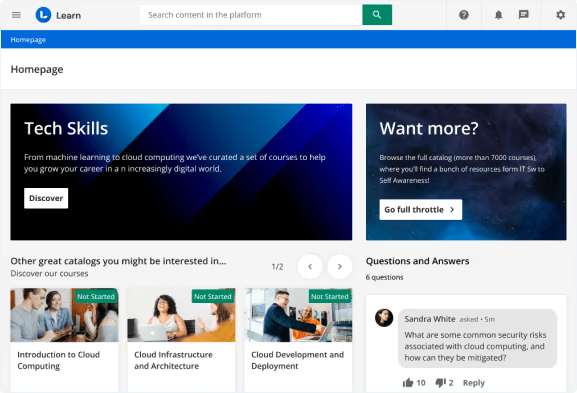
Docebo’s learning platform uses AI and automation to deliver personalized learning experiences across partners, customers and employees. Gamification elements like badges, points and leaderboards motivate partners, while social learning tools like forums and Ask the Expert encourage knowledge sharing. With modular architecture, Docebo scales to multiple audiences and provides robust analytics and integration with major enterprise systems.
Docebo's advanced AI and gamification capabilities scale partner training programs to large, global networks.
- AI-driven personalization & automation
- Gamification & social learning
- Extensive integrations & scalability
Pros:
- Highly customizable & scalable for global audiences
- Robust gamification and social learning features
- AI automation for personalized learning
Cons:
- Expensive with high implementation cost
- Steeper learning curve and complex setup
- Support and documentation could improve
4.6 (76)
Best for easy-to-use partner portal with training and certification module

Channeltivity is a partner relationship management platform that includes an optional training and certification module. The module allows businesses to create courses, lessons, quizzes and certifications with automated delivery and tracking. The PRM provides integrated partner management, deal registration and marketing tools, offering a holistic solution. Pricing for the training module starts at $499/month, while full PRM editions range from $1,599 to $1,899/month.
Channeltivity offers a simple, integrated portal for managing partners and delivering training without a steep learning curve.
- Training & certification module with quizzes
- Integrated PRM with partner management & deal registration
- Integration with HubSpot, Salesforce & Zapier
Pros:
- User-friendly partner management and training
- Responsive support and ease of use
- Integrated PRM and certification features
Cons:
- Pricing is high for small companies
- UI can feel dated
- Limited customization of calendar/schedule features

4.7 (70)
Best for AI-driven interactive partner training content

Trainn is a modern SaaS LMS focused on customer and partner education. It allows you to create engaging multi-format training content like videos, interactive guides, product documentation and knowledge base articles using built-in authoring tools and AI voice-overs. Personalized learning paths and analytics help ensure partners receive relevant training. Pricing is subscription-based with pay-per-active-user plans starting around $300/month.
Trainn's built-in authoring suite with AI voice-overs and interactive guides accelerates partner training content creation while maintaining engagement.
- Built-in multi-format content authoring with AI voice-overs
- Personalized learning paths & quizzes
- Analytics & CRM integrations
Pros:
- Easy content creation with AI voice-overs
- Supports rich interactive formats and quizzes
- Personalized learning paths and analytics
Cons:
- Limited integrations compared to established LMSs
- Pricing may be high for small programs
- No free trial and smaller user community

4.4 (296)
Best for mobile-accessible partner training with simple pricing
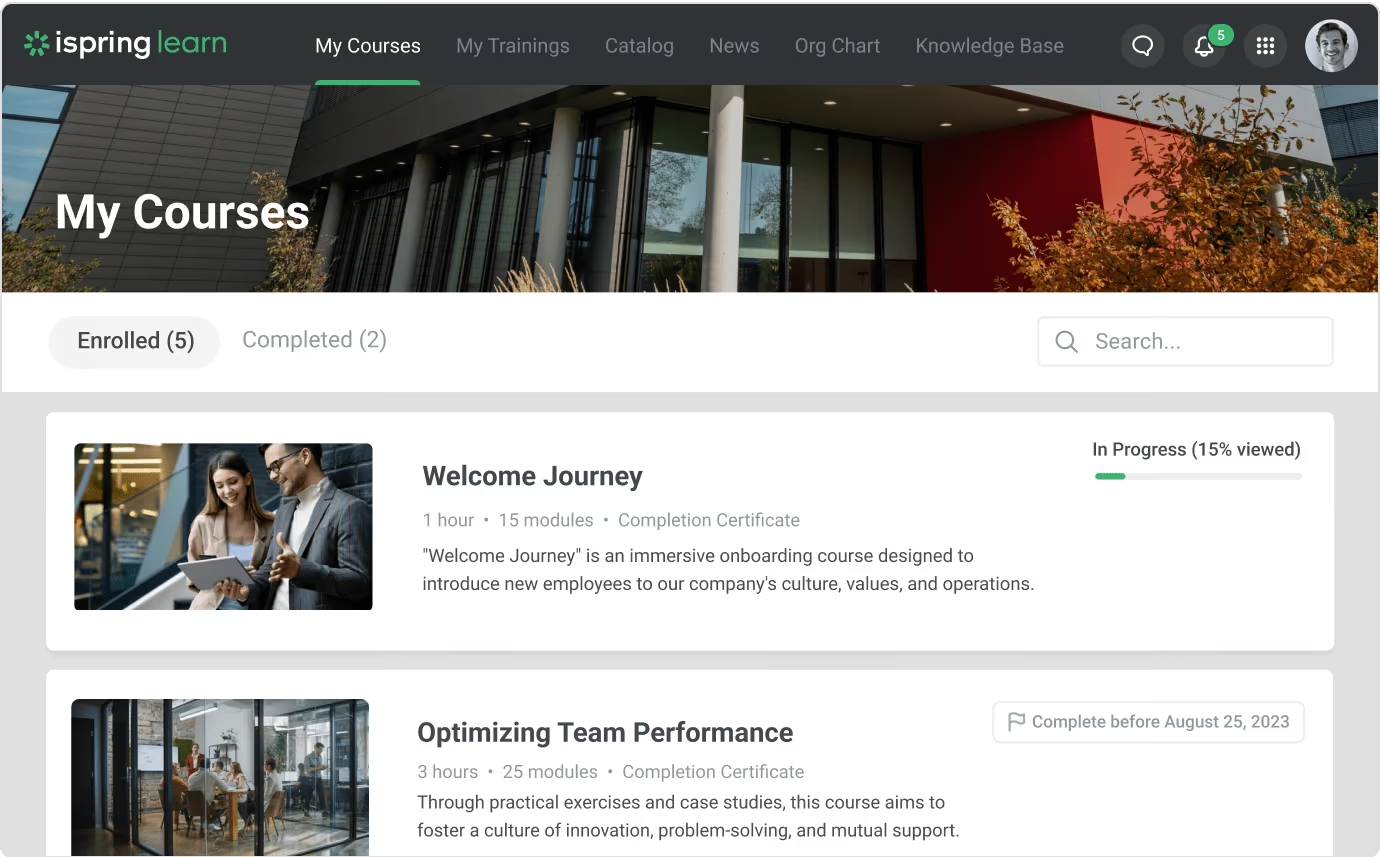
iSpring Learn enables companies to create unified training programs accessible via a mobile app or web. The platform supports unlimited storage, SCORM/xAPI content, and offers interactive assessments and certificates. Pricing is pay-per-active-user starting at $3.58 per user/month with a free trial. iSpring Suite provides powerful authoring tools and AI translation to convert courses into 70+ languages, but design customization is limited.
iSpring's affordable pay-as-you-go pricing, mobile accessibility and easy course authoring remove barriers to partner training.
- Mobile app & offline access
- SCORM/xAPI support with unlimited storage
- AI translator & course authoring suite
Pros:
- Affordable pay-per-active-user pricing with free trial
- Mobile app with offline access
- AI translation and authoring support
Cons:
- Limited design customization
- Doesn't support Apple devices for authoring
- Advanced analytics and gamification features lacking
4.7 (759)
Best for partner training with built-in playbooks and flexible pricing
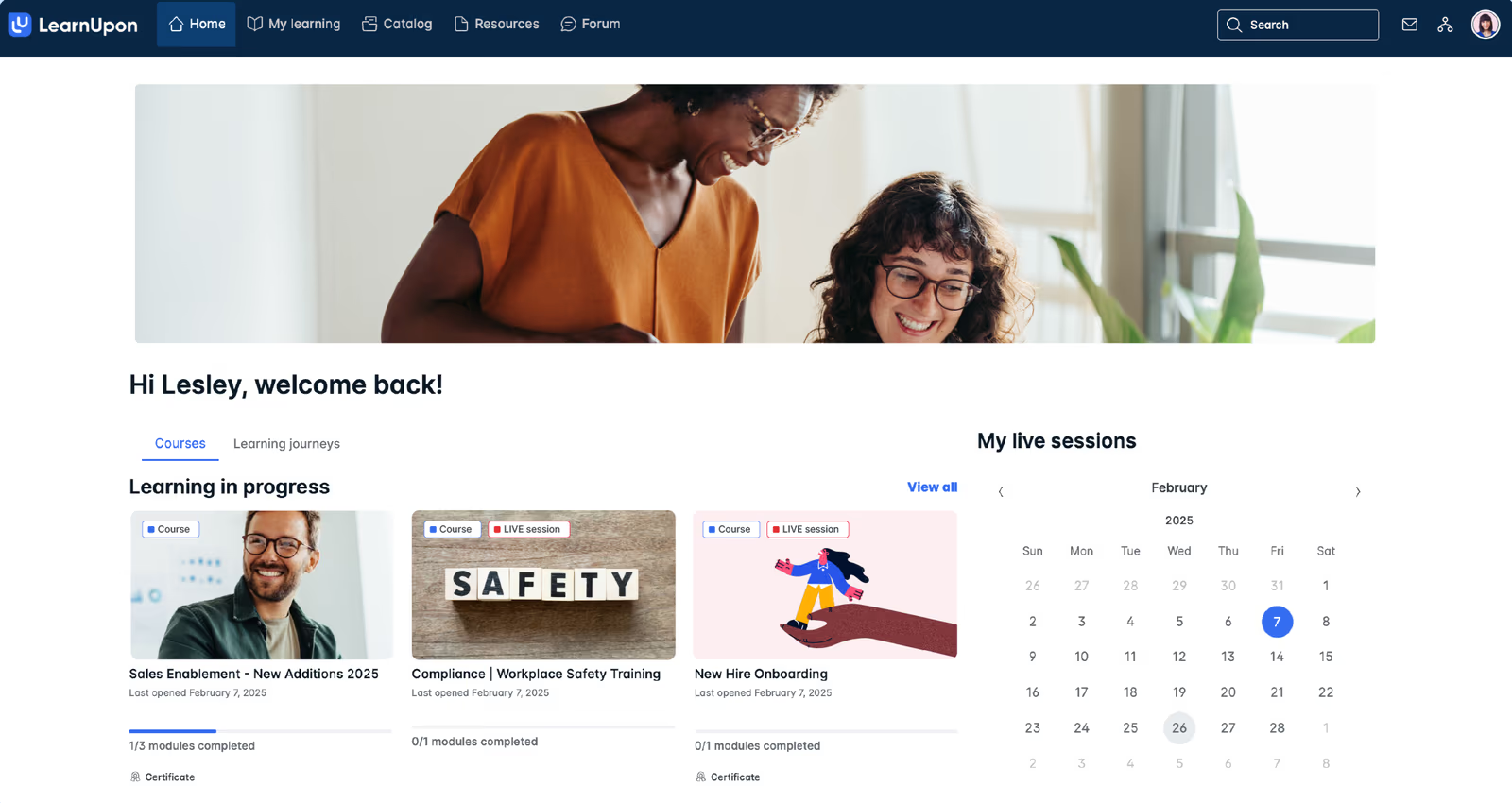
LearnUpon delivers a cloud-based LMS tailored for external audiences, combining intuitive course creation, SCORM/xAPI support, webinar integrations and gamification. The platform includes partner training playbooks, custom branding, certifications and e-commerce options. With flexible plans that scale from small teams to enterprises, LearnUpon makes it easy to deliver consistent partner training programs and track engagement.
LearnUpon's playbooks and extensive integration options make partner training accessible without sacrificing functionality or ease of use.
- Partner training playbooks & templates
- SCORM/xAPI support & gamification
- Webinar & e-commerce integrations
Pros:
- Easy to use with intuitive interface
- Playbooks and templates accelerate partner training
- Range of integrations and flexible pricing
Cons:
- Reporting navigation can be click-heavy
- Advanced features require higher-tier plan
- Limited customization for mobile experience
4.6 (1982)
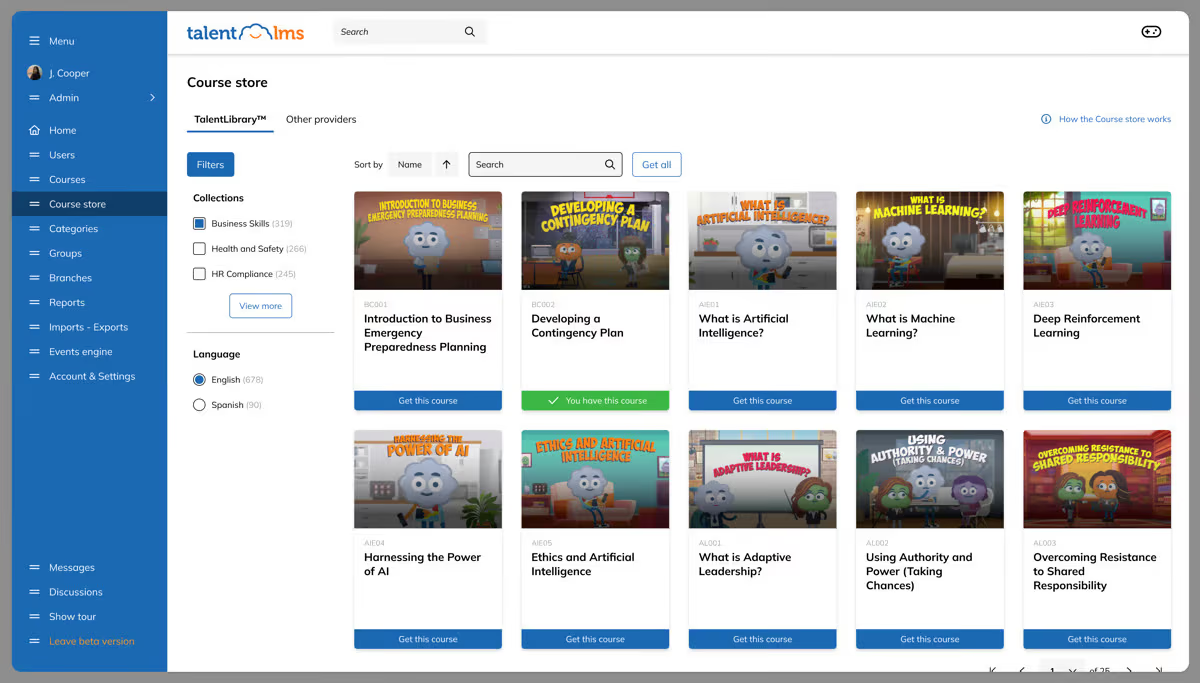
TalentLMS helps organizations build branded partner academies quickly with ready-made templates, gamified learning paths and accessible content on any device. With branches, you can create separate portals for partners and customize look and feel. The platform includes AI assistance to create content, built-in course library and automation to assign training based on roles.
TalentLMS provides a generous free tier and affordable plans for small partner programs, plus white-label options and automation for scaling without heavy IT support.
- White-label branches & multi-portal management
- Built-in content library & gamified learning
- Automations & AI for content creation and assignments
Pros:
- Intuitive and user-friendly interface
- Free tier and affordable pricing
- White-label customization and gamification
Cons:
- Pricing escalates with user counts
- Limited advanced reporting in lower tiers
- Higher-tier features cost extra

4.5 (691)
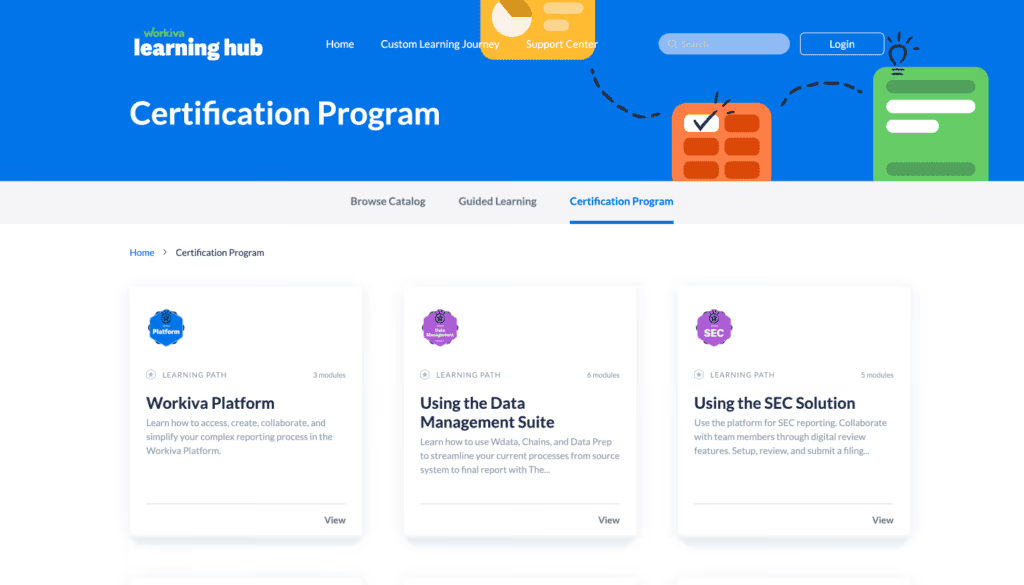
WorkRamp’s Learning Cloud provides a unified environment to create and deliver partner training programs with self-guided modules, interactive coaching and certification paths. Its AI-powered authoring tools help build engaging courses quickly, while community features like forums and peer-to-peer feedback foster collaboration among partners. Customizable portals allow you to segment partner audiences and manage multiple products or brands from one platform.
WorkRamp's AI-first approach and strong engagement tools build immersive partner academies that keep partners certified and motivated.
- AI-powered authoring & assessment tools
- Community engagement hub with discussions and peer reviews
- Customizable portals & multi-account management
Pros:
- Intuitive and user-friendly UI
- AI-powered course creation speeds up development
- Strong community and engagement features
Cons:
- Limited reporting and analytics
- Content organization can be challenging
- Pricing is high relative to other LMS

4.5 (606)

Impartner combines partner relationship management with training modules to streamline partner onboarding, enablement and performance. Its platform supports creating courses, lessons, quizzes and certification programs integrated into the broader PRM suite. With modules for lead distribution, pipeline management and marketing automation, Impartner ties training directly to partner performance. Pricing is subscription-based with tiers starting around $2,000/month, but advanced features may require higher tiers.
Impartner unifies partner management and training in one platform, simplifying the entire partner lifecycle.
- Integrated partner training & certification
- Comprehensive partner lifecycle & pipeline management
- Marketing automation & analytics
Pros:
- Unified PRM and training reduces complexity
- Powerful partner lifecycle and pipeline management features
- Responsive support and customization options
Cons:
- Higher cost compared to standalone LMS
- Some features like field-level security limited
- UI may feel dated in places

4.5 (458)
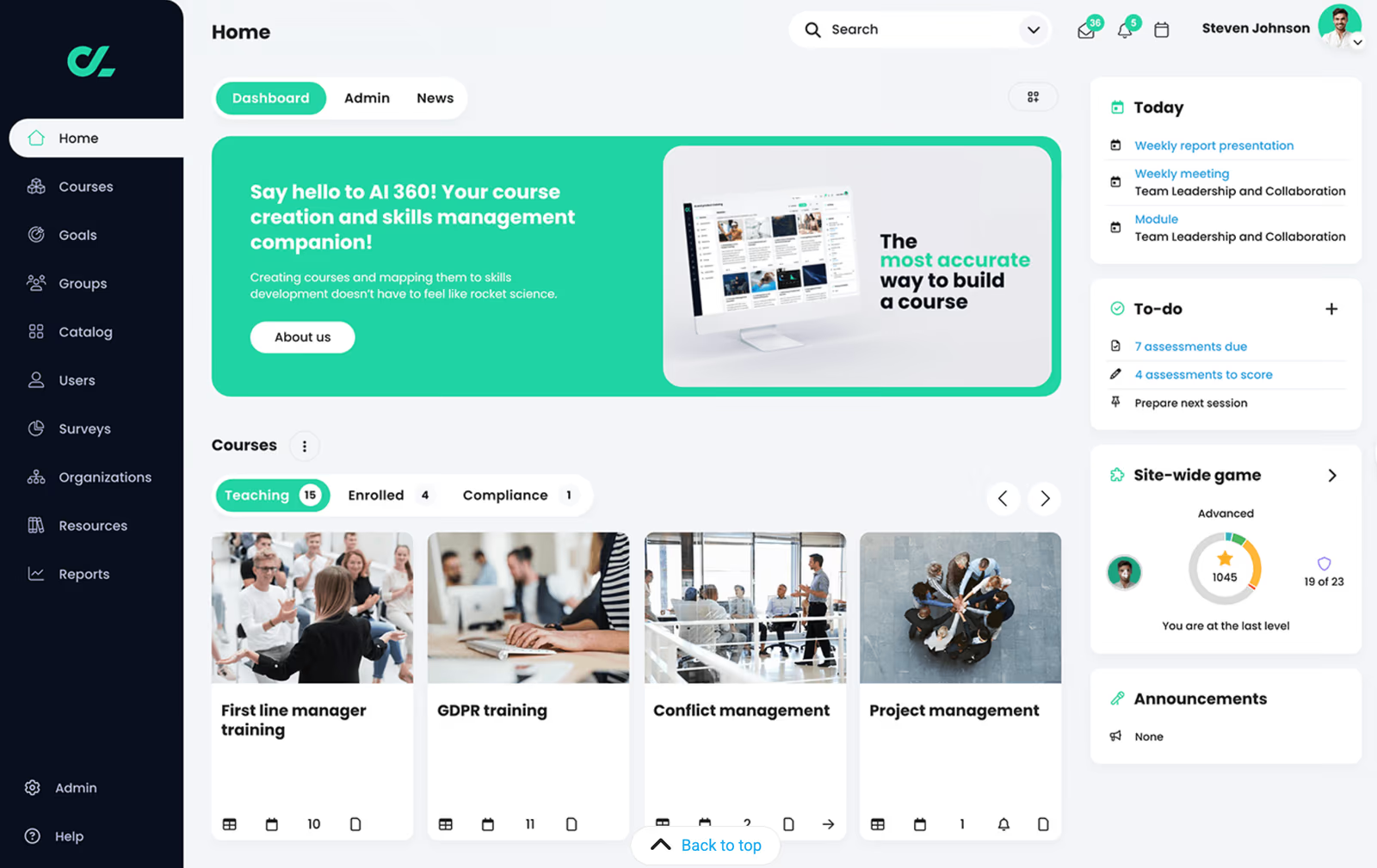
CYPHER Learning's platform personalizes training for partners using AI and skills-based models. It enables organizations to align partner training to business objectives and provides just-in-time learning for tasks, with automation to assign certifications and milestones. The platform offers multi-language support and robust reporting with over 50 built-in reports, plus automated certification management and multi-tenant portals for different partner groups.
CYPHER Learning's AI-driven personalization and multi-language capabilities support global partner networks with diverse needs.
- AI-driven skills-based personalization
- Automated certifications & extensive reporting
- Multi-tenant & multi-language support
Pros:
- AI-driven personalized learning paths
- Automated certification and comprehensive reporting
- Supports multi-language and multi-tenant training
Cons:
- Interface can be complex for new users
- Higher starting price and lack of free trial
- Limited integrations compared to competitors

4.5 (659)
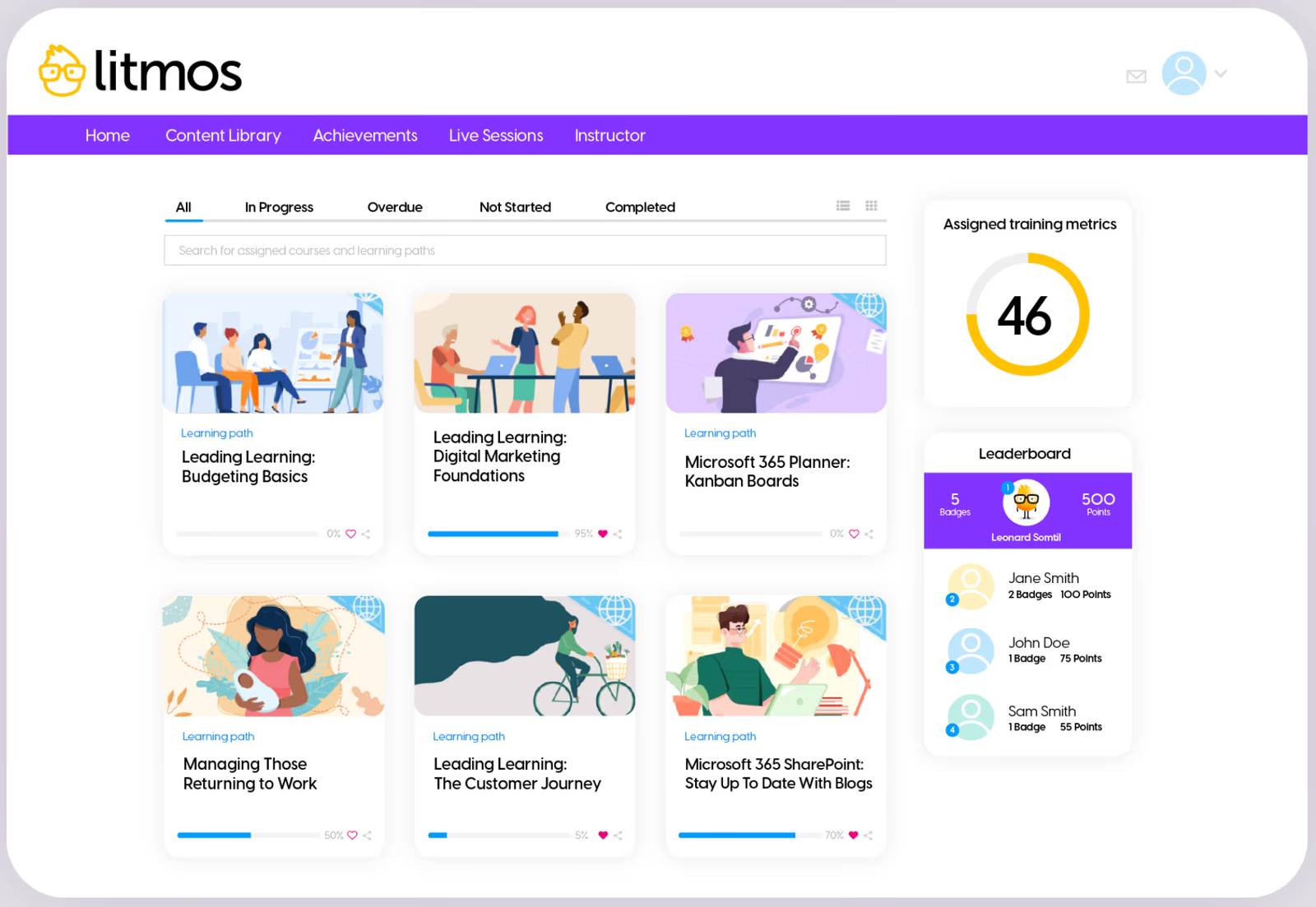
Litmos provides a cloud-based learning platform designed for rapid partner training deployments. It offers customizable learner dashboards, robust reporting and analytics, and a mobile-friendly interface to deliver training anywhere. The platform includes course authoring, gamification, social learning, and AI features to automate content creation. Pricing is flexible per user with a 14-day free trial, but reporting customization and navigation can be improved.
Litmos enables quick deployment with a mobile-ready interface and flexible pricing options that make partner training accessible.
- Customizable dashboards & mobile learning
- Course authoring, gamification & social learning
- Robust analytics & AI assistance
Pros:
- Quick deployment and mobile-friendly
- Customizable dashboards and course authoring features
- Flexible pricing with free trial
Cons:
- Reporting and analytics customization could be improved
- Navigation can be confusing with many clicks
- Support and documentation may vary

4.5 (389)
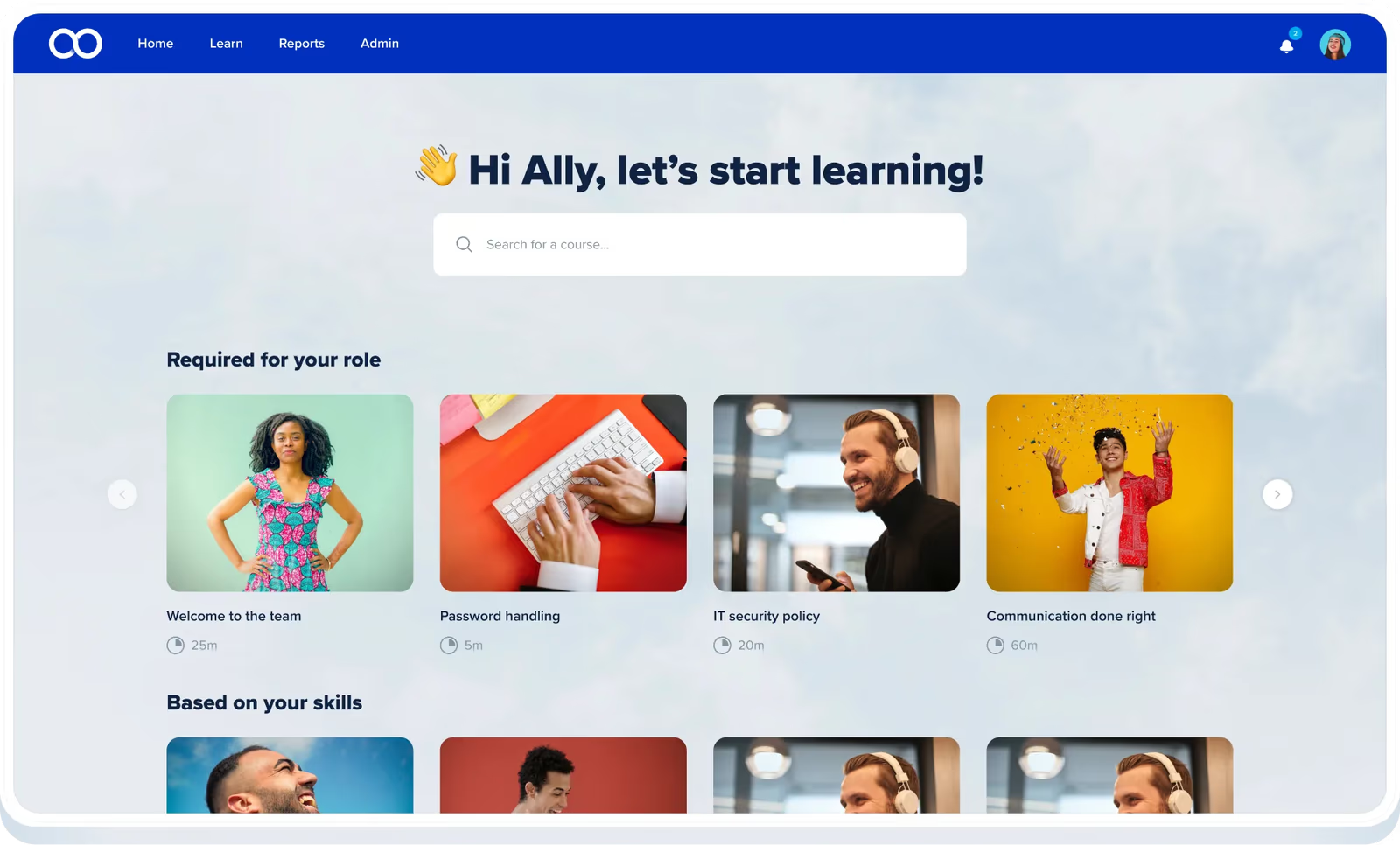
Eloomi combines an easy-to-use learning management system with performance management tools so I can create partner academies, automate course assignments and certifications, and link training to goals and OKRs. Real-time reports provide insight into partner engagement and compliance, while a built-in content marketplace and AI tools accelerate program launch.
eloomi manages partner education and performance on a single platform with intuitive custom learning paths and analytics that help measure outcomes and adjust programs quickly.
- Real-time reporting & analytics for partner engagement and compliance
- Integrated performance management with goals, OKRs and 1-on-1s
- Content marketplace and automated workflows for scalable partner programs
Pros:
- Intuitive and easy-to-use interface for admins and partners
- Responsive customer support and success team
- Built-in performance tools and gamification keep partners engaged
Cons:
- Reporting customization needs improvement
- Mobile app and offline learning options are limited
- Pricing can be high for small businesses and advanced features require training

4.6 (32)

EducateMe offers a fully white‑labeled learning hub that lets teams launch branded courses for partners and customers in hours. Its tag‑based permissions and learning spaces separate partner content from internal training while automated paths, live sessions and rich analytics drive engagement and accountability. With flexible pay‑as‑you‑go pricing, it scales affordably as your channel program grows.
EducateMe delivers consistent partner training and performance tracking through customizable branding and automation without building a complex LMS from scratch.
- Create separate learning spaces & tags to manage partner groups and content
- Automated learning paths & reminders
- White‑label hub & flexible editor to build branded, interactive training using videos, quizzes and live sessions
Pros:
- Intuitive, Notion‑like interface that's easy for partners to navigate
- Automated learning paths and alerts save admins time and keep partners on track
- Responsive customer support and active roadmap that treats users like co‑creators
Cons:
- Reporting and analytics are less robust than some enterprise LMS platforms
- Requires some onboarding to understand all features; learning curve at first
- Lacks native mobile app and some gamification or compliance features

4.3 (148)

Intellum offers a comprehensive learning platform combining course creation, certification, and personalized learning experiences. Its AI features automate partner onboarding and accelerate certification while customizing content based on learner profiles. The platform is built for large enterprises with robust analytics, but has a higher price point and steeper setup.
Intellum's advanced authoring and certification tools streamline partner onboarding and accelerate time-to-competency.
- Automated partner onboarding & certification
- Advanced course authoring & AI personalization
- Robust analytics & reporting
Pros:
- Automated onboarding and certification accelerate partner ramp-up
- Powerful authoring tools with AI personalization
- Robust analytics and reporting
Cons:
- Very high starting price
- Interface feels dated and not mobile-friendly
- Limited number of integrations compared to peers

4.3 (242)

Thought Industries offers an enterprise-grade LMS for delivering external training programs to partners, customers and learners at scale. Its Panorama multi-tenancy lets you create separate, branded portals for different audiences, while its authoring tools and analytics provide flexibility to design custom curricula and measure engagement. The platform supports certification and monetization of training but requires investment and dedicated setup.
Thought Industries provides multi-tenant portals and customizable authoring for complex partner ecosystems where branding and segmentation are critical.
- Panorama multi-tenant portals
- Advanced authoring & content management
- Certification & monetization options
Pros:
- Highly customizable and scalable for external training
- Panorama multi-tenancy and flexible portals
- Robust authoring and certification tools
Cons:
- UI and user experience are less modern
- Expensive and complex to implement
- Reporting and analytics could be more intuitive


4.2 (250)

Paradiso LMS offers a robust feature set for partner training, including gamification, social learning, blended learning and advanced reporting. Its multi-tenant architecture allows creation of branded academies for partners, and integrations with CRM and e-commerce help link training to revenue. Pricing is flexible with pay-per-user, active user, licensing or on-premise models, but the interface and learning curve may be challenging for some.
Paradiso LMS offers comprehensive features and multi-tenant capabilities for building full-featured partner academies.
- Gamification & social learning
- Multi-tenant & white-labeled academies
- Integration with CRM & e-commerce
Pros:
- Comprehensive feature set with gamification and social learning
- Flexible multi-tenant and white-label options
- Integration with CRM and e-commerce
Cons:
- Interface and user experience can be clunky
- Steep learning curve for admins and partners
- Pricing and configuration can be complex
How We Evaluate Partner Training Software
Selecting the right partner training platform requires more than feature checklists.
You need a solution that enables partners quickly, tracks training impact on revenue, and scales as your channel program grows.
Our evaluation methodology reflects these priorities.
Our Scoring Methodology
Each partner training solution was assessed across seven weighted criteria.
We combined independent research with hands-on platform testing to generate a composite score out of 100.
Why These Criteria Matter for Partner Training Solutions
Partner training software serves a different purpose than employee-focused LMS platforms.
Your partners are external stakeholders—often with limited time and competing vendor priorities.
The best channel partner training solutions reduce friction, accelerate certification, and connect learning directly to sales performance.
That's why we weighed Partner Enablement Features and Business Impact & Analytics highest.
These criteria determine whether a platform actually drives partner productivity and measurable revenue results—not just course completions.
What Is Partner Training Software?
Partner training software is a learning platform designed to educate, certify, and enable external business partners such as resellers, distributors, affiliates, and channel sales teams. Unlike employee-focused LMS platforms, partner training solutions are built for audiences outside your organization.
These tools help companies deliver consistent product knowledge, sales training, and certification programs to partners who represent their brand in the market.
Here's why that matters.
Your partners don't work for you directly.
They have competing priorities, limited time, and often sell products from multiple vendors.
Partner training software solves this by making learning accessible, trackable, and tied to business outcomes—so channel partners actually complete training and apply what they learn.
Common use cases for partner training platforms include:
- Channel partner onboarding and certification
- Reseller product knowledge training
- Distributor sales enablement programs
- Affiliate and referral partner education
- Franchise compliance and brand standards training
- Technology partner integration training
Organizations use partner training tools to reduce time-to-productivity for new partners, increase channel sales performance, and maintain consistent messaging across their entire partner ecosystem.
7 Benefits of Channel Partner Enablement Tools for Businesses
Investing in partner enablement software delivers measurable returns across revenue, retention, and partner performance.
Here are seven benefits that matter most for organizations building or scaling channel partner programs.
1. Accelerated Partner Onboarding
New partners generate revenue faster when they understand your products, pricing, and sales process from day one.
Partner training software compresses onboarding timelines by delivering structured learning paths partners can complete on their own schedule.
Instead of weeks of back-and-forth emails and scattered resources, partners access everything they need in a single platform.
2. Increased Channel Revenue
Trained partners sell more effectively.
Companies that invest in partner education see a 20-30% increase in sales productivity across their channel.
Certified partners earn six times more on average than uncertified partners—and generate 40% more clients.
When partners understand your value proposition and competitive positioning, they close more deals.
3. Consistent Brand and Product Messaging
Your partners represent your brand to customers.
Without standardized training, messaging gets diluted, product features get misrepresented, and customer experience suffers.
Partner training platforms ensure every reseller, distributor, and affiliate communicates accurately—protecting brand integrity across your entire channel.
4. Improved Partner Retention and Loyalty
Partners stay with vendors who invest in their success.
Training programs signal commitment and provide ongoing value beyond just commission structures.
Organizations with strong partner enablement programs report higher partner satisfaction and lower churn rates.
5. Measurable Training ROI
Traditional partner training is difficult to track.
Did partners attend that webinar?
Did they actually learn anything?
Partner training software provides analytics that connect learning completion to performance outcomes—giving you visibility into which training drives results and which partners need additional support.
6. Scalable Partner Programs
Growing from 50 partners to 500 partners shouldn't require 10x the enablement resources.
Cloud-based partner training tools scale with your channel program, delivering consistent education to partners across regions, languages, and time zones without adding headcount.
Check out how GoPro scaled global partner training with Continu →
7. Reduced Support Burden
Untrained partners generate more support tickets, escalations, and implementation issues.
Comprehensive partner education reduces these costs by equipping partners to handle common questions, troubleshoot problems, and deliver successful customer outcomes independently.
Key Features of Partner Training and Enablement Solutions
The right partner training platform includes capabilities specifically designed for external audience education and channel enablement.
Here are the features that separate effective partner training and enablement solutions from generic learning management systems.
Partner Portal and Branding
A dedicated, branded partner portal creates a professional learning experience that reinforces your company's identity.
Look for customizable login pages, branded interfaces, and white-label options that make partners feel like they're accessing an official vendor resource.
Certification and Credentialing
Partner certification programs validate knowledge and create tiered partner levels.
Effective platforms include automated certificate generation, expiration tracking, recertification workflows, and digital badges partners can display publicly.
Learning Paths and Role-Based Training
Different partner roles require different training.
A sales rep needs product positioning, while a technical implementer needs integration documentation.
Learning paths organize content by role, partner tier, or product line—ensuring each partner sees only what's relevant to them.
Content Authoring and Management
Creating partner training content should be fast and flexible.
Built-in authoring tools, SCORM/xAPI support, multimedia embedding, and content version control allow teams to develop and update training without external tools or developers.
Progress Tracking and Analytics
Visibility into partner learning activities is non-negotiable.
Track completion rates, assessment scores, time spent, and certification status across your entire partner ecosystem.
Advanced platforms connect training data to CRM and PRM systems to measure impact on pipeline and revenue.
Mobile and On-Demand Access
Partners learn when it's convenient for them—not during scheduled webinars.
Mobile-responsive design and on-demand content access ensure partners can complete training from anywhere, on any device.
Integrations with CRM and PRM Systems
Partner training software should connect to your existing tech stack.
Native integrations with Salesforce, HubSpot, partner relationship management platforms, and SSO providers eliminate data silos and streamline partner management.
Gamification and Engagement Tools
External partners need motivation to prioritize your training over competitors.
Leaderboards, points, badges, and completion incentives increase engagement and drive healthy competition across your partner network.
Multi-Language Support
Global partner programs require localized training.
Multi-language content support, automatic translation features, and region-specific learning paths ensure partners worldwide receive relevant, accessible education.
Co-Branding for Partner Delivery
Some organizations enable partners to deliver training to their own customers using co-branded content.
This feature extends your reach while maintaining brand control and tracking visibility.
How to Choose the Right Partner Training Software
Finding the right partner training platform requires more than comparing feature lists. You need a solution that fits your partner program's size, complexity, and growth trajectory.
Here's a step-by-step framework for evaluating and selecting the best channel partner training tool for your organization.
Step 1: Define Your Partner Training Goals
Start with the end in mind.
What specific outcomes do you need partner training to deliver?
Common goals include faster partner onboarding, increased channel sales, improved product knowledge, or standardized certification programs.
Write these down.
Your goals will drive every decision that follows—from feature requirements to budget allocation.
Step 2: Assess Your Partner Audience
Not all partner programs look the same.
Consider the size and structure of your partner ecosystem.
Are you training 50 partners or 5,000?
Do you have multiple partner types—resellers, distributors, affiliates, technology partners—with different training needs?
Understanding your audience helps you identify platforms built for your scale and complexity.
Step 3: Identify Must-Have Features
Based on your goals and audience, determine which capabilities are non-negotiable.
Common must-haves for partner training include:
- Branded partner portal with SSO access
- Certification and credentialing management
- Learning path customization by partner type or tier
- CRM or PRM integration
- Analytics that connect training to business outcomes
Separate these from nice-to-have features to avoid scope creep during evaluation.
Step 4: Evaluate Integration Requirements
Partner training software doesn't operate in isolation.
Map out the systems your platform needs to connect with.
This typically includes your CRM (Salesforce, HubSpot), partner relationship management tools, marketing automation platforms, and identity providers for single sign-on.
Prioritize platforms with native integrations or robust API access.
Custom integrations add cost, complexity, and ongoing maintenance.
Step 5: Consider the Partner Experience
Here's the thing.
Your partners won't use a platform that's difficult to navigate.
They have limited time and competing priorities.
The best partner training solutions are intuitive, mobile-friendly, and designed for self-directed learning.
Request a demo from the partner's perspective—not just the admin view.
If the learning experience feels clunky, expect low adoption and incomplete training.
Step 6: Review Reporting and Analytics Capabilities
You need to prove training ROI.
Look for platforms that go beyond basic completion tracking.
The right solution connects learning data to business metrics—partner certifications tied to deal registrations, training completion correlated with sales performance, engagement trends by partner segment.
Ask vendors specifically how their reporting connects training to revenue impact.
Step 7: Understand Total Cost of Ownership
Pricing models vary significantly across partner training platforms.
Some charge per user, others by active learners, and some offer flat-rate pricing.
Beyond subscription costs, factor in:
- Implementation and setup fees
- Content migration or creation costs
- Integration development expenses
- Ongoing support and training fees
- Costs to scale as your partner program grows
Request detailed pricing scenarios based on your current partner count and projected growth.
Step 8: Test Before You Commit
Never select a partner training platform based on demos alone.
Request a pilot or free trial period.
Use this time to upload real content, invite a small group of partners, and test the complete workflow—from enrollment to certification to reporting.
Gather feedback from both partners and internal admins.
Their experience during the trial predicts long-term adoption success.
Step 9: Evaluate Vendor Support and Partnership
The vendor relationship extends far beyond the sales process.
Assess their onboarding support, ongoing customer success resources, and responsiveness during your evaluation.
Ask for customer references from organizations similar to yours in size and industry.
A strong vendor partnership accelerates implementation and ensures you maximize platform value over time.
Step 10: Plan for Scalability
Your partner program will evolve.
Choose a platform that grows with you.
Consider future needs—additional partner segments, new geographies, expanded certification programs, advanced analytics requirements.
The right partner training software handles today's needs while supporting tomorrow's growth without requiring a platform migration.
Find Your Partner Training Solution
The right partner training software turns your channel into a revenue engine.
Certified partners generate 40% more clients.
Companies with mature partner programs see twice the revenue growth.
The platforms in this guide represent the best options for organizations serious about partner enablement.
Your next step:
Review the detailed product comparisons above, identify 2-3 platforms that match your requirements, and request demos focused on the partner learning experience and how it can impact your revenue.
Share this article:
Author
Keith Martin
President
Partner Training Software FAQs
What is the best overall partner training software?
Continu is the best partner training software for 2026 because it centralizes partner portal capabilities, certification management, and business impact analytics into one platform. By utilizing AI-powered learning features, the software accelerates partner onboarding and links training completion directly to revenue outcomes. For organizations that need a combination of ease of use, deep integration flexibility, and a way to prove measurable ROI, Continu provides the most robust solution for scaling channel enablement.
How can you measure the ROI of partner training solutions?
To accurately measure the ROI of partner training, organizations must connect learning data to concrete business outcomes, such as comparing the revenue generated by certified partners versus those who are uncertified. Key metrics to monitor include the time-to-first-deal for newly onboarded partners, partner retention rates, and the volume of support tickets generated. High-quality platforms simplify this process by integrating with CRMs to automatically link training completion data with pipeline activity and closed-won revenue, typically showing that certified partners generate 40% more clients on average.
Does my organization need separate tools for employee and partner training?
No, modern all-in-one learning platforms like Continu allow organizations to manage both internal employee training and external partner education within a single system. This unified approach eliminates the need for duplicate content management, reduces overall software licensing costs, and provides centralized reporting for all audiences. Administrators can maintain separate, white-labeled branded portals for different groups—such as employees, customers, and partners—while managing all users and content from a single administrative interface.
What security features should a partner education platform have?
A secure partner education platform must include single sign-on (SSO) integration via SAML 2.0 or OAuth, alongside role-based access controls to ensure partners only see content relevant to their tier or type. Essential technical safeguards include data encryption both in transit and at rest, as well as SOC 2 Type II compliance. For organizations operating globally, it is also critical to verify GDPR compliance and ensure the platform provides detailed audit logging to track all user access and content modifications.
One platform. Every partner. Zero compromises.
Custom portals. Smart Segmentation™. AI-powered support. Built for the way partner training actually works.