/
20 Best Employee Training Software for 2026

Quick Summary
Drawing on 20+ years of strategic technology leadership, I've tested and evaluated the best employee training software to help you find the right solution for faster onboarding, compliance automation, and scalable workforce development.
Table of Contents
Top 10 Employee Training Software Shortlist
Based on features, business impact, and reviews, here's the top 10 best employee training software:

Share this article:


Companies investing in employee training see 218% higher income per employee. But most platforms achieve only 60-70% completion rates.
The best employee training software centralizes onboarding, compliance, skills development, and performance training into platforms employees actually use.
The difference?
Adoption rates, business impact, and delivering learning when employees need it.
I've spent 20+ years implementing learning technology across enterprises. The right platform accelerates onboarding by 50%, achieves 95%+ compliance completion, and directly impacts productivity. The wrong one becomes shelf-ware.
This guide evaluates top employee training platforms for 2026 based on hands-on testing and enterprise performance data.
Each platform scored on outcomes over features—because software only works if employees use it.
You Can Trust Our Employe Training Software Reviews
Our team has evaluated 50+ employee training platforms over five years, combining hands-on testing with implementation experience across mid-market to Fortune 500 organizations.
I've led learning technology implementations at companies through acquisition, developed AI strategies for workforce development, and advised organizations on training ROI across industries from automotive to financial services.
Our recommendations are based solely on platform performance—not partnerships or referral fees.
We prioritize business outcomes: completion rates, time-to-productivity, compliance risk reduction, and measurable performance impact.
Independent research compiled data on features, pricing, integrations, and customer satisfaction from G2, Capterra, and vendor documentation. We cross-referenced this with testing results and customer feedback.
See our complete evaluation methodology below.
Updated quarterly to reflect new releases, features, and pricing changes.
Last Updated: April 2026
Employee Training Solutions Compared
The table below summarizes our rankings that includes relevant quick info to find the ideal employee training solution for your organization.

4.6 (1982)
Yes
Plans start at $69/month (annual) for 40 users; Core plan $119/month; Pro plan $449/month
View pricing details →
4.7 (759)
No
Starts around $800–$1,000/month for up to 100 users; custom pricing for larger teams
View pricing details →
4.6 (4660)
Yes, 14‑day free trial
$0 for up to 10 users; Basic $29/mo, Advanced $49/mo, Expert $99/mo
View pricing details →
4.7 (573)
Yes, 30‑day free trial
Starter $29/mo, Pro Trainer $99/mo, Learning Center $299/mo
View pricing details →

4.4 (594)
Yes, 14‑day free trial on paid plans
Basic $49/mo, Start $99/mo, Grow $199/mo; Plus custom
View pricing details →
4.7 (244)
No
Plans typically range from $500 to $1,500 per month depending on user counts
View pricing details →
4.3 (53)
No
Basic $249/month, Advanced $599/month, Pro $1,199/month; enterprise custom
View pricing details →20 Best Employee Training Software Reviewed
Explore our in-depth breakdown of the top employee training software for businesses. We’ve compiled the most relevant information and ranked all products based on features, pricing, and its overall rating and reviews from trusted sources.


4.6 (727)
Best for enterprise-grade, AI-powered employee training that drives business results
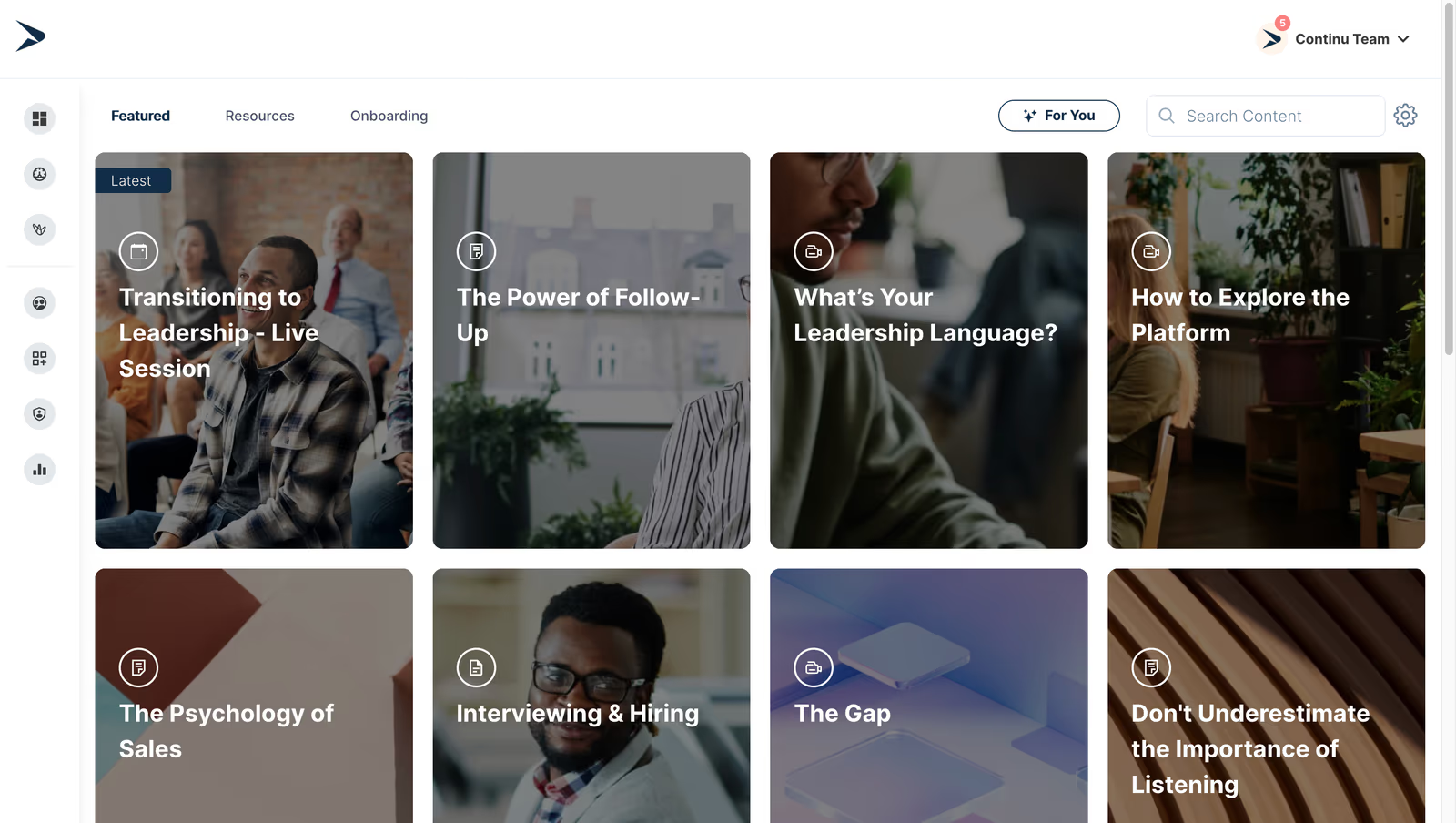
Continu is a modern learning platform that offers AI-powered search and conversational learning to deliver training in the flow of work. It aggregates content from third-party partners like LinkedIn Learning and Udemy, provides microlearning, assessments and analytics, and integrates with Slack and HRIS systems. The platform offers custom branding, personalized learning paths and robust reporting to measure training impact.
Continu earns the top employee training software due to AI-driven search, conversational interface and content partnerships that enable training managers to deliver just-in-time, bite-sized learning within employees' workflow and measure effectiveness.
- AI-powered conversational search and content recommendations
- Content partnerships with LinkedIn Learning, Udemy and microlearning
- Robust reporting and analytics with ROI tracking
Pros:
- AI-driven search and intuitive interface
- Rich content partnerships for diverse training
- Strong analytics and ROI measurement
Cons:
- Not a great fit for non-profits, governments, and educational institutions
- Requires internet access for most features
- Limitations in customizing workflows or content to fit niche requirements

4.6 (1106)
Best for collaborative learning and peer-driven course creation
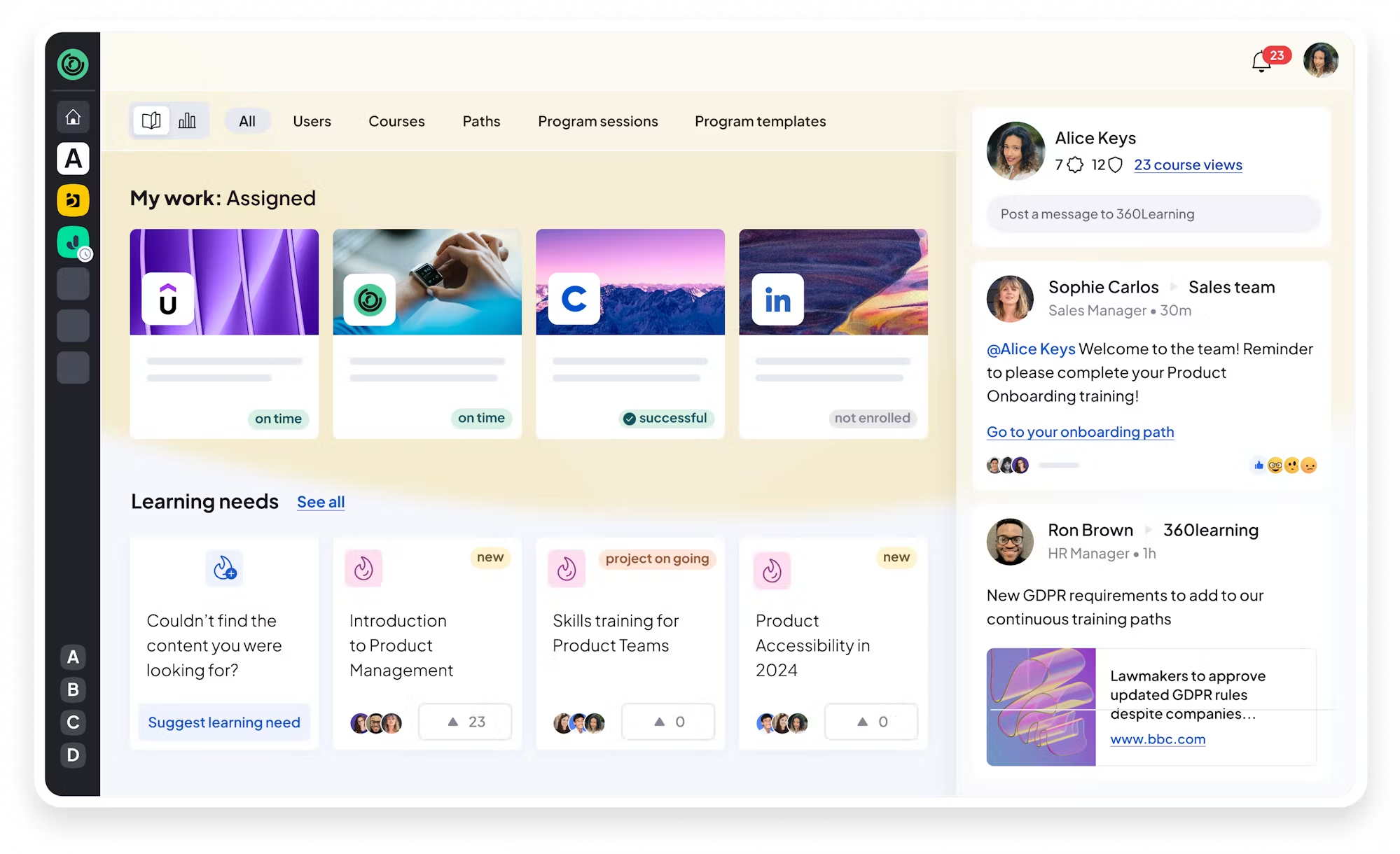
360Learning combines a learning management system with a collaborative authoring tool, enabling subject-matter experts to create courses quickly and collaborate with peers. Its platform supports interactive videos, quizzes, gamification, and AI-powered skills tagging, and is mobile-friendly. Managers can assign courses, track progress, collect feedback, and foster a culture of continuous learning.
360Learning's collaborative authoring and social learning features let training managers harness internal expertise by allowing employees to contribute knowledge and drive adoption.
- Collaborative authoring with real-time editing and feedback
- AI-powered skills tagging and personalized recommendations
- Mobile-first learning with gamification and analytics
Pros:
- User-friendly collaborative authoring and social learning
- AI skills tagging and personalized recommendations
- Robust analytics and mobile experience
Cons:
- Learning curve for new users
- Limited customization options
- Higher pricing for large teams

4.4 (1126)
Best for enterprise-grade scalable learning with AI and automation
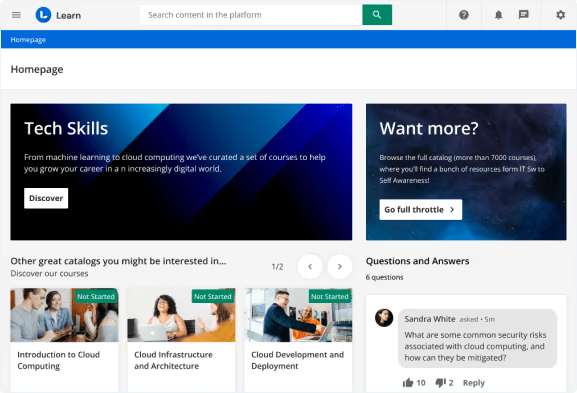
Docebo is an enterprise learning platform that delivers online, social, and blended training through AI-powered content recommendations, a flexible portal, and automation features. It supports both internal and external training with mobile-friendly design, gamification, social learning and integrations with HR and talent systems. Docebo enables organizations to centralize training, track skills, and measure program efficacy with analytics.
Docebo's enterprise-grade features, automation and AI-driven recommendations help training managers at large organizations deliver consistent, engaging training at scale with robust integrations.
- AI-based recommendations and content automation
- Centralized hub for blended, social and mobile learning
- Robust analytics and integrations with talent and skilling tools
Pros:
- Ease of use and intuitive interface for admins and learners
- Powerful automation and AI-driven recommendations
- Responsive customer support and regular updates
Cons:
- Premium pricing and complex contracts
- Legacy interface components and learning curve
- May be overkill for smaller businesses
4.6 (1443)
Best for regulated industries requiring proven compliance training and audit readiness
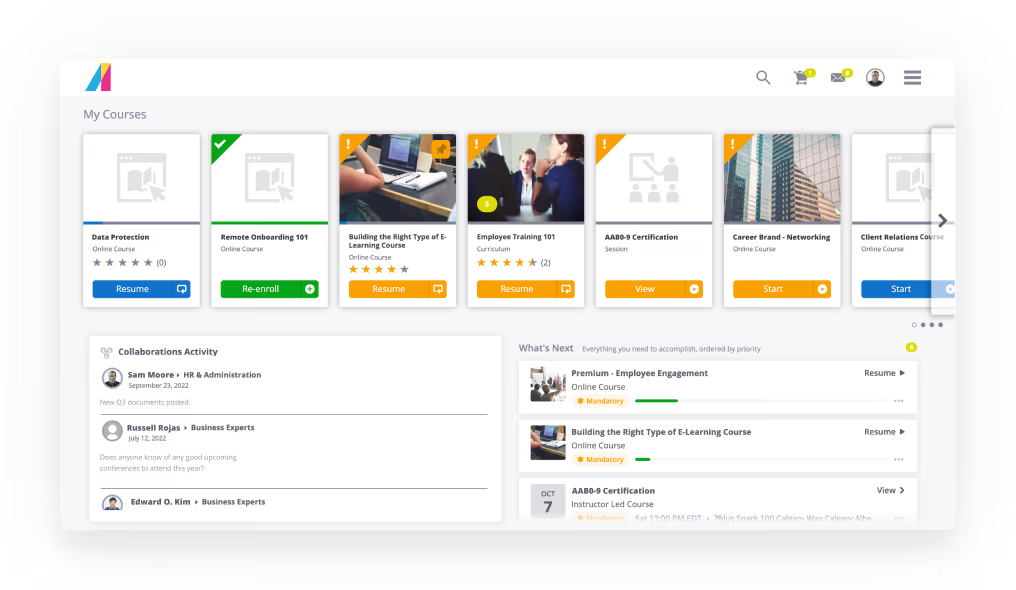
Absorb LMS is an enterprise-grade learning management system that helps organizations deliver and manage compliant onboarding and ongoing training at scale. It offers a user-friendly learner portal, robust reporting, automation rules and certification management to ensure employees meet regulatory requirements. Administrators can create content, automate enrolment and track progress across multiple audiences with branded portals, while learners access self-paced courses on any device.
Absorb offers training leads a reliable compliance solution with deep reporting and multiple portals to deliver consistent training across departments while maintaining learner-friendly usability.
- Robust compliance & certification management with automated workflows
- Customizable learner and admin portals with advanced reporting
- Scalable multi-audience training with automation and course authoring
Pros:
- User-friendly learner portal and intuitive admin interface
- Powerful reporting and analytics with automated certification management
- Responsive customer support and flexible customization
Cons:
- Premium pricing compared to other LMS options
- Configuration and advanced features can be complex to set up
- Limited customization for branding and UI design
4.6 (1982)
Best for flexible and affordable LMS for small teams up to large enterprises
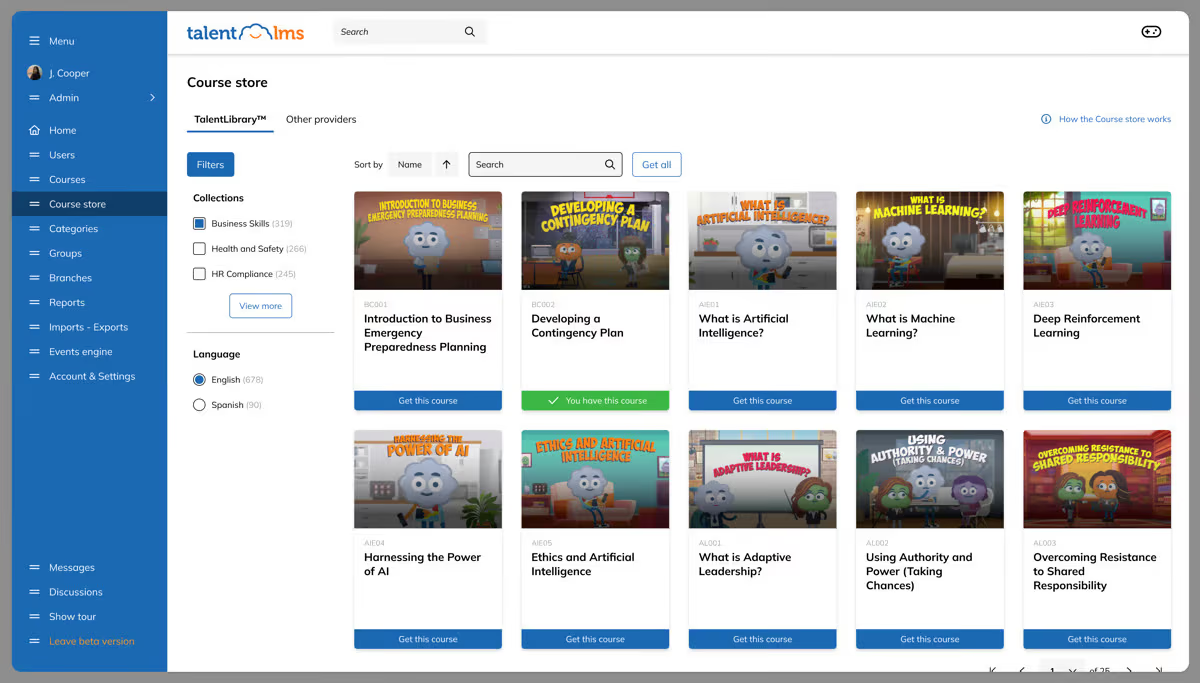
TalentLMS is a cloud-based learning management system designed to deliver online training quickly. It supports multiple content formats, including videos, SCORM, PDFs, quizzes and surveys. With its clean interface, administrators can easily upload courses, assign users and track completion. Gamification features, branching learning paths and automation help keep learners engaged, while flexible pricing plans accommodate businesses from startups to enterprises.
TalentLMS provides training managers with a straightforward, affordable solution for rolling out training across remote teams without sacrificing functionality.
- User-friendly course creation and management with support for diverse content types
- Gamification and branch learning paths to engage learners
- Flexible pricing plans and scalability with free and paid tiers
Pros:
- Easy to set up and navigate for admins and learners
- Supports multiple content formats with gamification
- Affordable pricing and scalable plans including a free tier
Cons:
- Limited customization and branding options on lower-tier plans
- Some advanced features require higher-priced plans
- Reporting and analytics are basic compared to enterprise LMS
4.7 (759)
Best for multi-portal enterprise training with responsive support
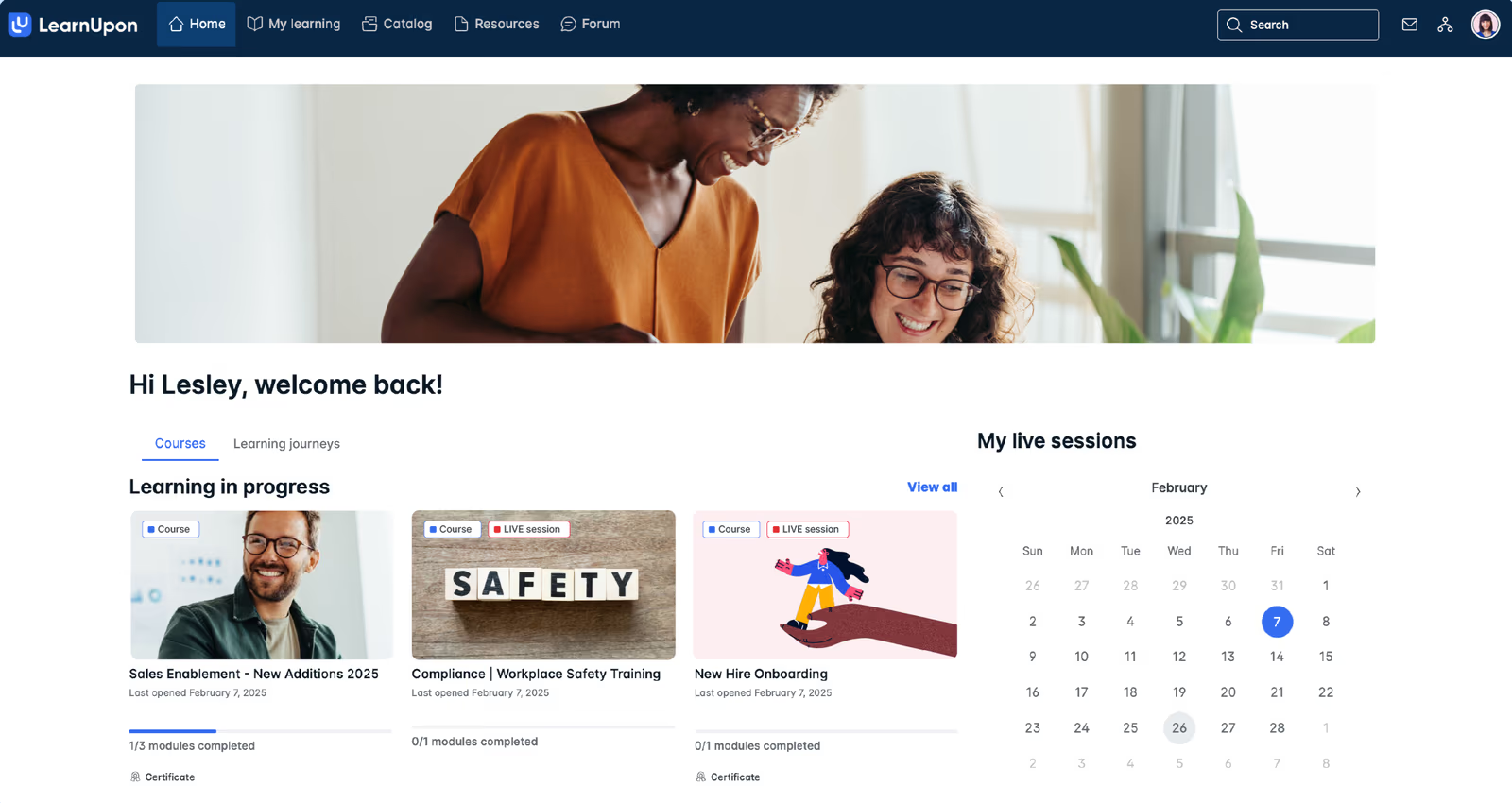
LearnUpon is a scalable learning management system that centralizes employee, customer and partner training across multiple portals. Its intuitive interface and responsive customer success team make it easy to onboard quickly. LearnUpon supports blended learning, webinars and SCORM content, with automation rules, reporting and integrations to manage training for internal and external audiences. Multi-portal architecture allows tailored experiences for different audiences while maintaining centralized administration.
LearnUpon offers training teams a balanced mix of usability, support and flexibility with dedicated portals for training both employees and customers.
- Multi-portal architecture with central administration
- Blended learning and automation for assignments and reminders
- Responsive customer support and easy implementation
Pros:
- Outstanding customer service and support
- Intuitive interface with easy setup and multi-portal flexibility
- Powerful automation and reporting features
Cons:
- Custom pricing can be expensive for small organizations
- Limited customization and advanced features require higher tiers
- Some features still evolving; not the best fit for heavy customization

4.7 (2350)
Best for aligning performance management with personalized learning paths
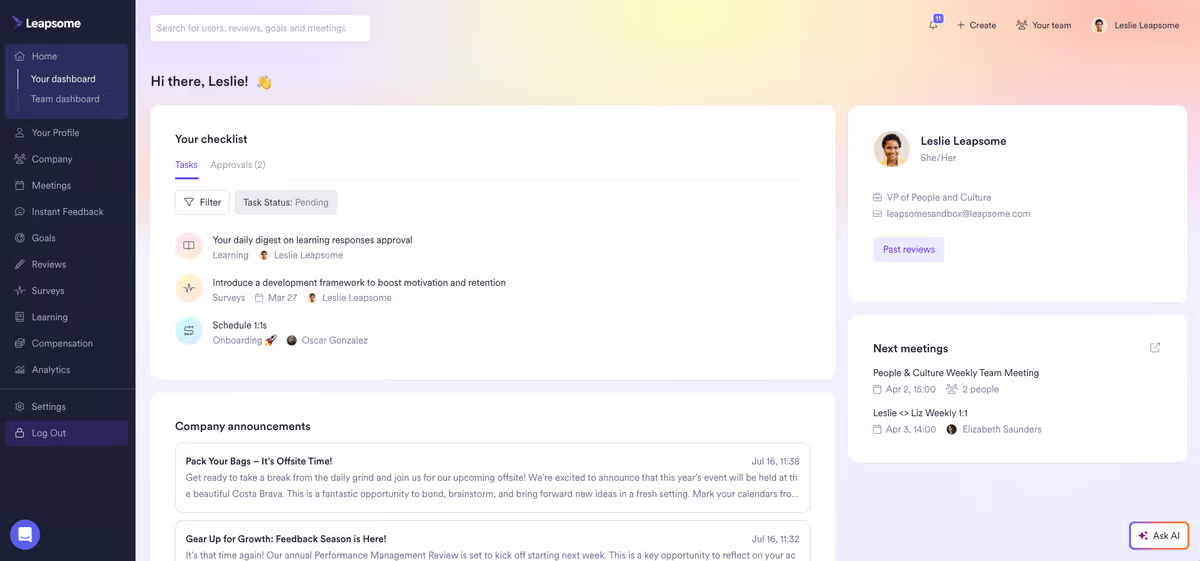
Leapsome is an all-in-one people development platform that integrates performance management, goals and OKRs, engagement surveys and learning. Its learning module offers personalized learning paths, AI-powered content recommendations and course creation, linking training to competencies and goals. Continuous feedback, pulse surveys and analytics help managers track development and engagement. The platform integrates with Slack, Teams, Workday and HRIS systems.
Leapsome unifies learning with OKRs, feedback and engagement, ensuring training leaders can align development programs directly with performance goals and business outcomes.
- AI-powered course creation & personalized learning paths
- Integrated performance management and goal/OKR tracking
- Continuous feedback and engagement surveys
Pros:
- Integrates performance management and learning in one platform
- AI-powered personalized learning and goal alignment
- User-friendly interface with strong integrations
Cons:
- Steep learning curve due to feature breadth
- Navigation can be confusing
- Reporting and customization options are limited

4.8 (1455)
Best for centralizing SOPs and onboarding for growing teams
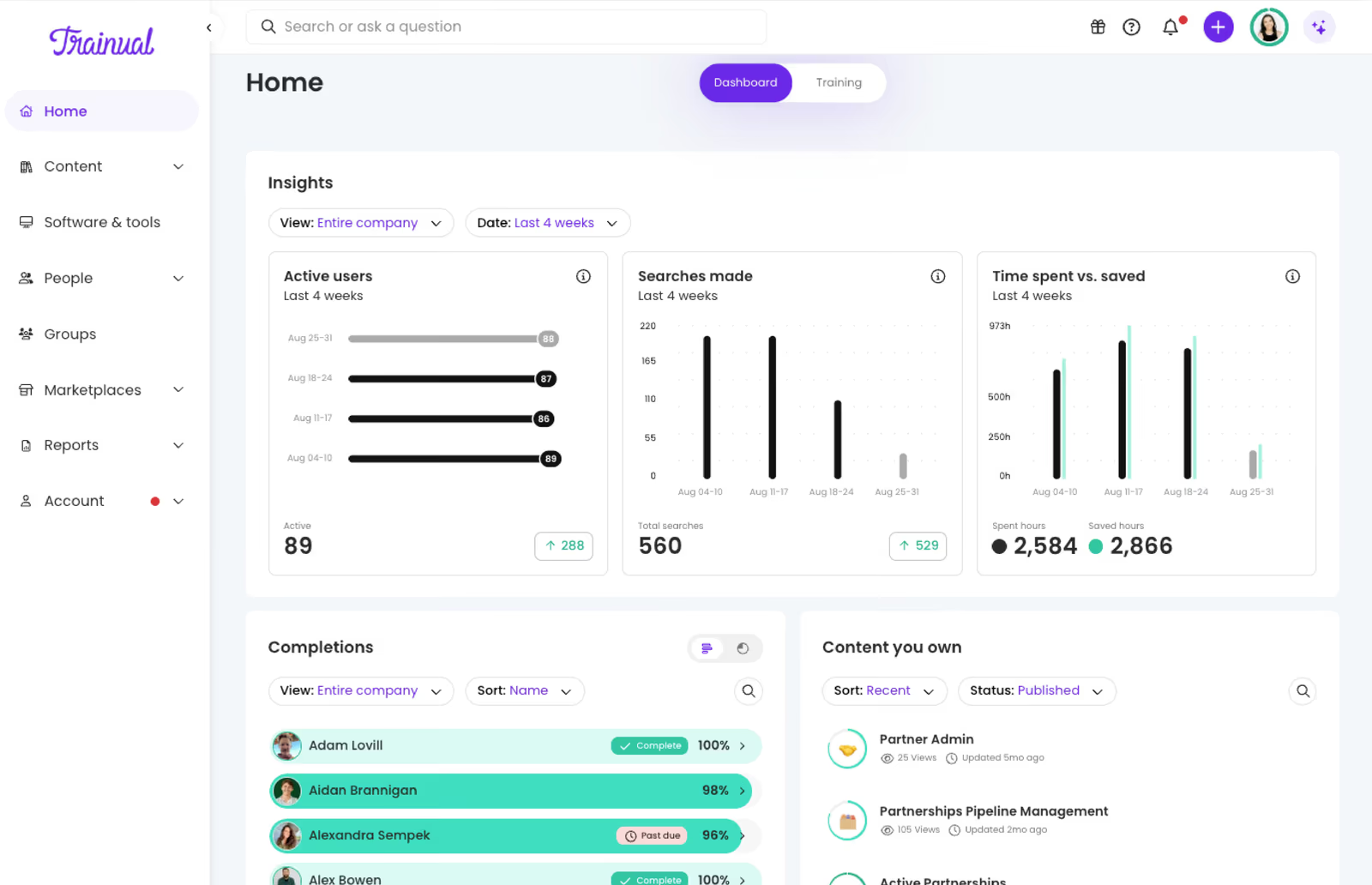
Trainual allows organizations to capture processes, policies and roles into a searchable playbook. Managers can create interactive training modules, assign them to employees with due dates and track completion with quizzes and progress reports. The platform helps standardize onboarding and ongoing training, sync roles with HRIS and payroll systems, and integrate with other tools like Slack to streamline internal knowledge transfer.
Trainual's easy-to-use templates, progress tracking and role-based assignments help training teams centralize SOPs and build repeatable onboarding programs that ensure consistency for new hires.
- Centralized playbook and documentation with version control
- Training assignments, quizzes and progress tracking with due dates
- Role & responsibility builder with HRIS and payroll sync
Pros:
- Intuitive interface and easy-to-use templates
- Centralizes SOPs and knowledge for consistent onboarding
- Robust progress tracking and reporting
Cons:
- High pricing compared to basic LMS solutions
- Limited customization for complex workflows
- Navigation and page load times can be slow
4.6 (4660)
Best for deskless workforce training and operations
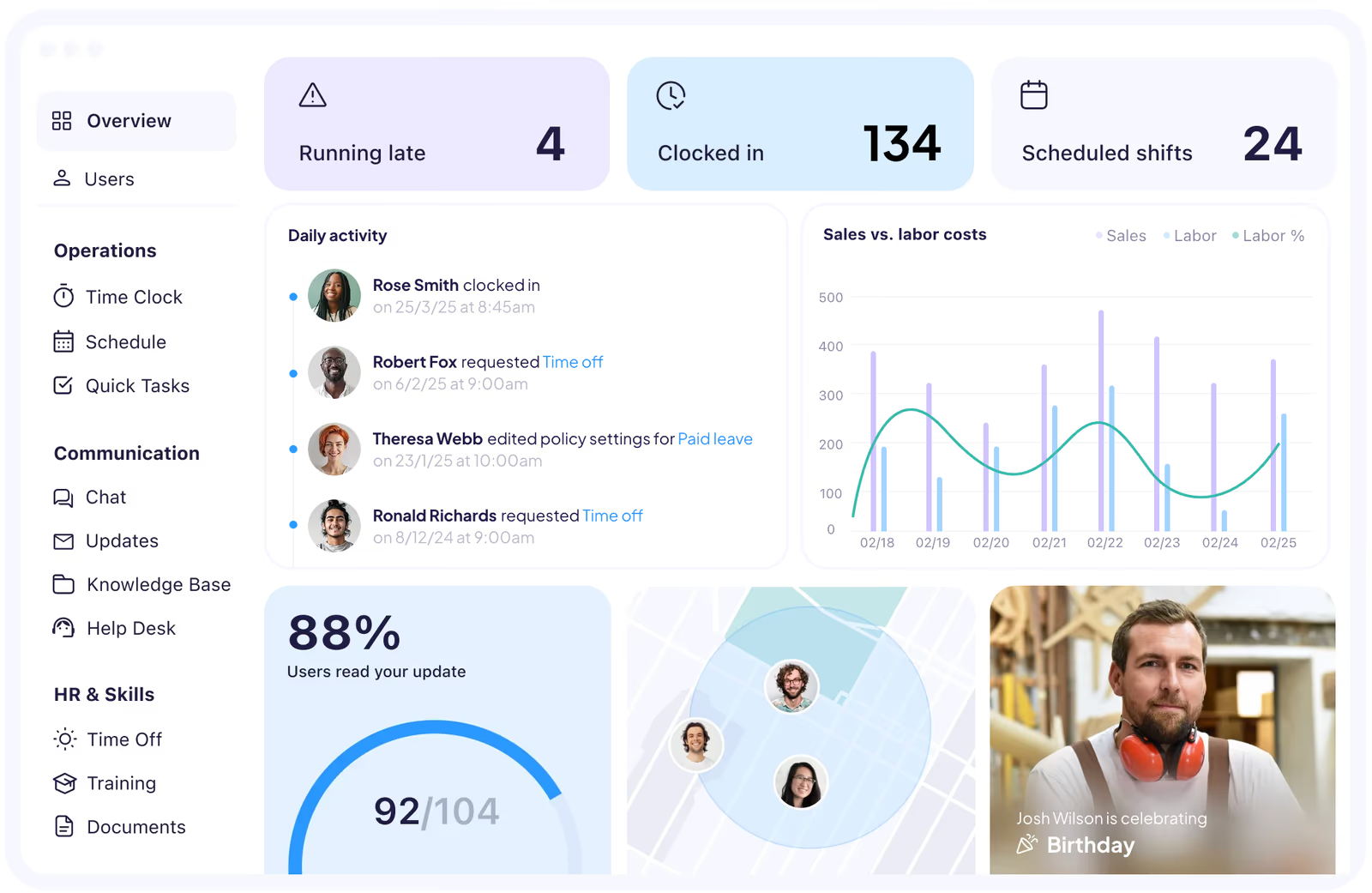
Connecteam is a unified workforce management and training app that lets managers create and assign interactive courses covering onboarding, compliance and health & safety. Employees complete training via mobile, while managers track progress and results. Beyond training, the platform includes scheduling, task management and communications, making it ideal for training and engaging frontline teams.
Connecteam's simple course builder and all-in-one mobile app deliver training to deskless staff alongside scheduling and communication features, making compliance monitoring straightforward for training managers.
- Interactive course builder with quizzes and videos
- Mobile app for on-the-go training and progress tracking
- Built-in scheduling and task management tied to training
Pros:
- Mobile-first and intuitive for non-desk users
- Easy course creation and onboarding workflows
- Affordable entry-level pricing and free plan
Cons:
- Limited customization and reporting compared to full LMS
- Advanced features require upgrading to higher tiers
- Scheduling and attendance reporting can be basic
4.7 (573)
Best for creating engaging interactive courses with video-based training
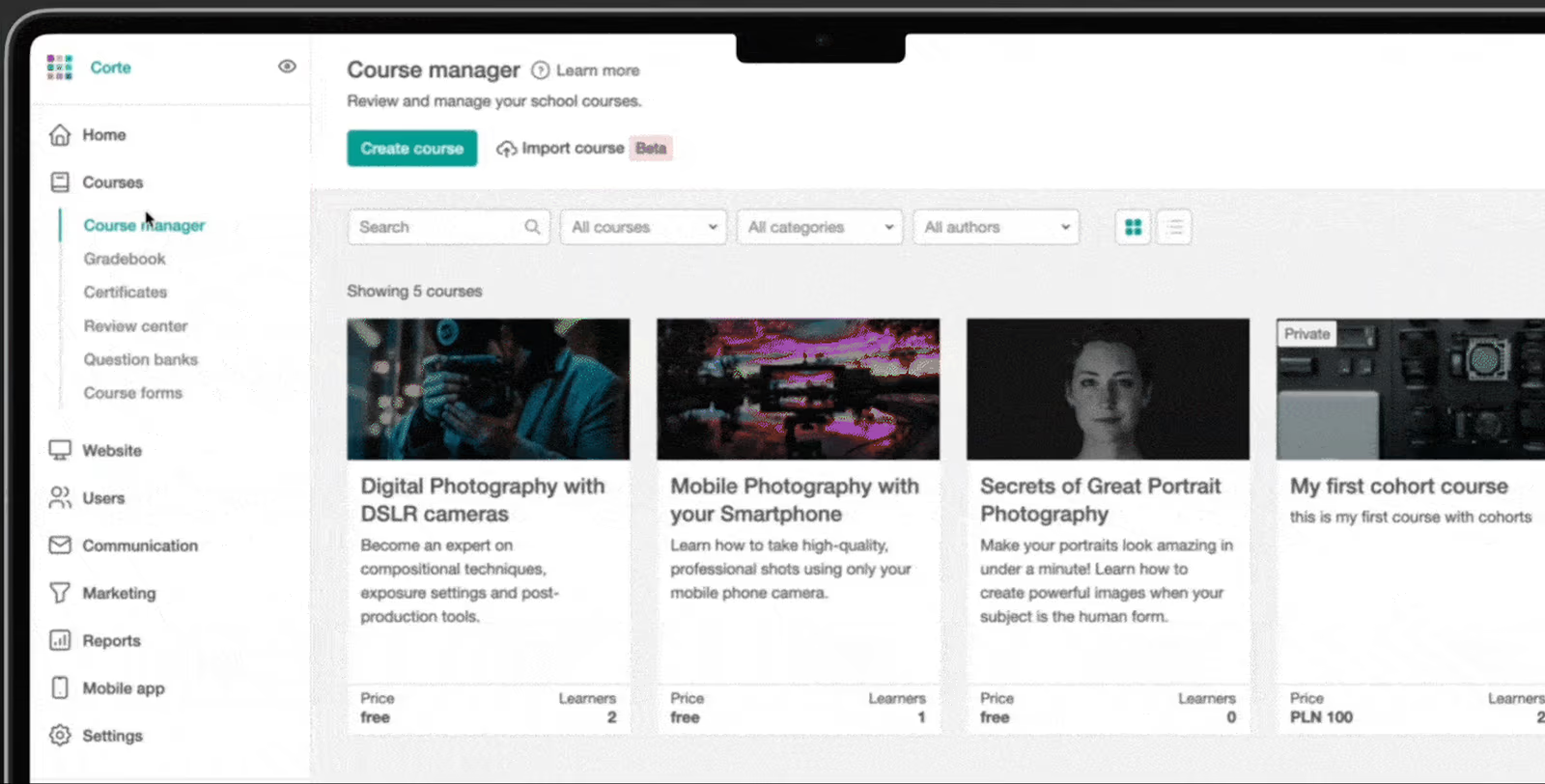
LearnWorlds is a cloud-based LMS that allows training managers to build and sell immersive courses using interactive videos, quizzes, assessments and community features. It includes a drag-and-drop course builder, branded learning portals, SCORM and HTML5 support, certificates and analytics. The platform supports employee onboarding and continuous learning with progress tracking and integrates with marketing and payment tools.
LearnWorlds' interactive video tools and branded academy features enable training managers to create engaging, multimedia courses that deliver professional learning experiences to employees and customers.
- Interactive video and assessment tools (quizzes, ebooks, surveys)
- Branded learning portals with drag-and-drop course builder
- Certificates and SCORM/HTML5 content support
Pros:
- Powerful interactive video and multimedia course tools
- Customizable, branded learning portals and community features
- Comprehensive analytics and certificates
Cons:
- Many advanced features locked behind higher-priced plans
- User interface can be overwhelming for beginners
- Limited built-in gamification and mobile app features
4.5 (389)
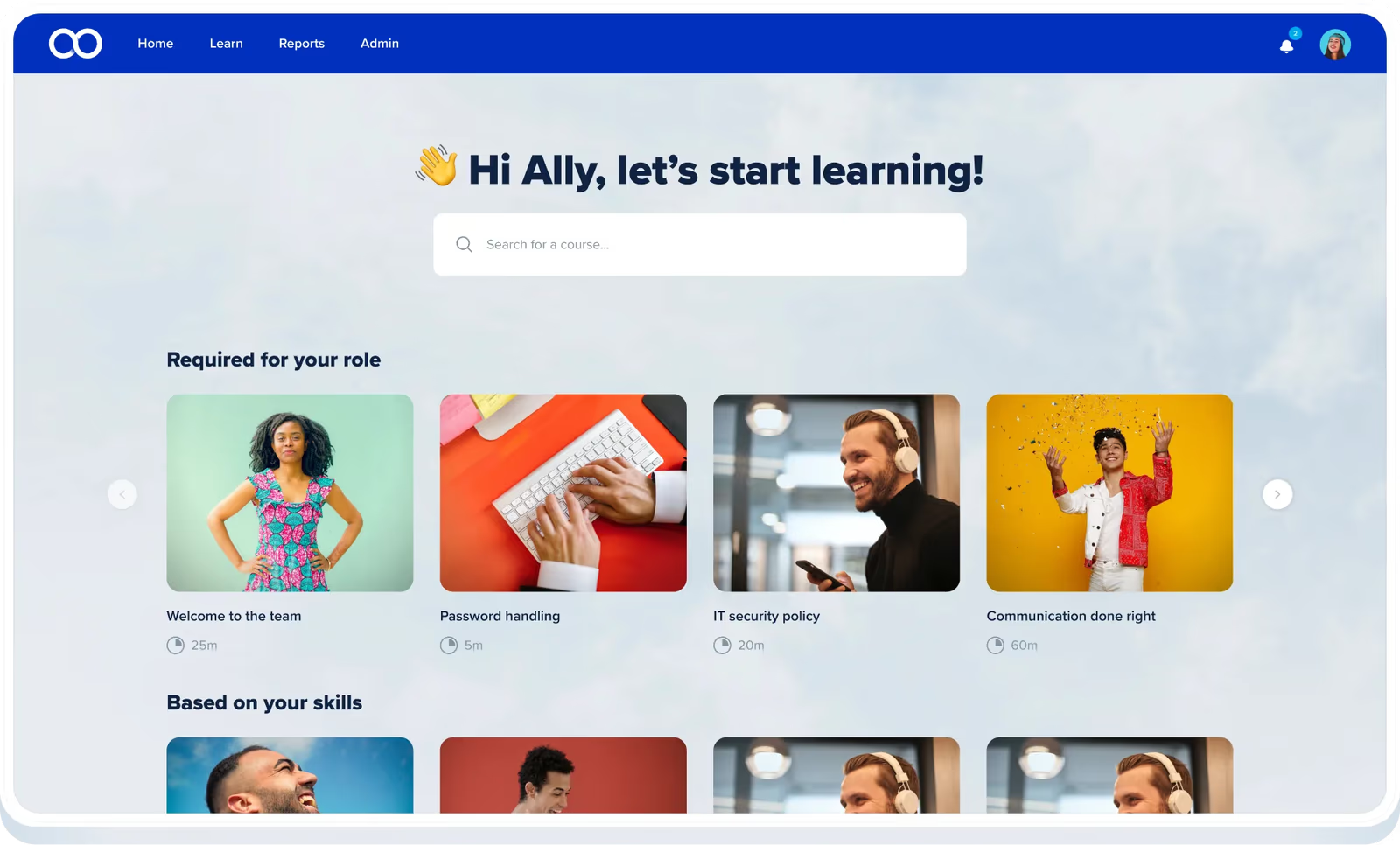
eloomi combines learning management and performance development, offering a mobile-friendly interface for creating and distributing courses, quizzes, and certifications. The platform automates enrollment and learning paths, includes a content marketplace with prebuilt courses, and offers compliance tracking and analytics. It helps training managers quickly launch onboarding and compliance programs for frontline teams.
eloomi's mobile-first interface, automated learning paths and content marketplace allow training managers to quickly deploy engaging training to frontline employees with minimal setup.
- Automated learning paths and enrollment with due dates
- Mobile interactive training with quizzes and bite-sized content
- Certification and compliance management with analytics
Pros:
- Easy-to-use, mobile-first interface
- Automated learning paths and blended learning
- Excellent customer support
Cons:
- Limited reporting and analytics depth
- Limited course customization options
- Slower response times on support for some users
4.4 (594)
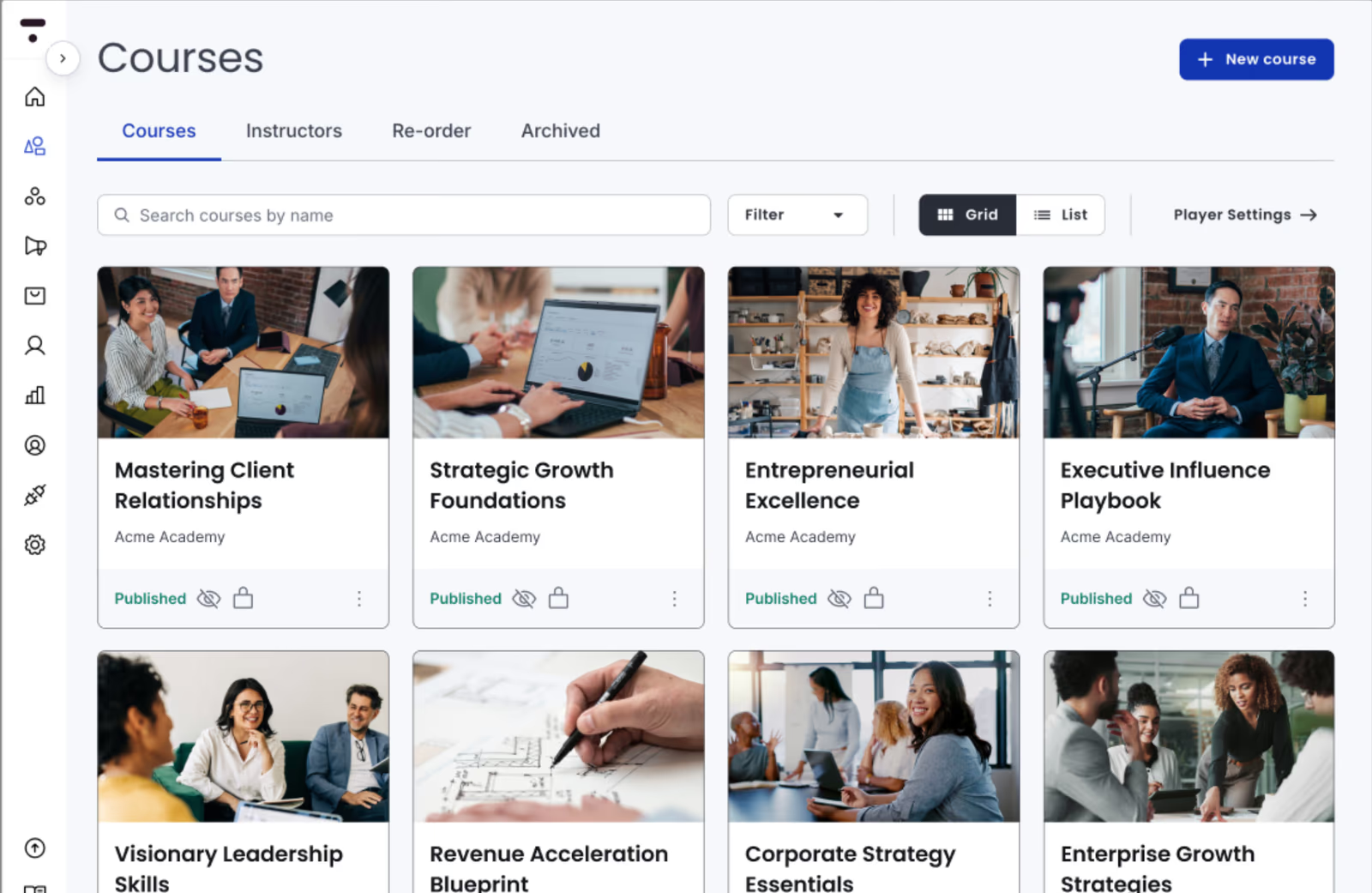
Thinkific is a course platform that empowers organizations to build and deliver engaging training programs using a drag-and-drop course builder, multimedia content such as videos, quizzes and surveys, communities and discussions, and mobile-responsive design. It supports unlimited courses, learners, white-label branding and integrates with marketing and business tools. Employees can learn anytime, anywhere and share knowledge via discussions; managers can track progress and issue certificates.
Thinkific's intuitive builder and community features give training teams the flexibility to design polished training experiences and foster peer learning without coding.
- Drag-and-drop course builder with multimedia content
- Communities and discussion forums for peer learning
- Unlimited courses with custom branding and analytics
Pros:
- Intuitive drag-and-drop course creation
- Interactive features like quizzes, discussions and communities
- Unlimited courses and flexible branding
Cons:
- Lacks advanced features for complex organizations
- Additional transaction fees and costs for payment gateways
- Customer support and customization can be limited
4.6 (141)
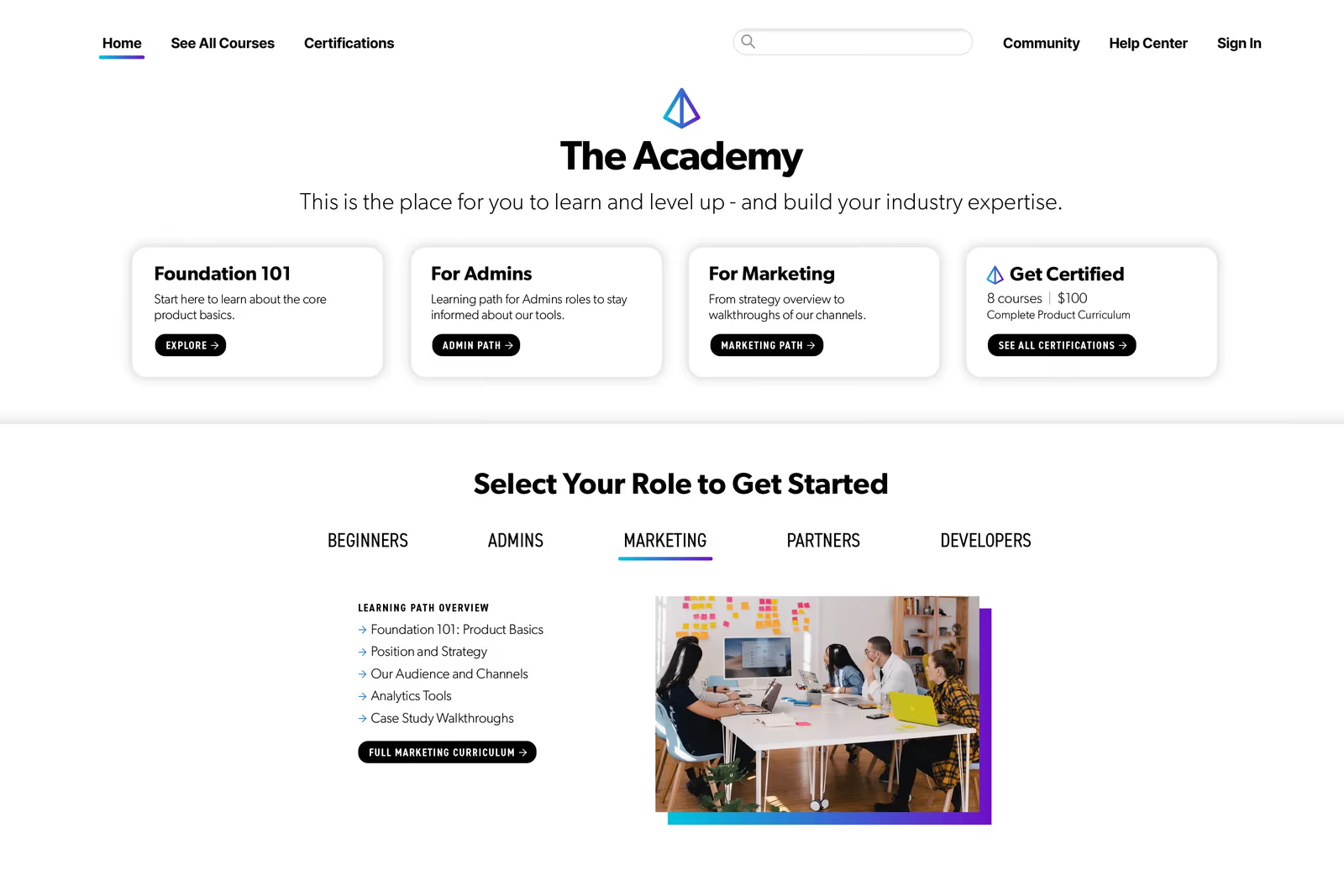
Skilljar provides a comprehensive LMS for customer and employee education, enabling organizations to build branded academies with customizable learning paths, certifications, SCORM content and analytics. It integrates deeply with CRM and analytics tools like Salesforce, HubSpot and Gainsight, supports e-commerce for monetized courses and offers SSO. Training teams can deliver onboarding, certification and compliance programs to internal teams and external audiences.
Skilljar's branded academies and deep Salesforce integration provide training managers with a scalable platform for training both employees and customers with robust reporting and CRM connectivity.
- Customizable branded academy with learning paths and certificates
- Deep CRM and analytics integrations (Salesforce, HubSpot, Zendesk)
- SCORM and xAPI support with e-commerce and monetization
Pros:
- Intuitive branded academies and user-friendly design
- Seamless CRM and analytics integration
- Responsive customer support
Cons:
- High pricing and setup costs
- Basic analytics and reporting features
- Limited gamification and manual processes

4.9 (104)
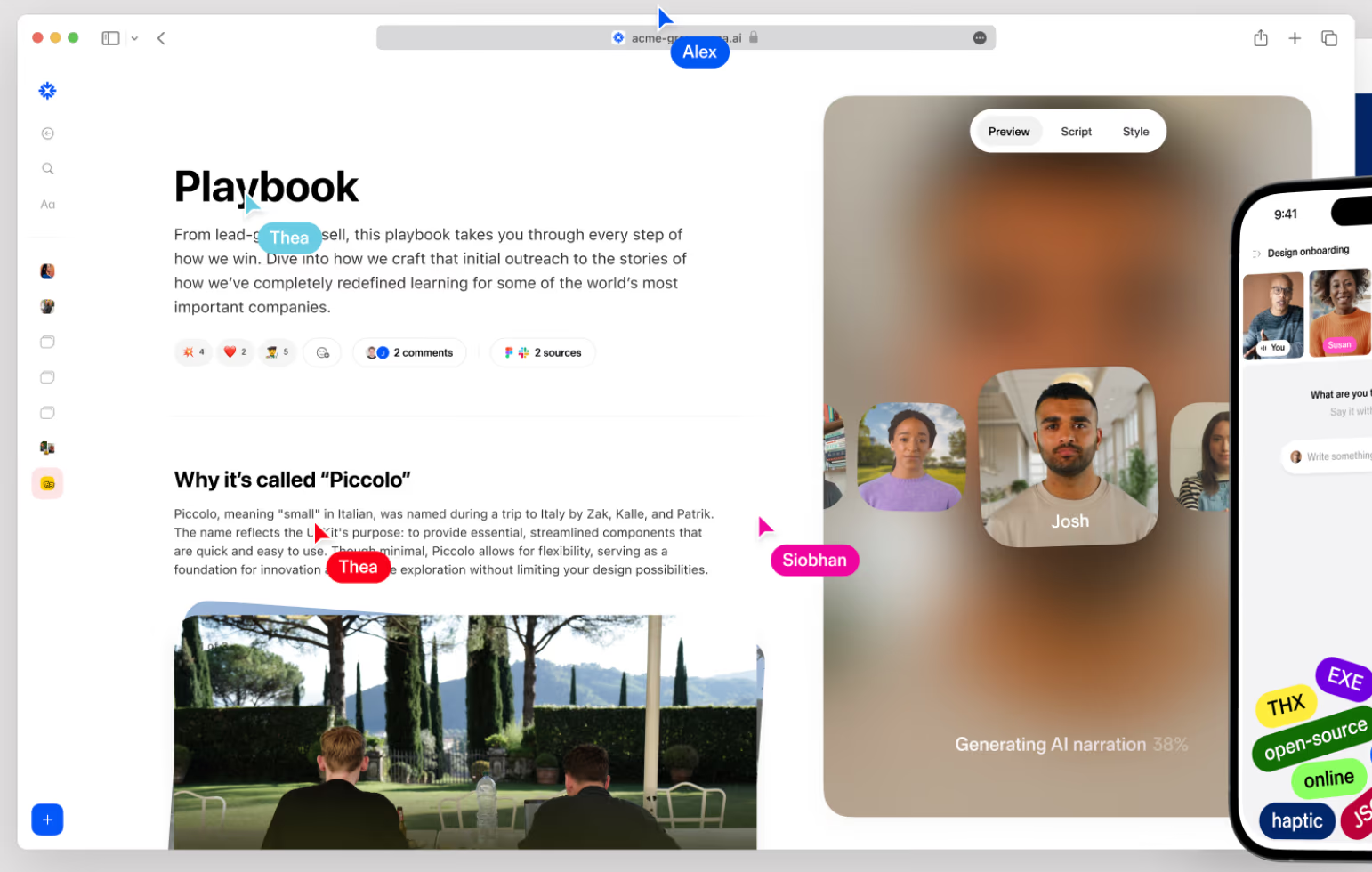
Sana is an AI-native learning and knowledge platform that centralizes training content and automates the creation, delivery and management of learning programs. Its AI tutor, semantic search and authoring tools enable subject matter experts to generate courses quickly. Personalized learning paths and interactive experiences adapt to each learner's needs, while analytics and automation streamline compliance and skills development at scale.
Sana uses AI to simplify content creation and personalize training, freeing L&D teams to focus on coaching rather than building courses from scratch.
- AI-powered course authoring and semantic search
- Personalized learning paths and interactive AI tutor
- Automated assessments, analytics and workflow automation
Pros:
- Highly personalized AI-driven learning experience
- Rapid course creation with AI authoring and semantic search
- Modern, intuitive interface with strong collaboration tools
Cons:
- High pricing with 300-user minimum makes it expensive
- Limited configurability for compliance and structured training
- Small user base and limited third-party reviews

4.4 (296)
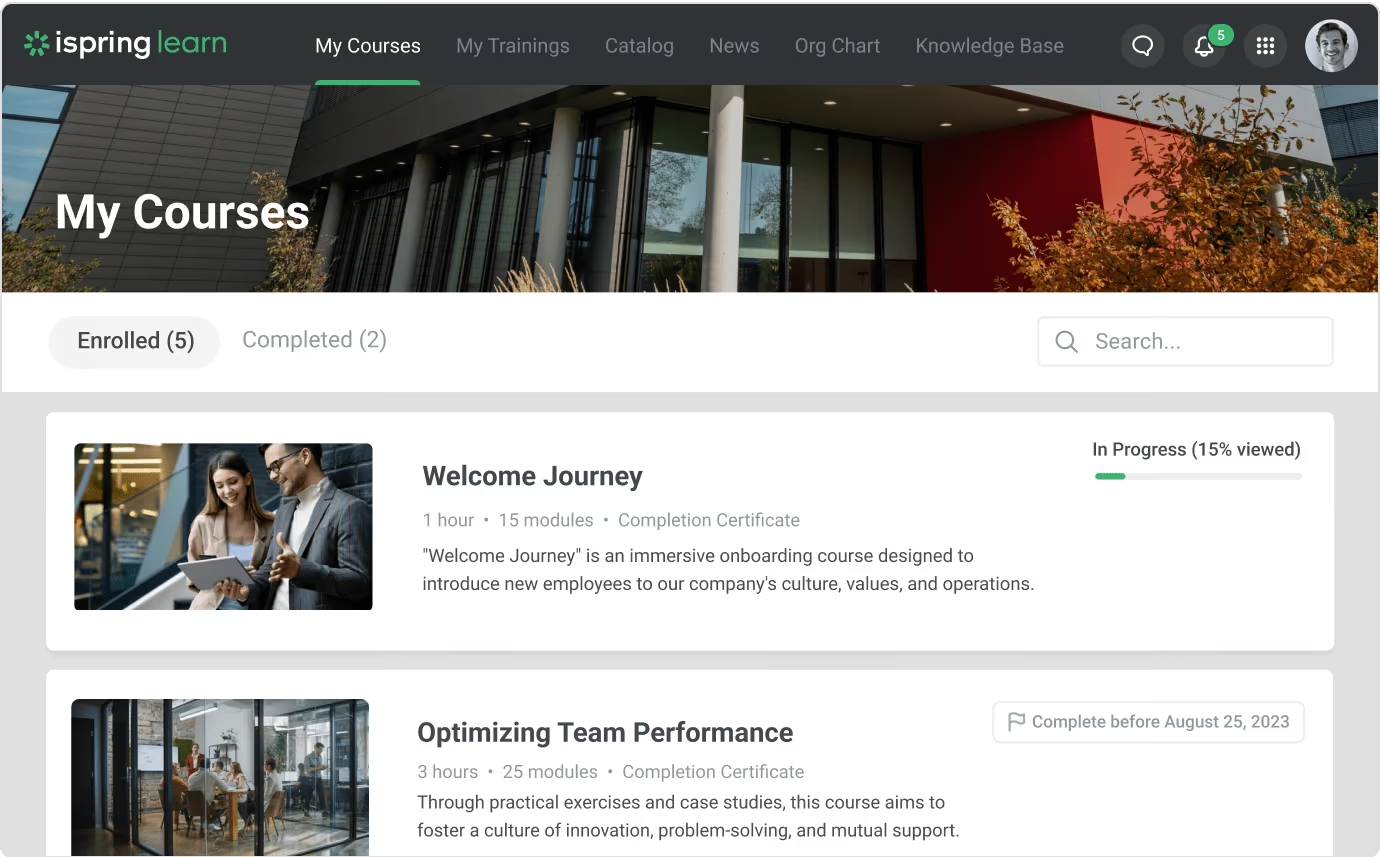
iSpring Learn is a cloud-based LMS that makes it easy to launch online training programs. It includes an integrated course authoring tool and supports SCORM, video, quizzes and webinars. The platform allows administrators to set up learning paths, assign courses to employees and track progress through detailed reports. Pricing is based on active users, making it cost-efficient for organizations with fluctuating training needs. Mobile apps allow learners to access courses offline, though administrative functions are limited on mobile.
iSpring Learn combines a simple course builder with flexible active-user pricing, allowing training managers to pay only for employees who actually train.
- Integrated course authoring with SCORM and interactive quizzes
- Learning paths and progress tracking with detailed reporting
- Pay-per-active-user pricing with unlimited registered users
Pros:
- Built-in authoring and simple interface for creating courses
- Flexible active-user pricing and unlimited users
- Mobile app allows offline access to courses
Cons:
- Administrative functions are limited on mobile
- Analytics and gamification features are basic
- May require additional iSpring Suite purchase for advanced authoring
4.5 (200)
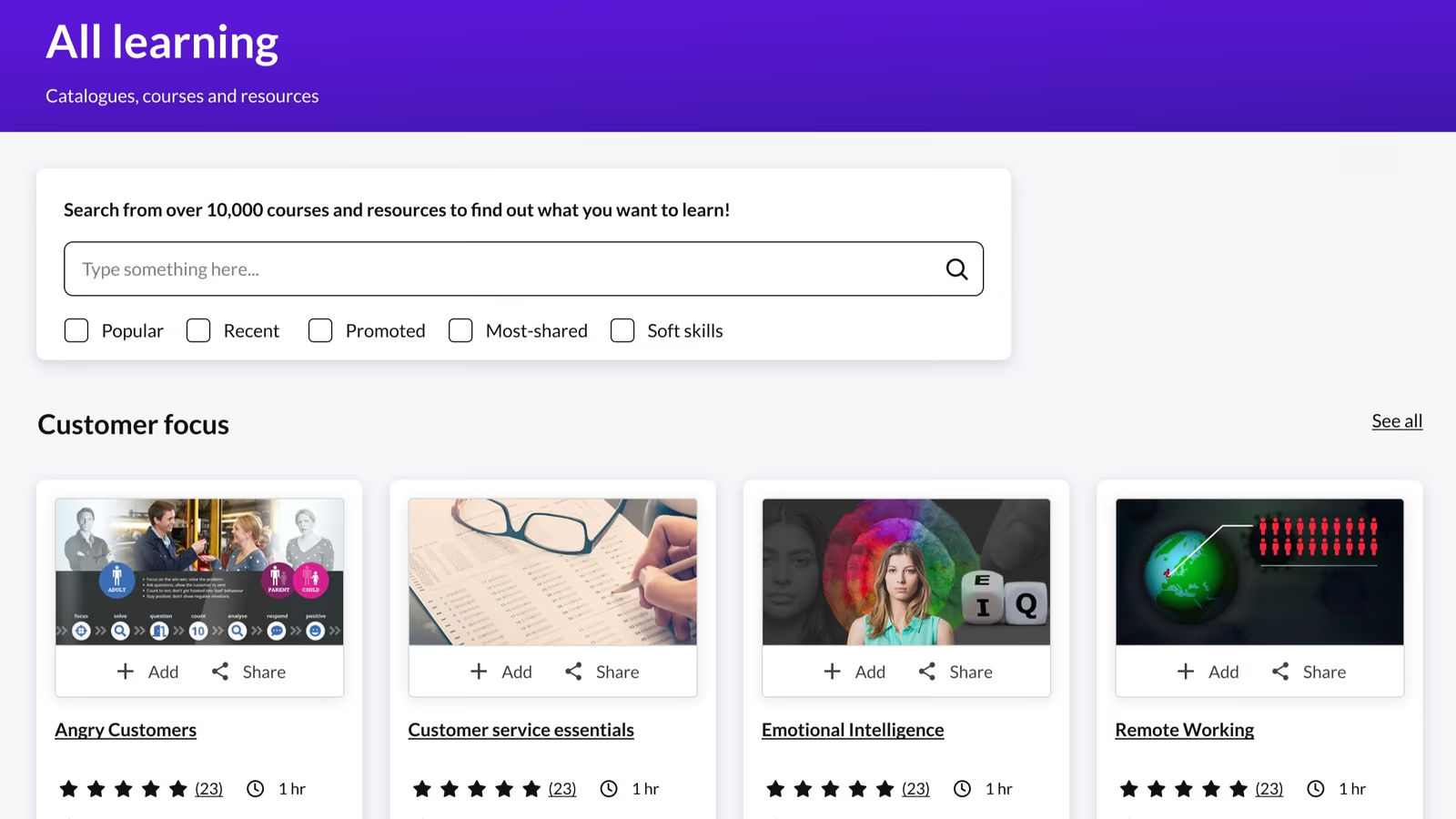
Kallidus Learn is a cloud-based LMS that enables businesses to manage, track and report learning across multiple devices. It provides a centralized portal for mandatory training, compliance tracking and skills development. The platform is designed to be user-friendly for learners and administrators, with features like course catalogs, certifications, progress tracking and reporting. Support and ease of use are highly rated, though customization and advanced features are limited.
Kallidus Learn simplifies mandatory training administration for HR teams with excellent support for both learners and admins.
- Simple, user-friendly learner and admin experience
- Mandatory training and compliance tracking with progress reporting
- Flexible pricing and support for multiple devices
Pros:
- Easy to use for learners and admins with strong customer support
- Effective at delivering mandatory training and tracking compliance
- Flexible pricing and device support
Cons:
- Limited customization and feature depth compared to modern LMS
- Reporting and analytics could be more robust
- Pricing starts high; features may feel basic for advanced needs
4.7 (244)
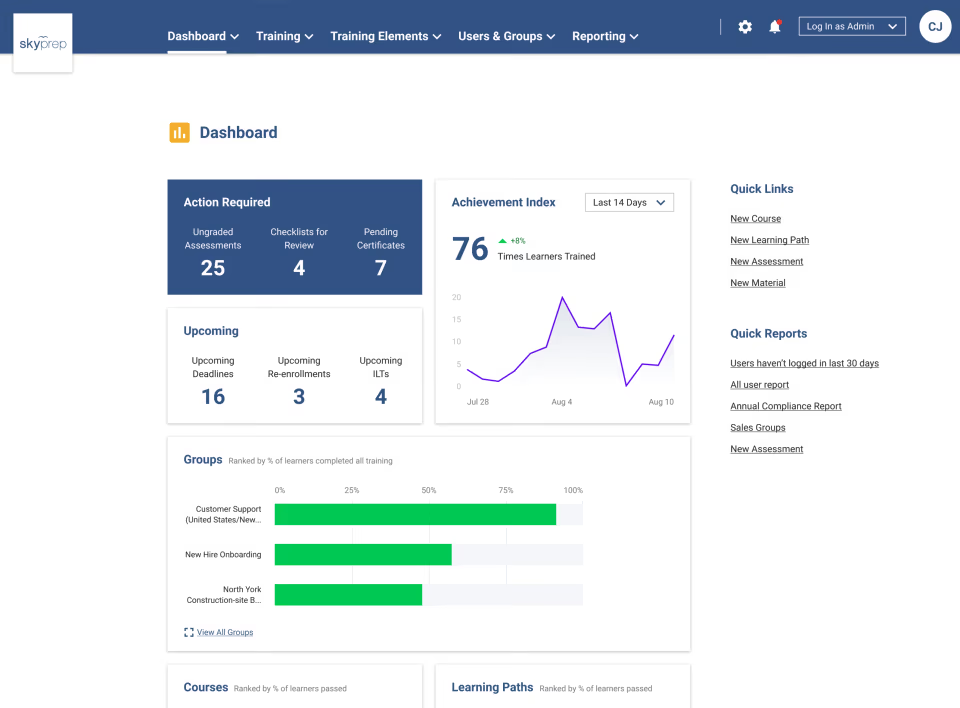
SkyPrep is a user-friendly learning management system designed to simplify employee training and onboarding. Administrators can easily upload videos, PDFs, SCORM courses and quizzes, assign learners and track progress. The platform provides customizable course creation and offers a library of pre-built training content for faster rollout. Real-time analytics help track learner performance, while integration with tools like iorad enables software training. However, reporting options can be limited for complex needs.
SkyPrep's intuitive interface and ready-to-use course library allow training managers to launch programs quickly without a steep learning curve.
- Easy course upload and customizable course setup
- Pre-built training content library and software tutorial integration
- Real-time analytics and performance tracking
Pros:
- Intuitive and easy-to-use interface for both admins and learners
- Ready-made course library and flexible content upload
- Responsive customer support and flexible pricing
Cons:
- Reporting and analytics features can be limited
- Email reminders and platform tutorials could be improved
- Not ideal for small businesses due to pricing focus on larger clients

4.5 (691)
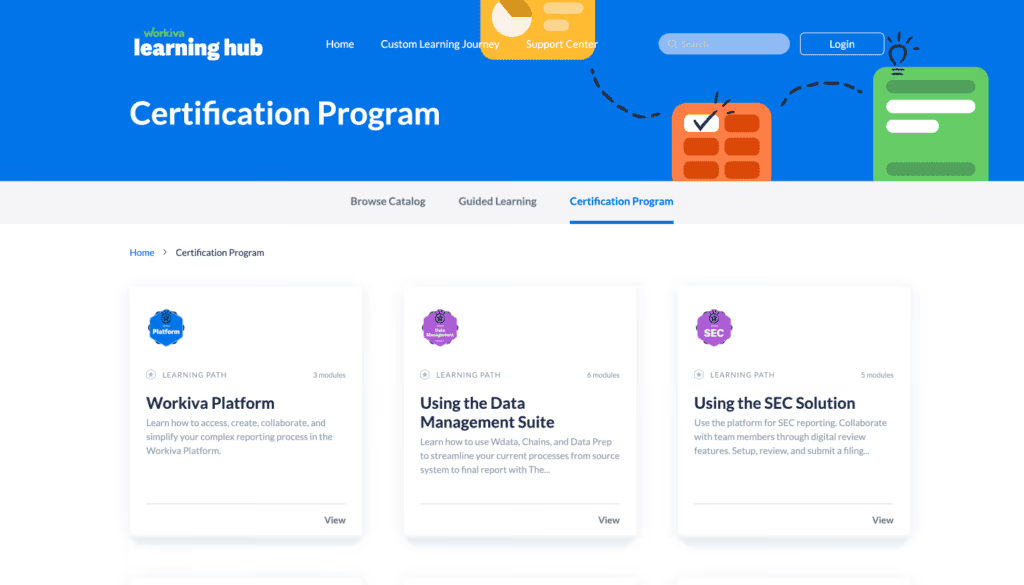
WorkRamp is an AI-first learning platform designed to deliver training across employees, sales teams, partners and customers. It combines an intuitive course builder with collaborative features, assessments and gamification to create engaging learning experiences. The platform supports live and on-demand learning, SCORM uploads and content libraries. As an all-in-one learning cloud, it helps organizations scale training programs while providing analytics to measure impact.
WorkRamp consolidates employee and customer training into one platform with AI-powered insights and an easy course builder for L&D teams.
- AI-powered course builder with interactive assessments
- Unified employee, partner and customer training cloud
- Gamification and social learning with analytics and feedback
Pros:
- Intuitive and user-friendly interface for building interactive courses
- Supports employee, partner and customer training in one platform
- Strong customer support and continuous improvements
Cons:
- Reporting and analytics depth could be improved
- Premium pricing and custom contracts
- Some security and feature gaps reported by users
4.3 (53)
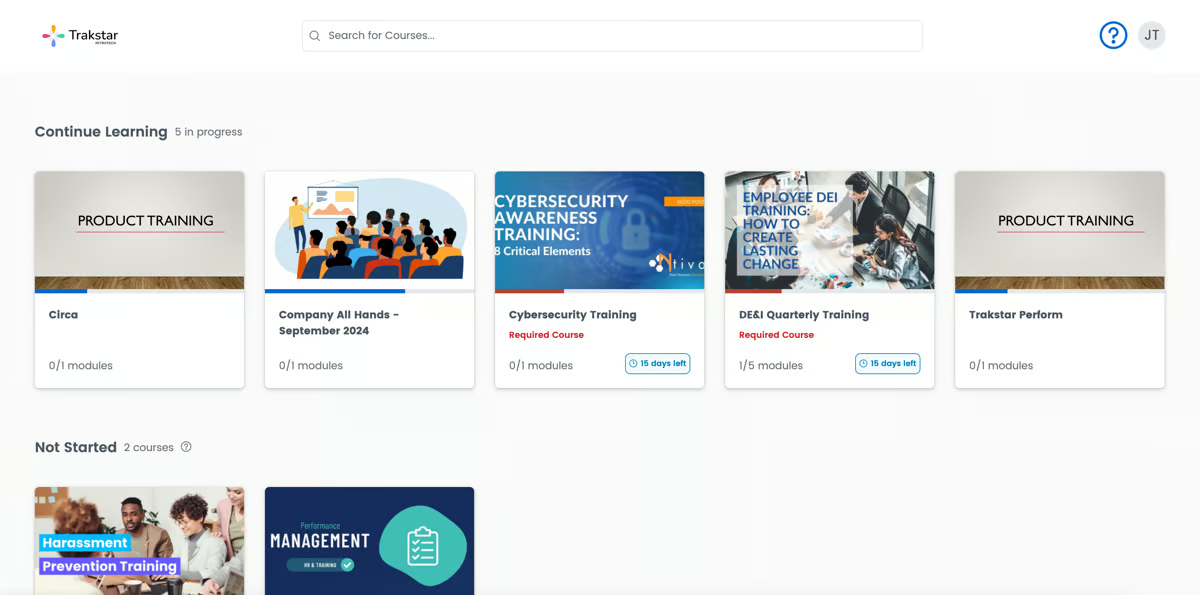
Trakstar Learn (formerly Mindflash) is a learning management system designed to help HR leaders build structured training programs. It supports asynchronous and blended learning, built-in course authoring, certifications, assessments, SCORM compliance and reporting. Plans scale from basic to enterprise tiers based on number of trainees, with features like virtual classrooms, progress tracking and learning paths to support onboarding, compliance and upskilling.
Trakstar Learn provides training teams with a straightforward platform for building training paths and certifications with flexible plans that scale.
- Built-in course authoring and SCORM-compliant content
- Certification management, assessments and progress tracking
- Scalable plans with virtual classroom and learning paths
Pros:
- Built-in authoring and SCORM support for creating structured courses
- Flexible plans with certification management and learning paths
- Easy to implement and manage for HR teams
Cons:
- Limited live class scheduling and rescheduling options
- Course categorization and grouping are limited
- Older interface and fewer advanced features compared to modern LMS


4 (100)
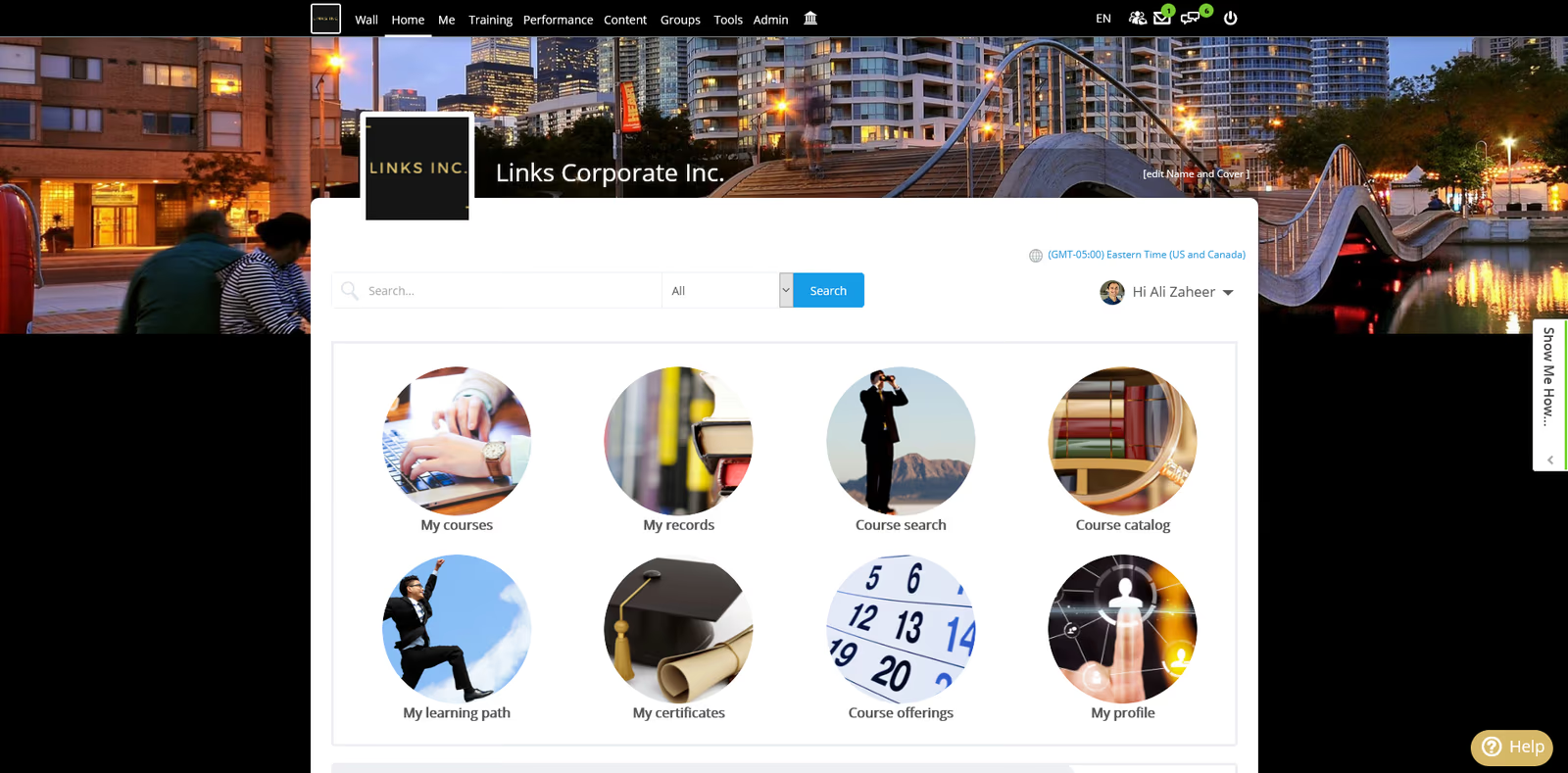
Schoox is a modern learning and development platform that connects training to business results. It leverages AI to map critical skills to roles, generate learning paths and deliver personalized, mobile-first training. The platform offers blended learning with in-person and online sessions, compliance automation, analytics dashboards and an org-structure feature to mirror your company. Schoox is designed to empower frontline workers and ensure training aligns with performance goals.
Schoox combines AI-driven skill mapping with mobile-friendly delivery, helping training managers tailor training to each role and measure impact.
- AI-driven skills mapping and personalized learning paths
- Blended learning with mobile-first delivery and compliance automation
- Analytics & reporting to connect learning outcomes to business performance
Pros:
- AI-driven skill and performance alignment with personalized learning paths
- Mobile-first delivery and blended learning options
- Comprehensive analytics linking training to business results
Cons:
- Pricing can be high with added costs for scalability and integrations
- Reporting and customization may require advanced setup
- Interface may have a learning curve for complex org structures
How We Evaluate Employee Training Software
Selecting the right employee training platform requires more than feature checklists.
You need a solution that onboards new hires quickly, create engaging training content with intuitive eLearning authoring tools, and automates training delivery to save admins time.
All of this should focus on business impact to improve knowledge, skills, and productivity of each employee.
Our evaluation methodology reflects these priorities.
Our Scoring Methodology
Each employee training solution was assessed across seven weighted criteria.
We combined independent research with hands-on platform testing to generate a composite score out of 100.
Why These Criteria Matter for Employee Training Solutions
Employee training software faces a unique challenge: driving adoption among internal teams with competing priorities and limited time.
The average employee sees training as another obligation competing with their actual job responsibilities. The best platforms make learning seamless, relevant, and tied directly to performance outcomes rather than just checking compliance boxes.
That's why we weighed Core Training Functionalities and Employee Experience & Adoption highest.
Core capabilities determine if a platform can handle your basic training needs without workarounds. Employee experience determines if anyone actually completes that training. A platform with robust features but poor UX achieves 60-70% completion rates. One prioritizing both reaches 90-95%.
These criteria determine whether a platform actually drives business outcomes—faster onboarding, reduced compliance risk, improved retention, measurable productivity gains—not just generates completion reports.
What Is Employee Training Software?
Employee training software is a digital platform that creates, delivers, manages, and tracks workforce learning programs. These systems centralize onboarding, compliance, skills development, and leadership programs into a single environment.
It's the operating system for corporate learning—replacing scattered spreadsheets and manual tracking with automated workflows, on-demand access, and real-time visibility.
Who Uses It
L&D teams build curricula and measure effectiveness. HR departments handle onboarding and compliance. Managers assign training and monitor progress. Employees access learning on-demand via web, mobile, or tools like Slack and Teams.
Common Use Cases
- Onboarding: Standardize first-90-days with automated assignments, progress tracking, HRIS integration triggering enrollment on start dates.
- Compliance: Ensure regulatory requirements through automated role/location-based enrollment, deadline management, audit-ready reporting.
- Skills Development: Create personalized learning paths aligned to career progression, track competency acquisition.
- Product Training: Keep customer-facing teams updated through just-in-time delivery and certifications.
- Leadership Development: Build management capability through structured programs combining courses and assessments.
- Continuous Learning: Foster culture through on-demand content, peer learning, microlearning in workflow.
How It Works
Administrators create content using authoring tools, upload materials, or leverage content libraries. Content organizes into courses, paths, or certifications. Systems assign training based on role, department, hire date, or custom rules.
Employees receive notifications and access training via web/mobile. Platforms track completion, scores, time spent. Administrators monitor via dashboards showing completion rates, overdue assignments, skill gaps. Automated reminders reduce manual follow-up. Upon completion, systems issue certificates and trigger subsequent training.
What's the difference between an LMS and employee training software?
Employee training software is broader than traditional LMS platforms. While LMS focuses on course delivery and completion tracking, employee training software adds deep HRIS integration, compliance automation, skills mapping, AI-powered personalization, conversational learning interfaces, and analytics connecting training to business outcomes.
Some vendors use the terms interchangeably, so evaluate platforms based on capabilities rather than labels.
Market Growth
Corporate learning technology reached $38 billion in 2024, projected to hit $76 billion by 2030. 87% of organizations now use employee training software. Growth stems from remote work requiring digital delivery, continuous reskilling focus, regulatory compliance, and competitive pressure to develop talent faster than hiring fills gaps.
Modern platforms evolved beyond course delivery—now including AI personalization, conversational interfaces, mobile-first design, HR ecosystem integration—transforming learning from annual events to continuous process embedded in daily work.
7 Benefits of Employee Training Tools for Businesses
Investing in employee training software delivers measurable returns across retention, productivity, and the ROI of L&D.
Here are seven benefits that matter most for organizations building or scaling employee training programs:
1. Faster Onboarding
New hires reach full productivity 50% faster with structured, automated training versus ad-hoc shadowing.
Standardized first-90-days across all hires regardless of location/manager/department. Automated enrollment ensures nothing missed. Progress tracking shows exactly where each new employee stands. HRIS integration triggers training day one without manual intervention.
Organizations using comprehensive onboarding see 58% higher retention after three years, 54% greater productivity. Average time-to-productivity drops from 12 weeks to 6-8 weeks.
2. Reduced Compliance Risk
Manual compliance tracking creates gaps exposing organizations to penalties and lawsuits. Platforms eliminate risk through automated role/location-based enrollment, deadline management with escalation, audit-ready reporting proving every employee completed mandatory training on time.
Organizations report 95% on-time completion with automated systems versus 60-70% manual. This translates directly to reduced legal liability and fewer audit findings.
3. Improved Retention
Companies investing in development see 34% higher retention. Training signals investment in employee growth—a top satisfaction driver. Modern platforms enable personalized paths aligned to career goals, making growth visible and achievable. When employees see clear paths forward, they stay longer.
Impact: replacing an employee costs 50-200% of annual salary. Improving retention 10% delivers immediate bottom-line savings.
4. Measurable Productivity Gains
Trained employees work more efficiently, make fewer errors, require less supervision. Organizations using training software report 25-40% productivity improvements. Some platforms—particularly conversational AI delivery—show higher gains.
Continu customers see 40% productivity improvements through AI-powered just-in-time learning delivered when employees need it.
Gains compound: productivity improvements translate to higher output with same headcount, faster project completion, increased revenue per employee.
5. Consistent Quality
Traditional training depends on who delivers it. One manager provides thorough onboarding; another rushes basics. One location has strong trainers; another struggles with turnover. Platforms eliminate variability—every employee receives identical high-quality training regardless of location/manager/timing.
Consistency matters for customer-facing roles where inconsistent training leads to inconsistent customer experience—and compliance where variability creates risk.
6. Scalable Operations
Growing from 500 to 5,000 employees shouldn't require 10x L&D team. Cloud-based platforms scale delivery without proportional resource increases. Automation handles enrollment/tracking/certification. Self-service enables employees to complete training independently. Analytics highlight where intervention is needed versus constant monitoring.
Organizations report handling 3-5x more training volume with same L&D team size after implementing modern platforms.
7. Data-Driven Optimization
Traditional training relies on gut feel and anecdotal feedback. Platforms provide objective data on completion, scores, time-to-competency, training-performance correlation. This visibility enables continuous improvement based on evidence.
L&D teams identify high-performing content to replicate, struggling learners requiring intervention, training not delivering results. They optimize spending by investing in programs driving results and eliminating those that don't.
Organizations using data-driven learning strategies report 2-3x higher ROI versus traditional approaches.
Key Features of Employee Training Solutions
Not all employee training platforms deliver the same capabilities. Here are the essential features that separate effective solutions from basic course delivery tools.
Content Creation & Management
Fast content creation means you respond to business changes in days, not months.
Look for drag-and-drop builders requiring zero technical skills, SCORM/xAPI support, AI-assisted generation, and the ability to import PowerPoint/PDFs while maintaining interactivity.
Organizations with robust authoring reduce content development time by 60%.
Learning Paths & Personalization
Different roles need different training. Generic programs waste time and disengage learners. Personalized learning increases completion rates by 40% and retention by 60%.
Platforms should enable role-based learning paths, adaptive content adjusting to performance, AI recommendations, and integration with performance management systems connecting training to career goals.
Mobile Learning & Accessibility
74% of employees access learning from mobile devices. Organizations supporting mobile see 45% higher completion rates.
You need native iOS/Android apps with offline access, push notifications, mobile-optimized video, and accessibility features (screen readers, captions) to reach your entire workforce—especially deskless workers.
Compliance Management & Certification
Manual compliance tracking creates gaps that expose you to penalties and failed audits. Automation ensures every required employee completes mandatory training on time.
Look for rules-based enrollment on hire/role change, automated reminders with manager escalation, certificate tracking with expiration alerts, and audit-ready reporting proving completion.
Analytics & Reporting
You can't optimize what you don't measure.
Analytics show which training drives performance, which employees need intervention, and where content needs improvement. Platforms should provide real-time dashboards, completion tracking by individual/team/organization, time-to-competency measurement, skills gap identification, and automated reports so you can prove ROI without manual data compilation.
Automation & Workflow
Manual administration doesn't scale. Automation reduces administrative burden by 80% so your team focuses on strategy, not spreadsheets.
Look for rules-based enrollment by employee attributes, scheduled assignments, reminder sequences, integration webhooks triggering training from HRIS events (new hires, promotions), and templates for common scenarios you can deploy immediately.
Integration Ecosystem
Disconnected systems create data silos and require duplicate entry.
Seamless integration makes learning feel like part of existing workflows—employees shouldn't need separate logins, HR shouldn't manually sync data, and managers should see training status in their normal tools.
Prioritize native integrations with your HRIS, SSO, collaboration tools (Slack/Teams), and content libraries over platforms requiring custom API development.
AI-Powered Capabilities
AI reduces content creation time by 70% and enables learning in the flow of work.
Organizations leveraging AI-powered training see 40% productivity improvements and 96% adoption versus 60% for traditional platforms.
Look for AI-assisted authoring, conversational learning through Slack/Teams chat, intelligent recommendations, predictive analytics flagging at-risk learners, and natural language search finding relevant training instantly.
How to Choose the Right Employee Training Software
Finding the right employee training platform requires more than comparing feature lists. You need a solution that fits your organizational size, complexity, and growth trajectory.
Here's a step-by-step framework for evaluating and selecting the best employee development tool for your organization.
Step 1: Define Training Objectives
Start with outcomes, not features.
What specific business problems must training solve? Reducing time-to-productivity? Achieving 100% compliance? Developing leadership pipeline? Improving retention? Enabling product knowledge?
Document 3-5 primary objectives with measurable success criteria. Example: "Reduce new hire time-to-productivity from 12 weeks to 8 weeks" or "Achieve 95% on-time compliance completion across all employees and locations."
Step 2: Assess Current Landscape
Map what you're doing today and where gaps exist.
How many employees need training? What types of programs exist? Who creates content? How much content exists, in what formats? What's current completion rate? How do you track training today?
Understanding your baseline helps evaluate if platforms solve problems versus offering different approaches to same challenges.
Step 3: Identify Must-Have Features
Based on objectives, determine non-negotiable capabilities.
Prioritizing compliance: Automated enrollment, deadline tracking, audit reporting, certification management.
Scaling rapidly: Automated onboarding, HRIS integration, bulk user management.
Deskless workers: Mobile apps, offline access, simple interfaces.
Distributed teams: Multi-language support, localized content, flexible scheduling.
List 5-7 must-haves. Separate from nice-to-haves to avoid scope creep.
Step 4: Evaluate Integration Requirements
Identify systems your platform must connect with: HRIS (Workday, SAP, BambooHR, ADP), SSO (Okta, Azure AD, OneLogin), collaboration tools (Slack, Teams), performance management, content libraries.
Prioritize platforms with native integrations versus requiring custom development. Native integrations launch faster, maintain themselves through updates, typically cost less than custom API work.
If deep HRIS integration is critical (automatic user provisioning, bidirectional sync), this becomes top-tier requirement eliminating platforms lacking capabilities.
Step 5: Consider Employee Experience
Platform adoption determines success.
Request demo accounts and test from learner perspective—not just admin view. Navigate interface. Complete sample course on desktop and mobile. Assess intuitiveness.
Can employees find training without help? Is mobile experience genuinely useful or just responsive website? Does platform feel modern or outdated? Would employees want to use this, or will it require significant change management?
Organizations achieving 90%+ completion prioritize employee experience equally with administrative capabilities. Those treating UX as afterthought struggle with adoption regardless of features.
Step 6: Assess Content Creation Requirements
How much content needs creation, and who will create it?
If starting from scratch or migrating significant content, evaluate authoring tools carefully. Some require technical skills; others enable subject matter experts to create independently. Some support AI-assisted generation; others require manual development.
If purchasing content from libraries (LinkedIn Learning, Udemy, Go1), verify integration capabilities and how content appears alongside internal training.
Calculate realistic development time. Platforms claiming "rapid deployment" still require content—creation or migration. Factor this into timeline and resource planning.
Step 7: Understand Total Cost of Ownership
Subscription pricing is only part of the equation.
Hidden costs:
- Implementation/setup fees ($10k-50k for enterprise)
- Content migration/creation
- Integration development for systems lacking native connectors
- Ongoing support/training fees beyond included tiers
- Costs to scale (per-user pricing escalates quickly)
- Change management and adoption support
Request detailed pricing scenarios for current employee count and projected growth over 3-5 years. Compare total cost across evaluation timeline, not just year one.
Step 8: Evaluate Vendor Stability and Support
Research vendor stability: How long in business? Profitable or venture-backed with uncertain runway? Do they serve customers similar in size and industry?
Assess support quality: What's included versus paid tiers? Response time SLAs? Dedicated customer success manager? What do customer references say about support?
Request 3-5 customer references matching your size, industry, use case. Ask specifically about implementation challenges, ongoing support, hidden costs, whether they would choose same platform again.
Step 9: Test with Real Content and Users
Demos show possibilities. Pilots reveal reality.
Request trial period or pilot program. Upload real content. Invite cross-section of employees to complete actual training. Test administrative workflows you'll use daily.
Measure adoption during pilot: Do employees complete without prompting? Can administrators manage independently? Does reporting provide needed insights?
Gather feedback from learners and admins. Their pilot experience predicts long-term success more accurately than vendor demos.
Step 10: Plan for Change Management
Technology doesn't drive adoption—people do.
Even best platforms require change management strategy: communication plan announcing new system, administrator training, employee resources, executive sponsorship demonstrating organizational commitment.
Factor change management into timeline and budget. Organizations investing 10-15% of platform budget in change management see 2-3x higher adoption than those treating it as afterthought.
Consider platforms offering built-in adoption support—usage analytics, engagement features, communication templates—making driving adoption easier.
Find Your Employee Training Solution
The employee training software landscape has evolved from basic course delivery to strategic platforms directly impacting retention, productivity, and revenue.
Organizations getting this decision right see 96% user adoption, 95% on-time completion, and measurable business improvements. Those that don't struggle with low engagement, compliance gaps, and L&D teams spending more time managing technology than developing talent.
Your decision framework:
Choose platforms with proven 90%+ adoption rates if you've struggled with training completion. Prioritize AI-powered conversational learning if your workforce is distributed or deskless. Select solutions with deep analytics if you need to prove ROI. Focus on comprehensive onboarding if you're scaling rapidly and new hire productivity matters most.
For organizations needing high adoption, conversational AI delivery, business impact analytics, and scalable onboarding—Continu delivers the most complete solution. But the right platform depends on your specific challenges, priorities, and constraints.
Next steps:
Narrow evaluation to 2-3 platforms matching must-have requirements. Request demos focused on employee experience and administrative workflows you'll use daily. Test with real content and users before committing. Factor in total cost of ownership, not just subscription pricing.
The right employee training software transforms learning from an administrative burden into a competitive advantage.
Ready to see how Continu delivers 96% adoption and measurable business impact? Book a personalized demo focused on your specific training challenges.
Share this article:
Author
Keith Martin
President
Employee Training Software FAQs
What is the best overall employee training software?
Continu is the best employee training software for 2026, distinguished by a 96% user adoption rate that far exceeds the industry average of 60-70%. The platform utilizes AI-powered conversational learning to deliver training directly through communication tools like Slack and Microsoft Teams, leading to 95% on-time completion rates. By meeting employees in their existing workflow, the software drives a measurable 40% improvement in productivity, making it the top choice for organizations that prioritize high adoption and tangible business results.
How do I measure ROI on employee training software?
Measuring the return on investment for employee training software involves tracking efficiency gains such as time saved via automation, the rate of completion for mandatory training, and the speed at which new hires reach full competency. These internal metrics should be connected to broader business outcomes like improved employee retention, reduced compliance violations, and increased revenue per employee. On average, organizations using dedicated training software report an ROI of 200-300%, typically reaching the breakeven point within 6 to 12 months of implementation.
How long does implementation typically take?
The timeline for implementing employee training software varies based on complexity, generally ranging from two weeks to over six months. Basic deployments using pre-built content and standard integrations can be completed in 2 to 8 weeks, while medium-complexity projects involving custom content migration typically take 2 to 4 months. For large-scale enterprise rollouts with extensive customization, organizations should plan for a 4 to 6-month window. Most companies reach full production within 8 to 12 weeks, a period that includes integration setup, administrator training, and pilot testing.
Can employee training software integrate with our existing HRIS and tools?
Modern employee training platforms are designed to integrate seamlessly with major HRIS systems such as Workday, BambooHR, and SAP SuccessFactors to handle automatic user provisioning and data synchronization. They also support single sign-on (SSO) through providers like Okta or Azure AD to ensure secure and easy access for staff. Furthermore, these platforms often feature native integrations with collaboration tools like Slack and Microsoft Teams, allowing learning to be embedded directly into daily workflows and ensuring that training data can be easily exported to external reporting systems.
Built to level up your employees
82% completion. 81% higher engagement. See what Continu does for employee training at enterprise scale.