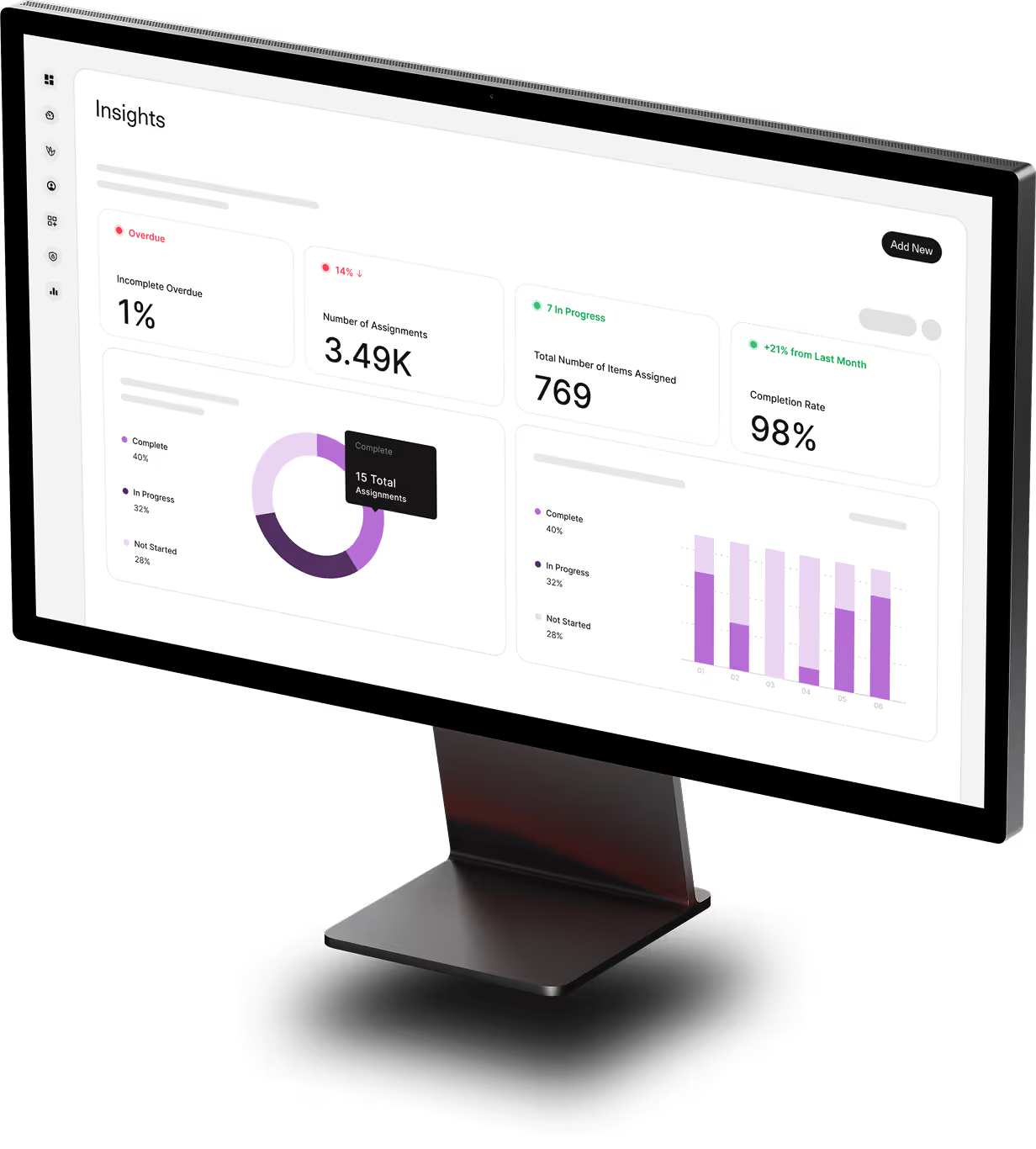
/
20 Best Compliance Training Software for 2026

Quick Summary
Drawing on 20+ years of strategic technology leadership and experience scaling companies through complex regulatory environments, I've evaluated the best compliance training software to help you automate mandatory training, reduce risk exposure, and maintain audit-ready documentation across OSHA, HIPAA, GDPR, and industry-specific regulations. Organizations using dedicated platforms achieve 95% completion rates versus 67% with manual tracking, while $4.6 billion in 2024 North American penalties prove that automated compliance management is no longer optional.
Table of Contents
Top 10 Compliance Training Software Shortlist
Based on features, business impact, and reviews, here's the top 10 best compliance training software:

Share this article:


Manual compliance tracking through spreadsheets and email reminders is exposing your organization to regulatory risk.
Compliance training software automates the delivery, tracking, and documentation of mandatory regulatory training across your entire workforce.
The result?
Organizations using dedicated compliance platforms achieve:
- 95% average completion rates versus 67% with manual processes
- 60% reduction in administrative overhead for compliance teams
- 70% faster audit preparation with centralized, tamper-proof documentation
But the wrong platform creates more problems—complex interfaces employees avoid, inadequate audit trails that fail regulatory standards, and missing multi-jurisdiction support that leaves compliance gaps.
At Continu, I work directly with mid-market and enterprise organizations managing complex regulatory requirements across multiple locations and industries.
This guide breaks down the 10 best compliance training software for 2026—covering automated enrollment, audit-ready reporting, multi-jurisdiction support, and how to choose the right solution for your regulatory environment.
You Can Trust Our Compliance Training Software Reviews
Our team has tested 50+ learning and compliance platforms, with 1,000+ comprehensive reviews published since 2019. At Continu, we help organizations achieve 95% compliance completion rates on average—significantly higher than the industry standard of 67%.
Keith Martin brings 20+ years of strategic business leadership and technology expertise to compliance training evaluation. As President of Continu, he leads commercial strategy, applied AI, marketing, and sales for a top-rated learning platform trusted by GoPro, Instacart, and Snapchat. His background includes scaling multiple technology companies to successful acquisition and developing two granted patents in AI and computer vision at Fyusion/Cox Automotive.
Independence & Transparency: Our recommendations are based solely on platform performance, regulatory compliance capabilities, and organizational fit—not partnerships or commissions.
Last Updated: April 2026
Compliance Training Solutions Compared
The table below summarizes our rankings that includes relevant quick info to find the ideal compliance training solution for your organization.

4.6 (1982)
Yes
Plans start at $69/month (annual) for 40 users; Core plan $119/month; Pro plan $449/month
View pricing details →

4.3 (929)
No
Custom enterprise pricing, very expensive and overkill for most companies
View pricing details →
4.7 (759)
No
Starts around $800–$1,000/month for up to 100 users; custom pricing for larger teams
View pricing details →
4.3 (192)
Yes, 45-day trial then billed right after if not cancelled
No pricing up front, part of the sales process
20 Best Compliance Training Software Reviewed
Explore our in-depth breakdown of the top compliance training software for businesses. We’ve compiled the most relevant information and ranked all products based on features, pricing, and its overall rating and reviews from trusted sources.


4.6 (727)
Best for enterprise-grade compliance training deeply integrated with HR systems
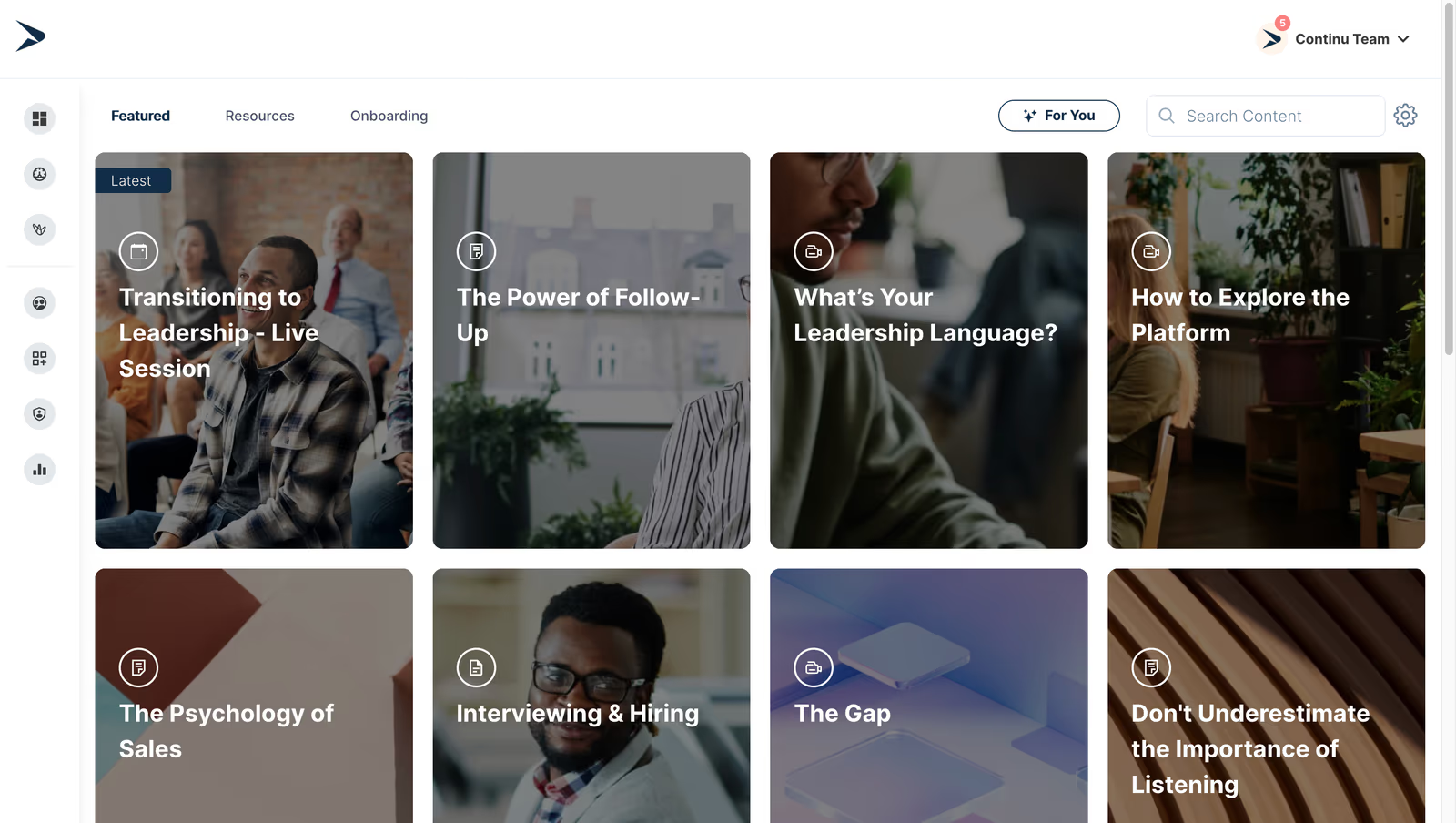
Continu is an AI-powered learning platform that delivers personalized compliance training to employees and customers. It features content curation, microlearning modules, just-in-time training, and robust analytics to track completion and compliance status. Integrations with HRIS and LMS ensure audits and reporting.
Continu is the top compliance training software because it delivers adaptive compliance training with real-time tracking that helps compliance officers reduce risk of non-compliance.
- Adaptive microlearning and content curation
- Compliance tracking and reporting
- Integrations with HRIS and LMS for audit trails
Pros:
- AI-driven personalization improves compliance retention
- Robust analytics and audit-ready reports
- Integrates with HR and collaboration tools
Cons:
- Not a great fit for non-profits, governments, and educational institutions
- Requires internet access for most features
- Limitations in customizing workflows or content to fit niche requirements
4.8 (414)
Best for modern, engaging compliance microlearning for small to medium businesses
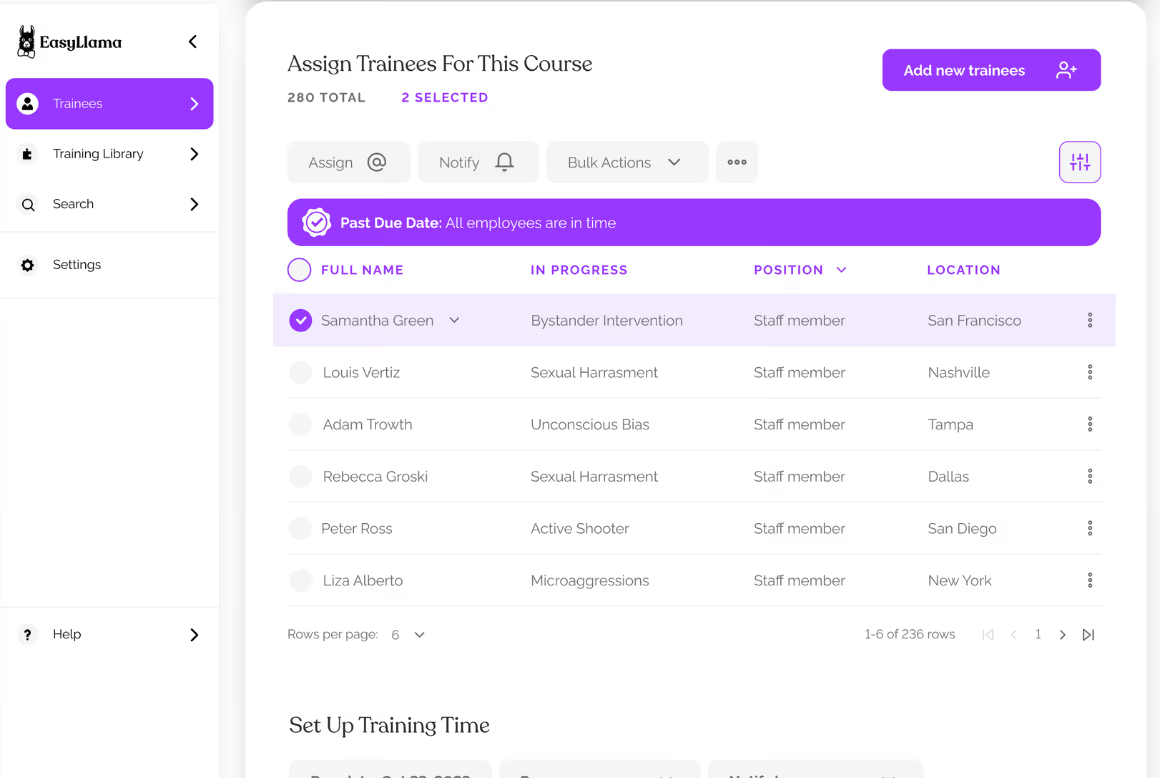
EasyLlama offers mobile-friendly compliance training solutions focusing on topics like harassment prevention, diversity and inclusion, and safety. Courses are short, engaging, and delivered via text/email links. The platform provides certificates and auto-reminders. Pricing is per employee per course with no long-term contracts.
EasyLlama's microlearning approach and modern design make compliance training quick, engaging and accessible to distributed workforces.
- Bite-sized video and scenario-based courses
- Mobile-friendly delivery via SMS and email
- Automated reminders and certificates for compliance tracking
Pros:
- Short, engaging microlearning format drives high completion rates
- Easy delivery via mobile with automated reminders
- Affordable pricing with no long contracts
Cons:
- Limited to specific compliance topics; not full LMS
- Basic analytics and reporting
- Customization options limited

4.8 (1455)
Best for documenting processes and compliance procedures for SMBs
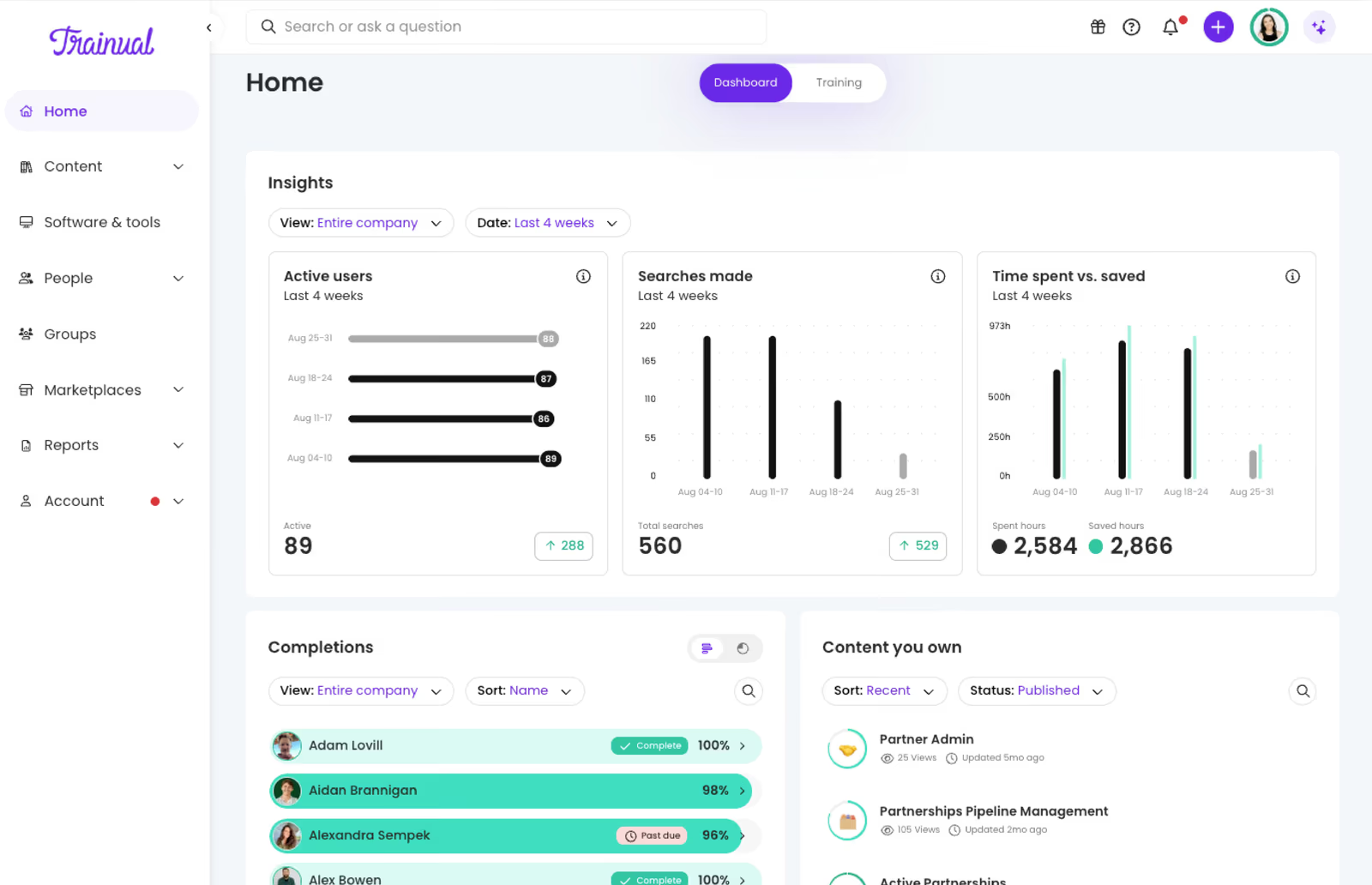
Trainual is a playbook and training platform that allows businesses to document processes, policies, and compliance procedures in a searchable hub. Interactive modules, quizzes, and e-signatures ensure employees complete required compliance training. Plans start around $249/month, with a 7-day free trial, and are targeted at small to medium businesses.
Trainual provides a simple and affordable way to document compliance procedures and ensure consistent training across teams.
- Centralized playbooks with version control
- Assignable training with completion tracking and e-signatures
- Roles and responsibilities builder with HRIS integration
Pros:
- Easy to document and assign compliance procedures
- Interactive templates and quizzes make training engaging
- HRIS integrations sync roles and manage onboarding
Cons:
- Pricing high for small teams relative to features
- Limited customization for complex compliance scenarios
- Navigation can be slow as reported by some users

4.4 (1126)
Best for AI-driven, personalized compliance training
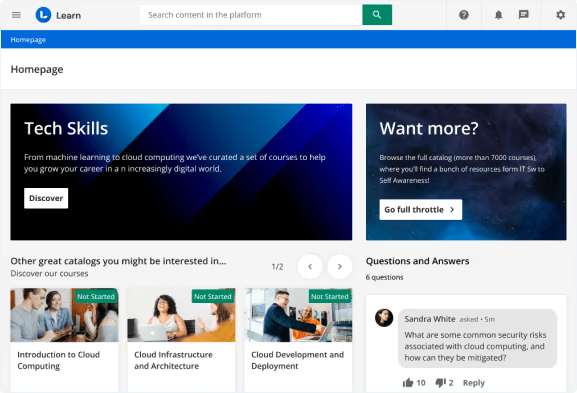
Docebo is an enterprise LMS that uses AI and automation to deliver compliance training across your workforce and extended enterprise. It offers curated content libraries, automated enrollments, certification management and reporting to ensure employees meet regulatory requirements. The platform supports blended learning, social learning, and integration with HR systems to deliver unified compliance experiences.
Docebo combines advanced automation with a user-friendly interface and robust analytics to ensure compliance training is delivered efficiently and consistently across large organizations.
- AI-powered content recommendations and auto-enrollment
- Certification management and compliance tracking with audit-ready reports
- Extended enterprise and e-commerce features for training partners and customers
Pros:
- AI-driven personalization and automation reduce manual compliance administration
- Robust certification and audit-ready reporting features
- Supports multiple audiences with e-commerce options
Cons:
- Pricing is premium and custom, requiring large investment
- Advanced features can be overwhelming and require training
- Limited built-in compliance content may require external providers
4.6 (1443)
Best for engaging compliance training with gamification and content library
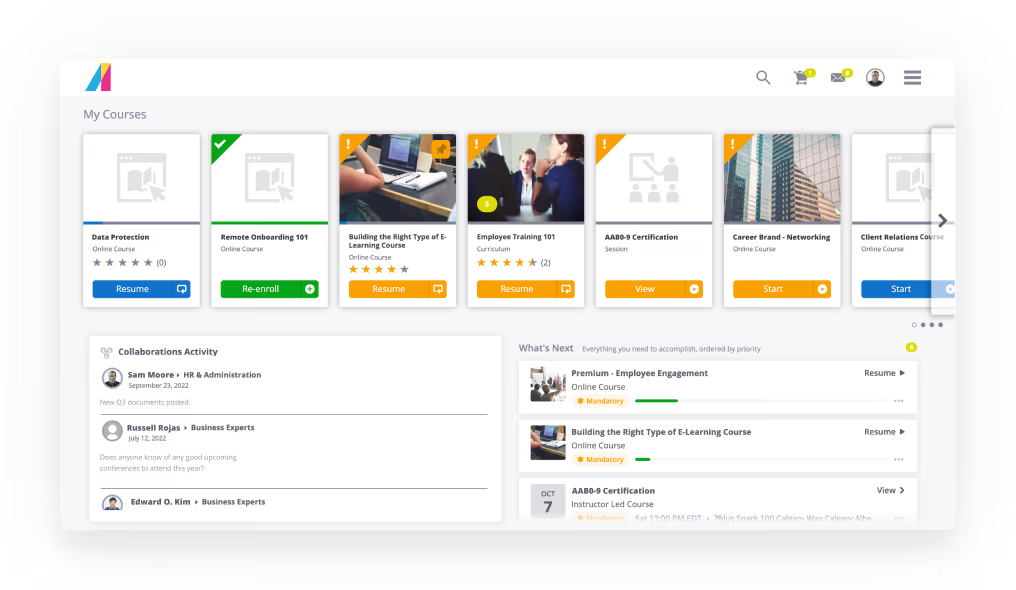
Absorb LMS offers a modern, brandable interface and a vast library of compliance courses. Its platform includes gamification and social learning tools to increase engagement, as well as automated enrollment, certification, and analytics to track completion rates.
Absorb offers compliance teams a polished user experience, robust compliance features and a large content library that improves completion rates at enterprises.
- Gamified compliance training and social learning
- Extensive content library with regulatory and safety courses
- Automated certification management and tracking
Pros:
- Engaging gamification and social learning features improve learner engagement
- Vast compliance content library reduces course development time
- Flexible, brandable interface with strong support and scalability
Cons:
- Pricing is high with custom quotes
- Implementation can be complex for small teams
- Some users report limited customization of reports
4.6 (1106)
Best for collaborative compliance training
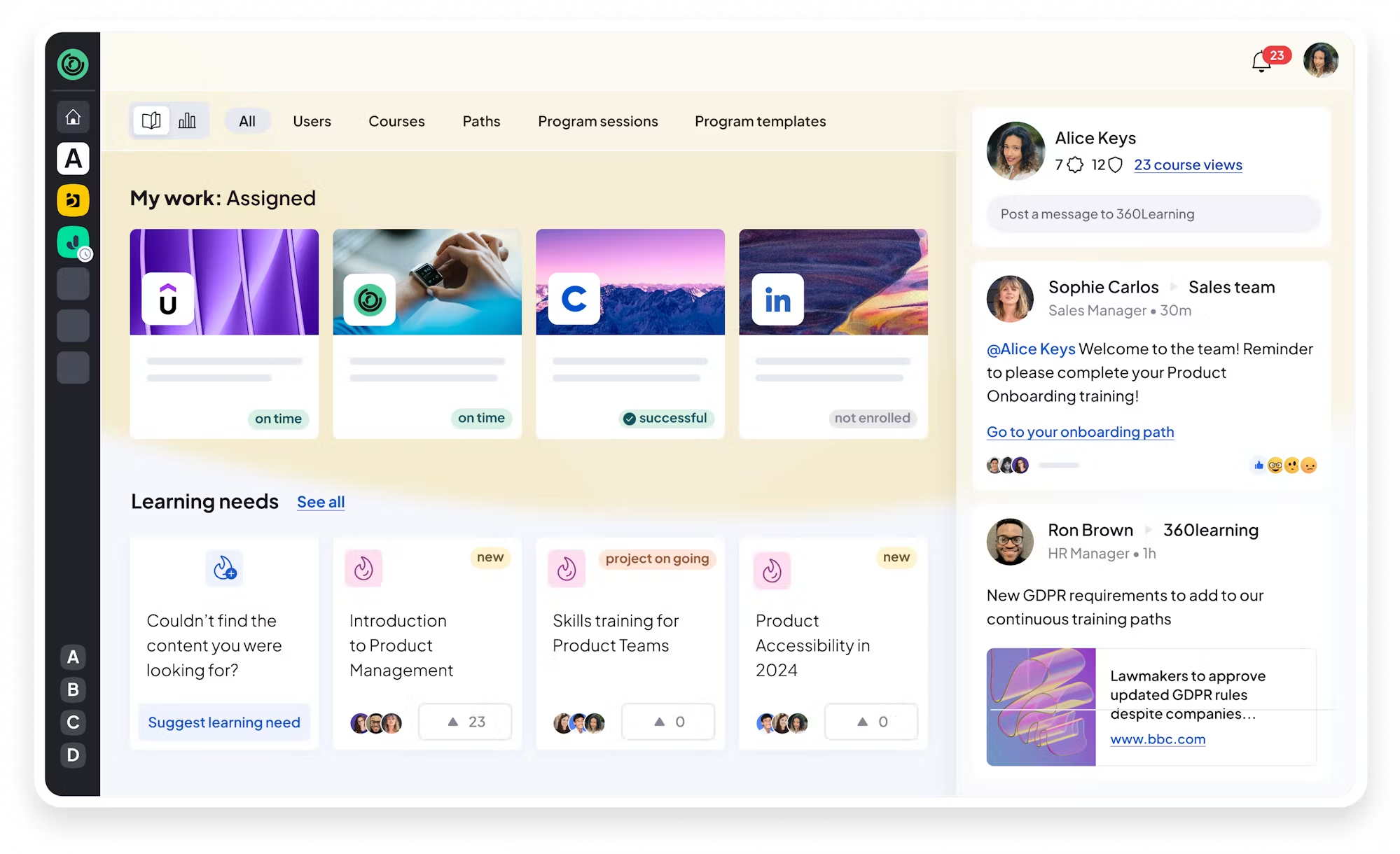
360Learning enables teams to co-create compliance training with subject matter experts and share knowledge across the organization. Built-in authoring tools and peer feedback loops ensure courses are accurate and engaging. The platform tracks completion and provides analytics to demonstrate compliance.
360Learning empowers subject matter experts to design compliance courses and fosters a culture of shared responsibility for compliance across organizations.
- Collaborative course authoring with SMEs
- Peer feedback and discussions for policy interpretation
- Completion tracking and analytics
Pros:
- Enables collaborative creation of compliance courses
- Engaging peer learning improves retention
- Affordable pricing for small programs
Cons:
- Limited advanced compliance analytics
- Customization options limited
- Needs strong involvement of SMEs to create content
4.6 (1982)
Best for affordable, flexible compliance training for small to medium businesses
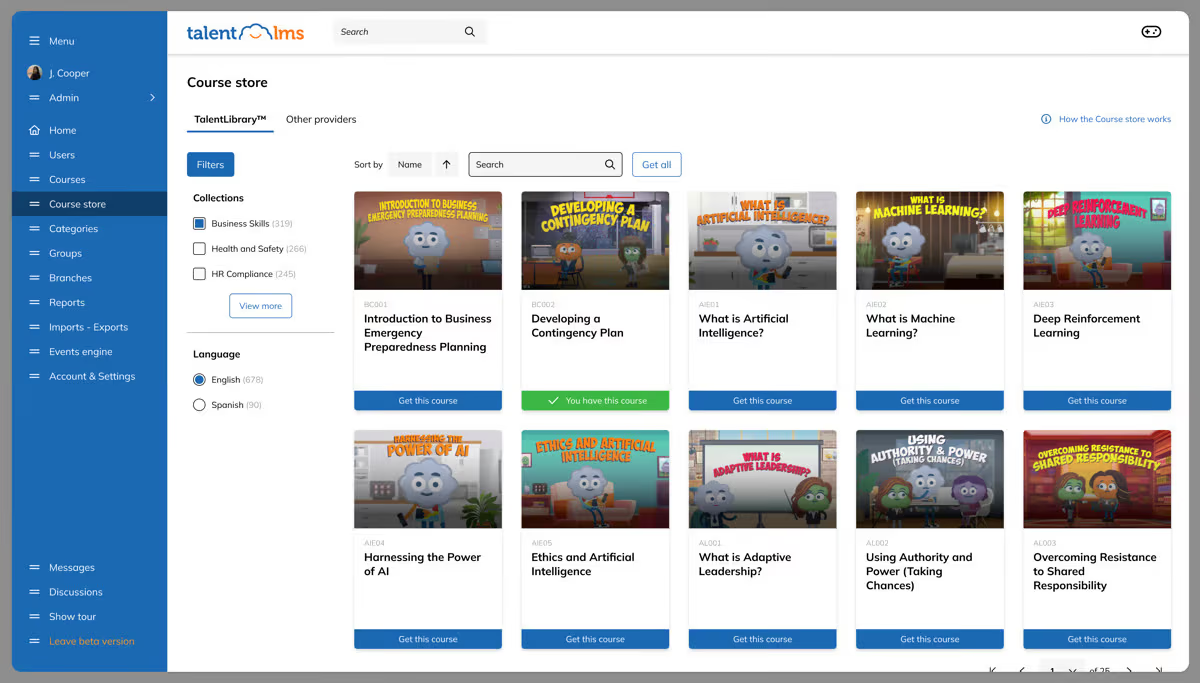
TalentLMS is a user-friendly LMS that enables companies to create and deliver compliance courses quickly. It supports unlimited courses, branches, and SSO options, with a free tier for up to five users. Its affordable plans start at $69/month for up to 40 users and scale for larger teams. It offers quizzes, assignments, certifications, and analytics.
TalentLMS provides ease of use, affordability and quick deployment, making compliance training accessible for smaller organizations with limited resources.
- Built-in course authoring with quizzes and certifications
- Branches and unlimited courses for segregated compliance programs
- Simple reporting and gamification
Pros:
- Affordable and flexible pricing with free plan
- Easy to set up and use; intuitive interface with unlimited courses
- Supports SSO and multiple branches for different groups
Cons:
- Limited advanced features for complex compliance needs
- Reporting and analytics are basic
- Some features require higher plans

4.5 (200)
Best for compliance training with intuitive UI and performance management integration
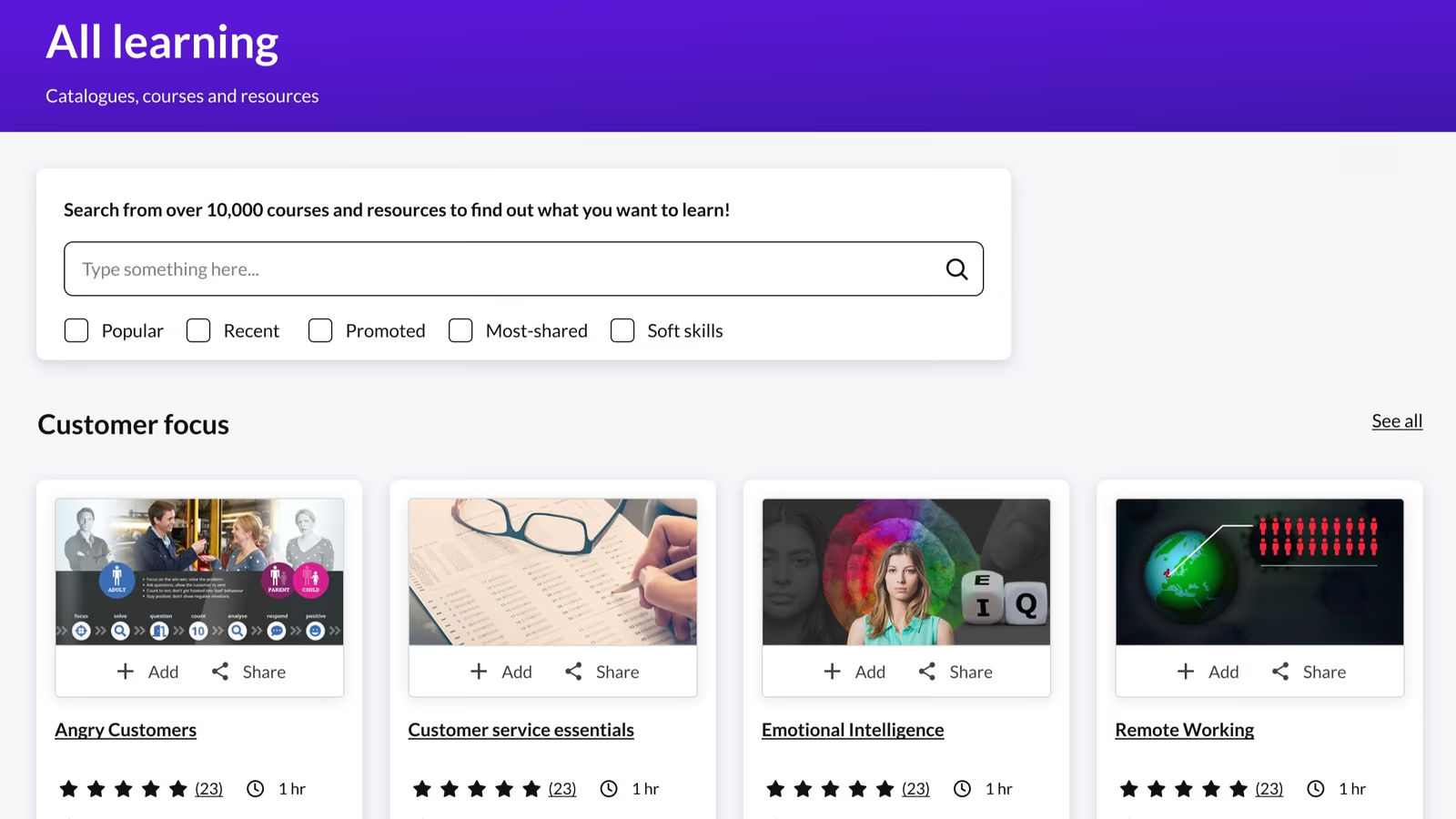
Kallidus Learn is an LMS that delivers compliance and employee development training through a simple interface with features like blended learning, analytics, and multi-language support. It integrates with Kallidus Perform for performance management and offers responsive support. Pricing is per-user subscription.
Kallidus Learn offers an intuitive interface and integrates compliance training with performance reviews for HR teams.
- Simple UI with mobile learning
- Blend of e-learning and instructor-led training
- Integration with performance management
Pros:
- Intuitive and easy-to-use interface
- Integration with performance management tools
- Good multi-language support
Cons:
- Limited advanced reporting and analytics
- Fewer integrations than some competitors
- User management features can be improved
4.3 (929)
Best for delivering compliance courses at enterprise scale
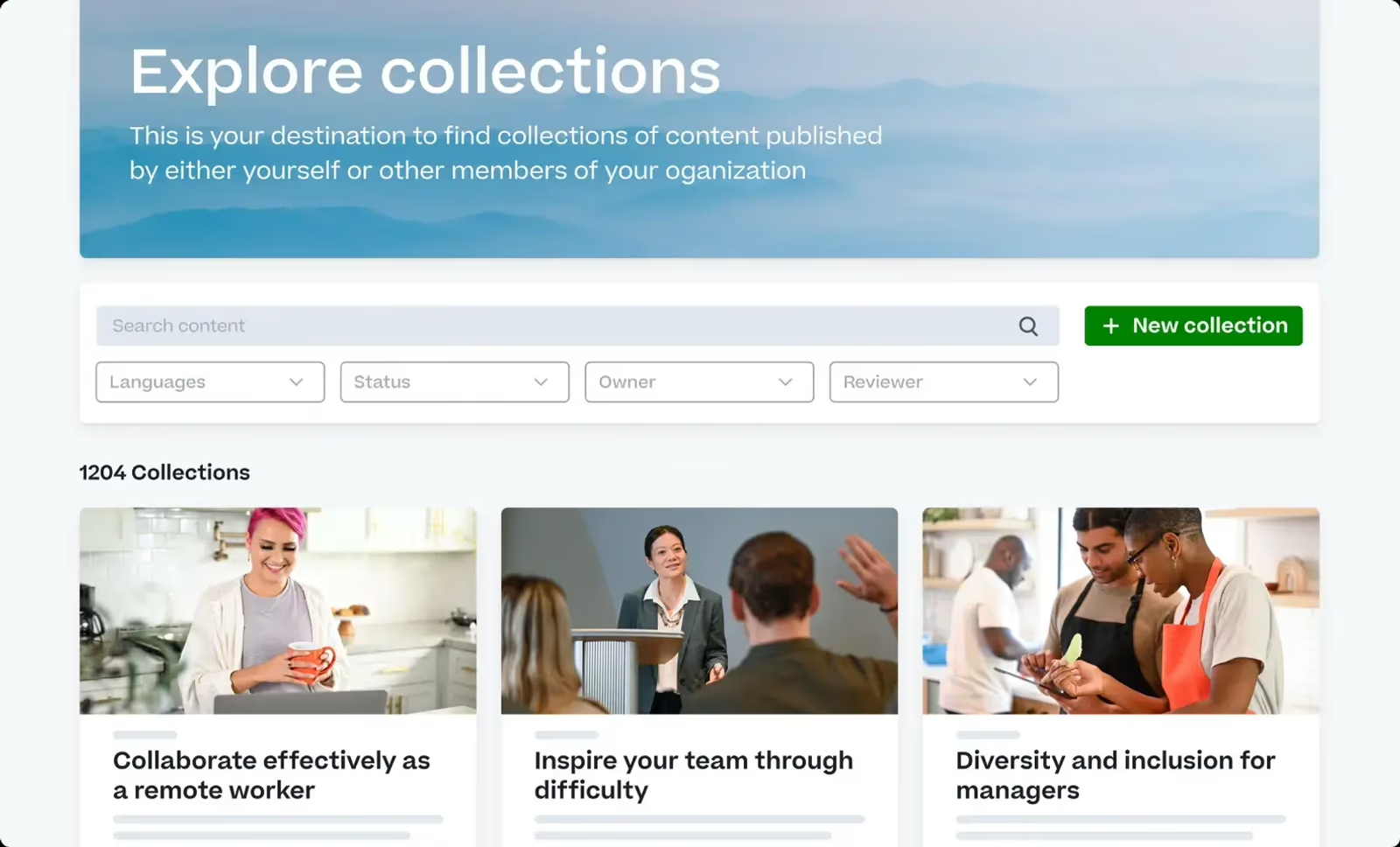
Cornerstone OnDemand is a well-established talent and learning platform that includes robust compliance training management. It offers configurable learning paths, certifications, content libraries, and analytics. Integration with HR systems ensures training is tied to performance and development. However, user interface may be complex and pricing is premium.
Cornerstone integrates compliance training into a broader talent and performance management ecosystem, making it ideal for enterprises needing a single HR platform.
- Extensive content libraries and certification management
- Deep integration with HRIS and performance management
- Advanced reporting and analytics
Pros:
- Integrates compliance with HR and performance data for comprehensive oversight
- Large content library with certifications
- Scales globally for large organizations
Cons:
- Interface can be complex and outdated
- Premium pricing with long contracts
- Customization requires professional services

4.5 (659)
Best for robust compliance training with content library and mobile learning
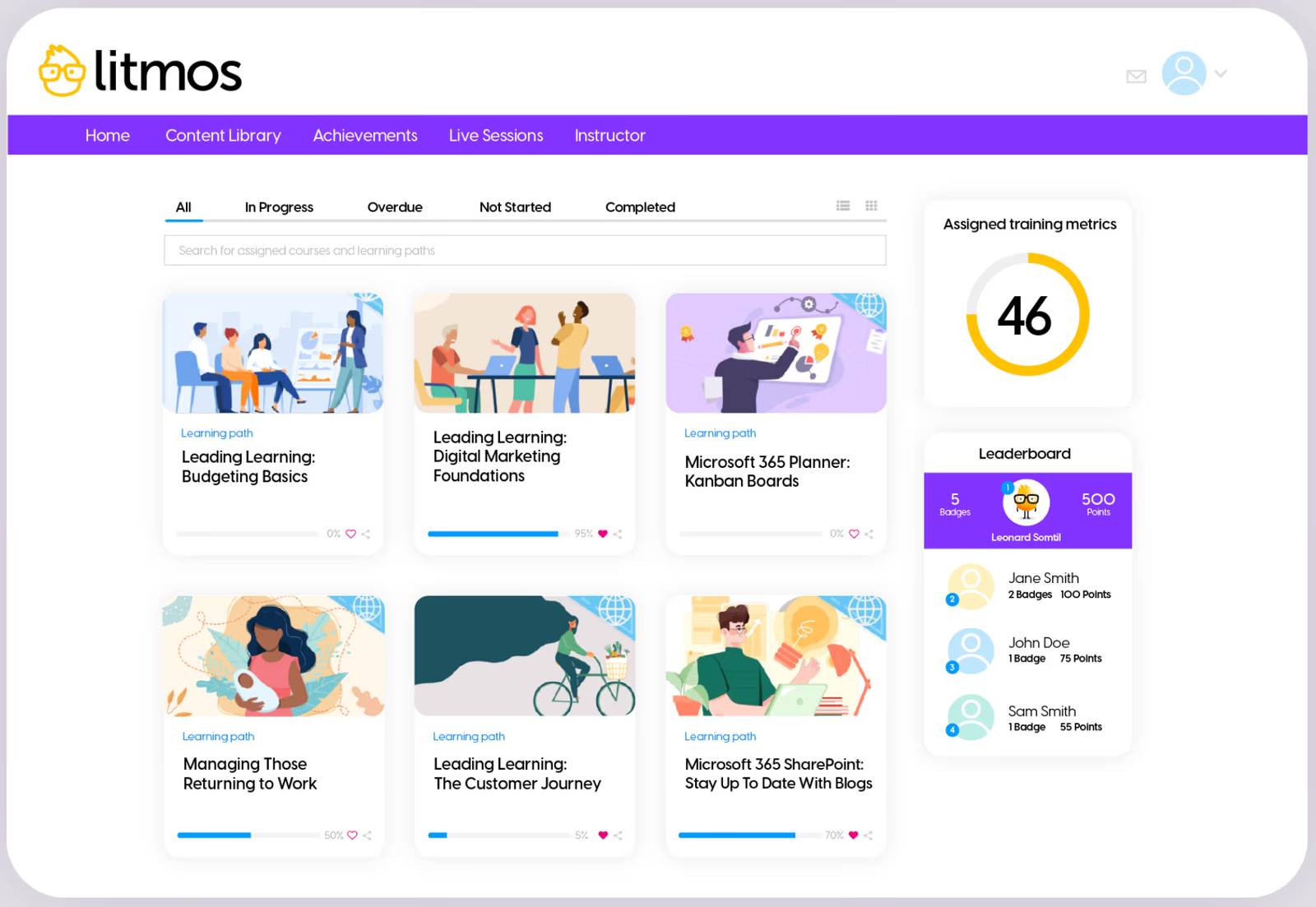
Litmos (a SAP company) provides an LMS with a large library of compliance and security courses, along with course authoring and certification management. It features mobile-first design, offline access, e-commerce capabilities, and gamification. Pricing is subscription-based; some users note outdated UI and limited customization.
Litmos offers ready-made compliance content and a user-friendly mobile experience for compliance teams managing distributed workforces.
- Extensive off-the-shelf compliance course library
- Mobile-friendly learning with gamification
- Certification management and reporting
Pros:
- Large library of compliance content; quick deployment
- Mobile-first interface with gamification
- Integrates with many systems
Cons:
- UI can feel dated
- Reporting customization limited
- Pricing can be high for small teams
4.7 (759)
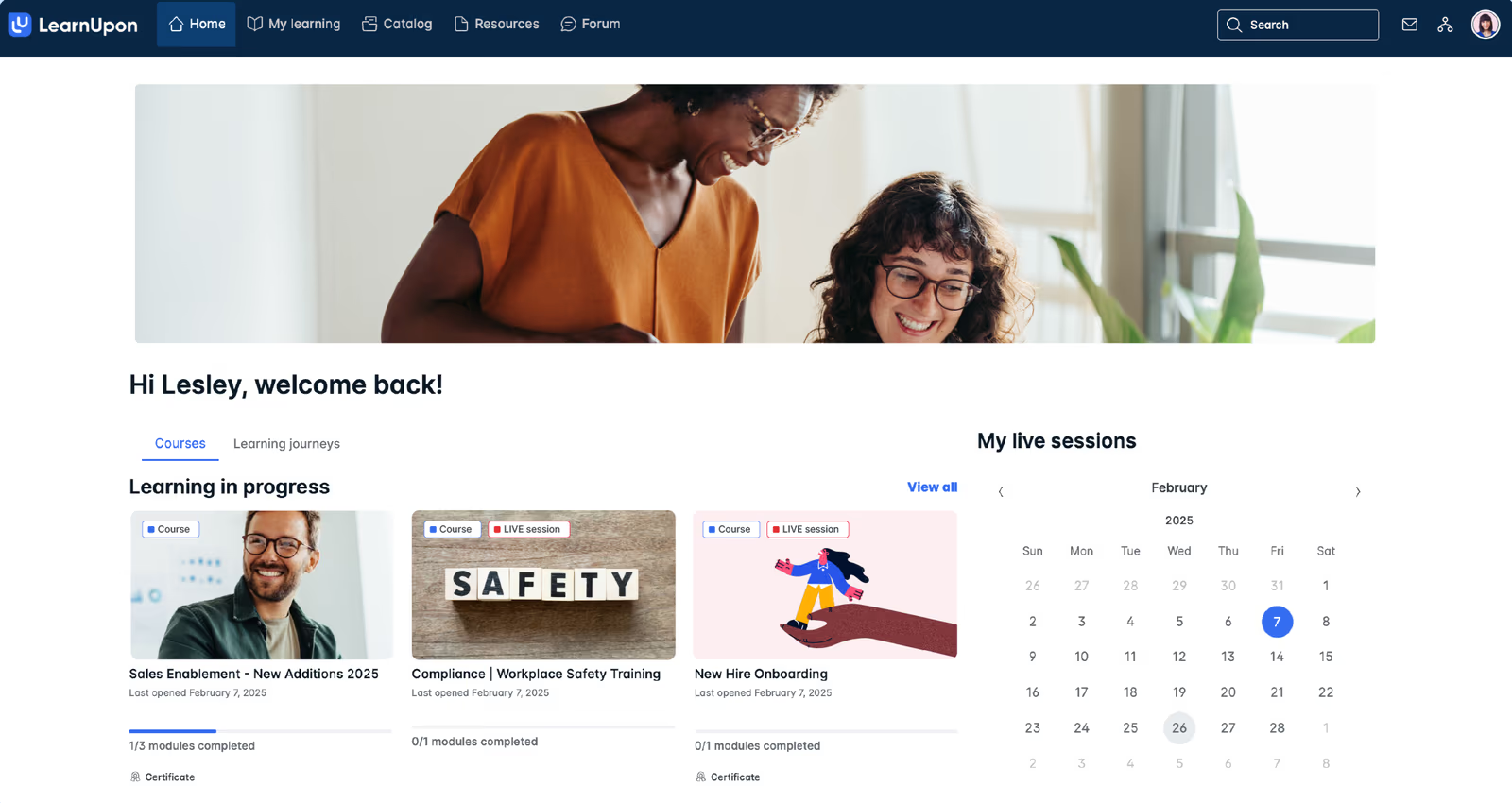
LearnUpon is a scalable LMS designed for organizations with 50 or more learners. It offers per-employee per-month pricing (6–9 PEPM) and provides automation for user provisioning, enrollment, and reporting across HRIS and CRM systems. It supports multiple audiences (employees, customers, partners) with branded portals and robust compliance reporting
LearnUpon scales compliance training across large and diverse audiences while providing strong integrations and automation features for L&D teams.
- Automated user provisioning and enrollment
- Branded portals and multi-audience support
- Robust reporting and analytics with certifications
Pros:
- Scalable multi-audience support with branded portals
- Robust automation and integration with HRIS and CRM systems
- Strong customer support and user-friendly interface
Cons:
- Pricing may be high for small teams
- Limited prebuilt content; requires content development
- Some users find ROI questionable due to cost
4.6 (497)
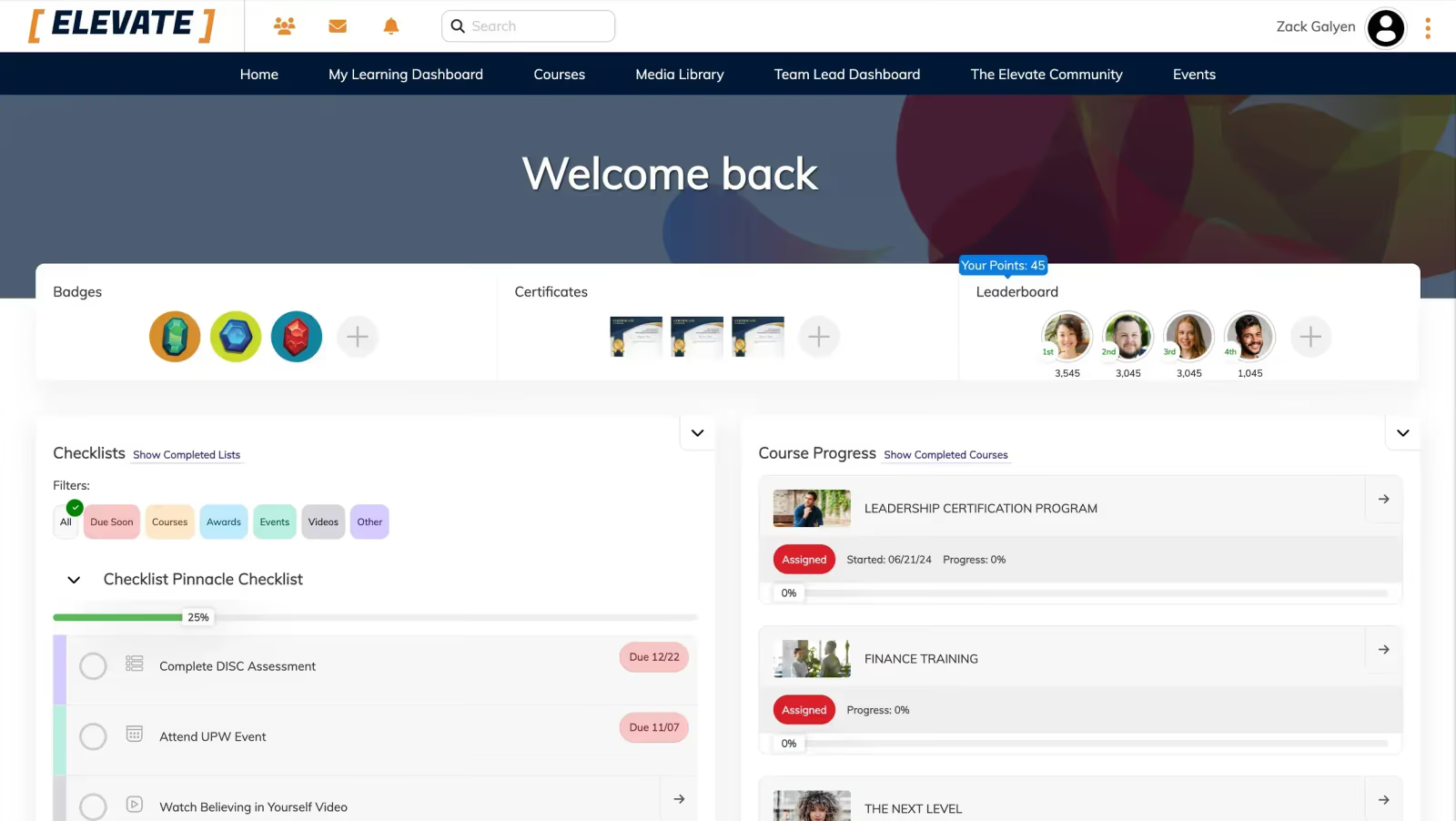
Tovuti offers a comprehensive LMS with built-in course authoring, gamification, and interactive content. Capterra rating 4.8/5 with 99 reviews indicates high satisfaction. Pricing is tiered with Pro plans for different user ranges; Tovuti offers a free trial and options for 50, 250, 500, 1500+ users with monthly rates from $775 to $1,925. It's suitable for compliance training due to certificates, licensing features, and strong support.
Tovuti combines interactive, engaging training with flexible pricing options and high customer satisfaction for compliance programs.
- Built-in course authoring with interactive activities and gamification
- Certifications and licensing with compliance tracking
- Multiple portals/branches for different audiences
Pros:
- Highly interactive course authoring and gamification features engage learners
- Flexible pricing tiers with free trial and unlimited users per portal
- Strong customer support and high user satisfaction
Cons:
- Advanced features may have steep learning curve for admins
- Backend can be complex; needs more training resources
- Pricing scales up quickly for large user counts

4.5 (458)
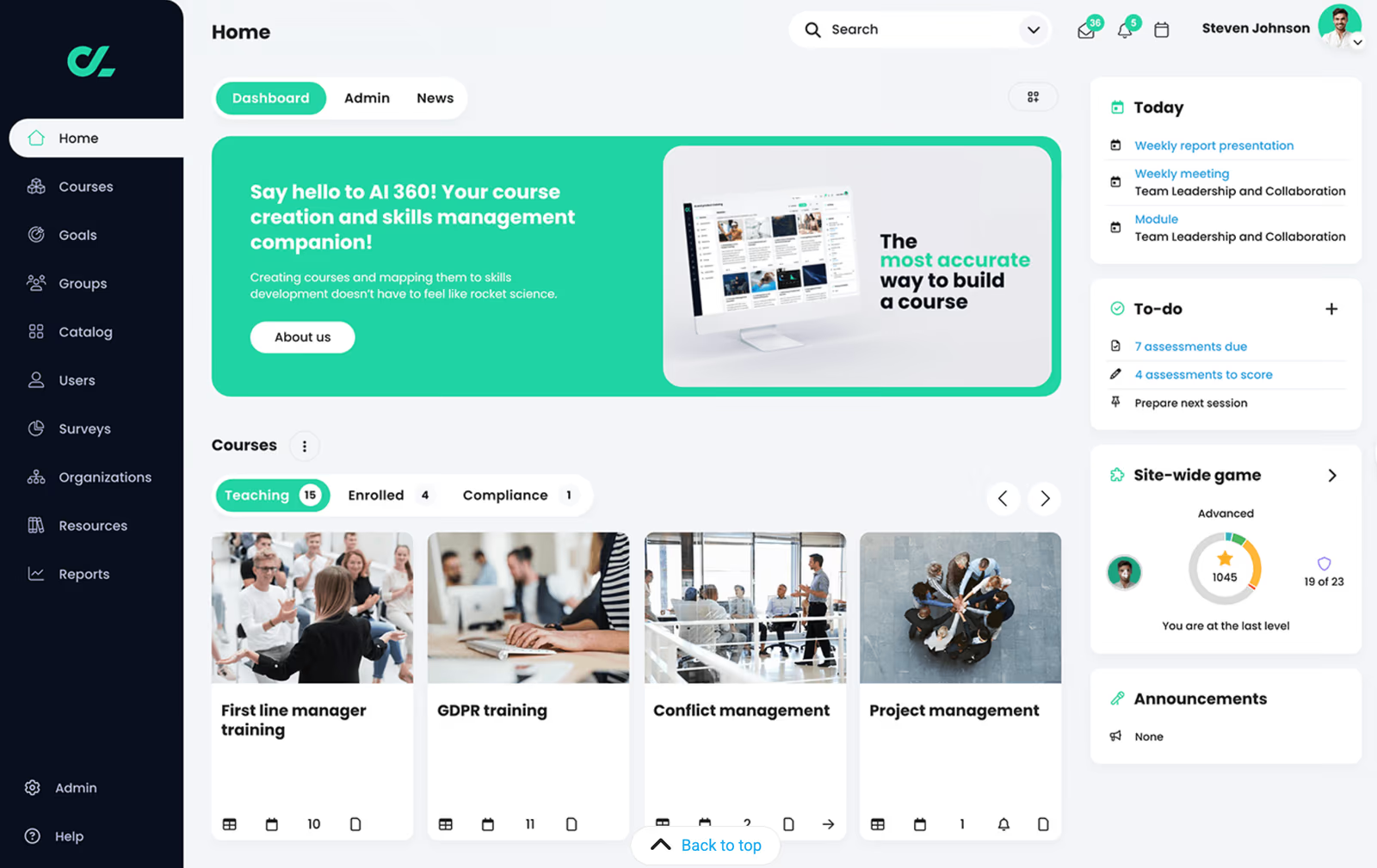
CYPHER Learning provides AI-powered learning platforms that enable organizations to create and deliver compliance training with gamification, adaptive learning paths, automation and robust reporting. It supports certifications, skills mapping, and mobile access. Pricing is tiered by active users and features.
CYPHER's AI-driven features and intuitive user interface streamline compliance training across multiple audiences while making it engaging.
- Adaptive learning paths with AI
- Gamification and leaderboards to boost compliance engagement
- Integrated content library and marketplace
Pros:
- AI-driven adaptive learning and gamification enhances engagement
- Multi-audience support with branded portals
- Rich integration ecosystem
Cons:
- Pricing and packages not transparent
- Some advanced features require extra modules
- Reporting and analytics could be more robust

4.5 (691)
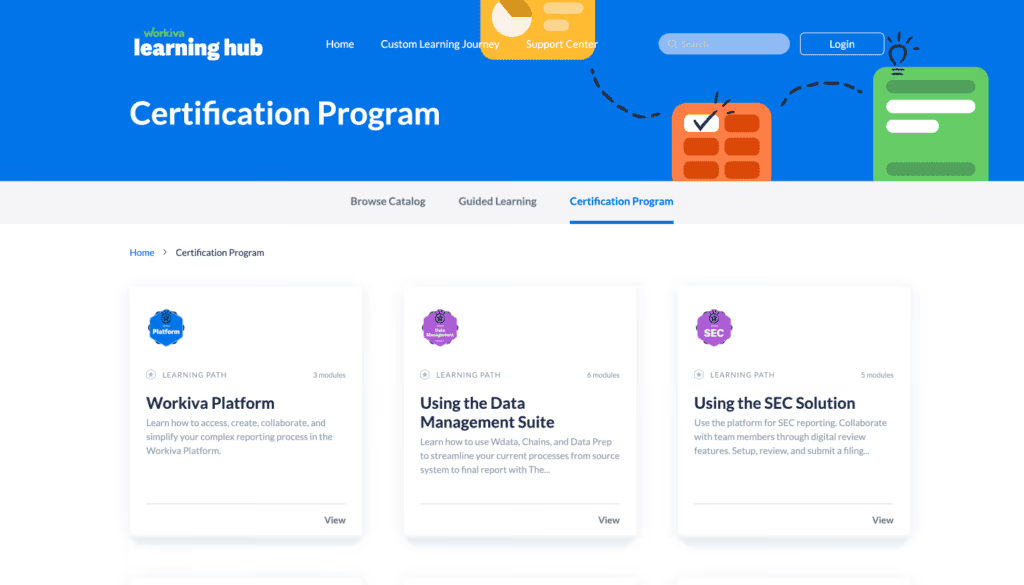
WorkRamp provides a modern learning cloud for employee and customer education, with modules for LMS, LXP, sales enablement, and customer training. It offers built-in content authoring, quizzes, certifications, analytics, and gamification. WorkRamp is known for an intuitive interface and strong support; some reviewers highlight security frustration and under-delivery of features.
WorkRamp unifies compliance, customer and sales training in one platform with easy authoring and a user-friendly interface for L&D teams.
- Unified LMS/LXP with authoring and certification
- Segmented portals for different audiences (employees, customers)
- Gamification and analytics for compliance tracking
Pros:
- User-friendly interface and comprehensive features
- Supports multiple training use cases (compliance, sales, customer) in one platform
- Responsive support and continuous product improvements
Cons:
- Pricing can be high for small teams
- Some advanced security features may be frustrating
- Some customers feel features under-deliver relative to promises
4.3 (413)
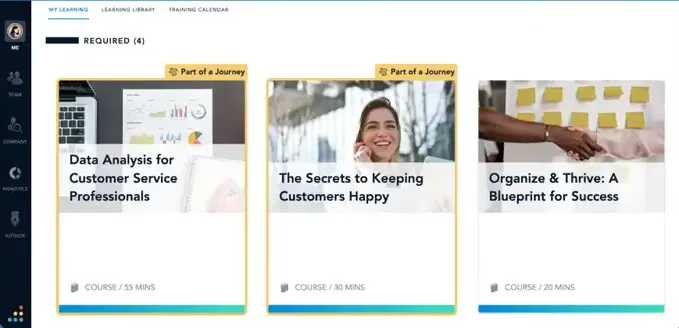
Bridge LMS (by Instructure) offers easy-to-use course authoring, assessments, and learning paths for compliance training. It integrates with performance management features like goals and 1:1s, fostering continuous learning. Pricing is subscription-based with per-user fees. While user-friendly, it may lack advanced features for large organizations.
Bridge combines learning and performance tools to help connect compliance training with employee development for HR teams.
- Simple course creation and assessments
- Performance management integration (goals, feedback)
- Mobile learning with offline access
Pros:
- User-friendly interface with integrated performance tools
- Mobile-friendly for on-the-go training
- Good support and ease of implementation
Cons:
- Limited advanced analytics
- Customization options are limited
- Not ideal for very large enterprises

4.5 (328)
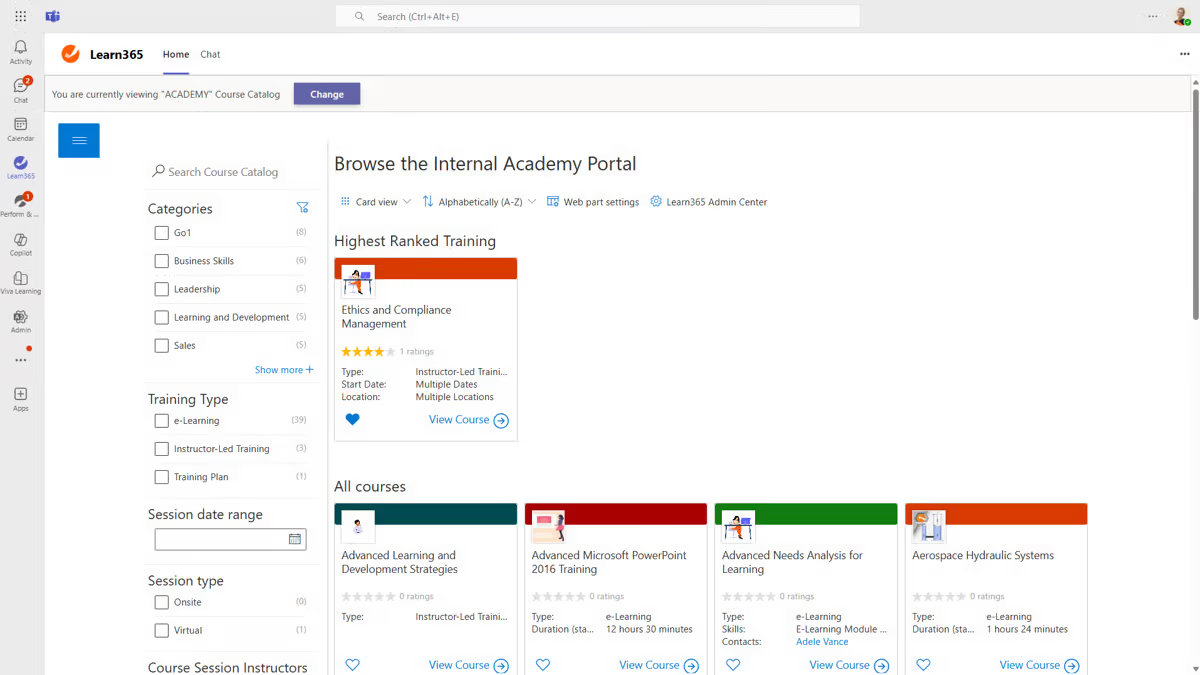
Zensai is an AI-powered microlearning platform that uses gamification and spaced repetition to deliver compliance and skill-building content. It personalizes learning paths and provides analytics to ensure compliance retention. Pricing is subscription-based per user with various tiers.
Zensai's modern microlearning approach increases compliance retention through short, engaging lessons for training managers.
- AI-driven microlearning and spaced repetition
- Gamification and streaks to encourage engagement
- Personalized dashboards and analytics
Pros:
- Microlearning approach improves retention
- AI-driven personalized content
- Fun gamification to drive adoption
Cons:
- Limited full-course authoring features
- May not be ideal for long-form courses
- Integration library smaller than major LMS platforms

4.4 (296)
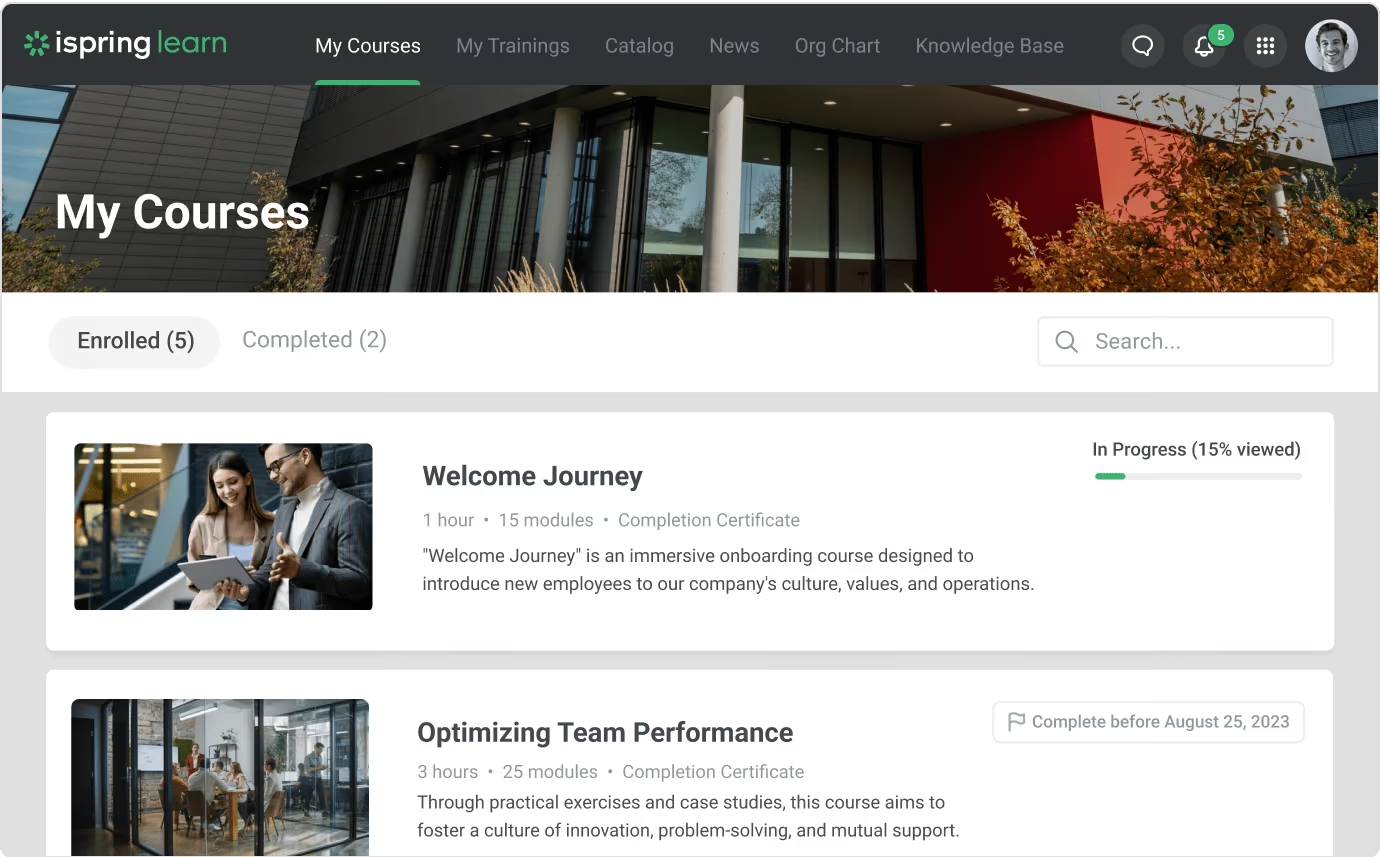
iSpring Learn is a cloud-based LMS that includes iSpring Suite authoring tools for creating SCORM-compliant courses, quizzes, and interactive modules. The platform offers a mobile app, certifications, and analytics for compliance training. Pricing starts at $3.58 per active user per month for 500 users and goes up to $6.64 per user for 100 users. There is a free trial, and you pay only for active users, with unlimited registered users.
iSpring Learn offers integrated authoring tools, affordable pay-per-use pricing and strong compliance features such as certificates and reporting for training teams.
- Built-in course authoring with quizzes and simulations
- Certification and compliance tracking with analytics
- Mobile learning and offline access
Pros:
- Affordable pay-for-active-user pricing with unlimited registered users
- Powerful integrated authoring tool for creating compliance courses
- Certifications and analytics ensure compliance tracking
Cons:
- Mobile app lacks full admin functionality
- Reporting customization is limited
- Pricing tiers require minimum user counts
4.3 (192)
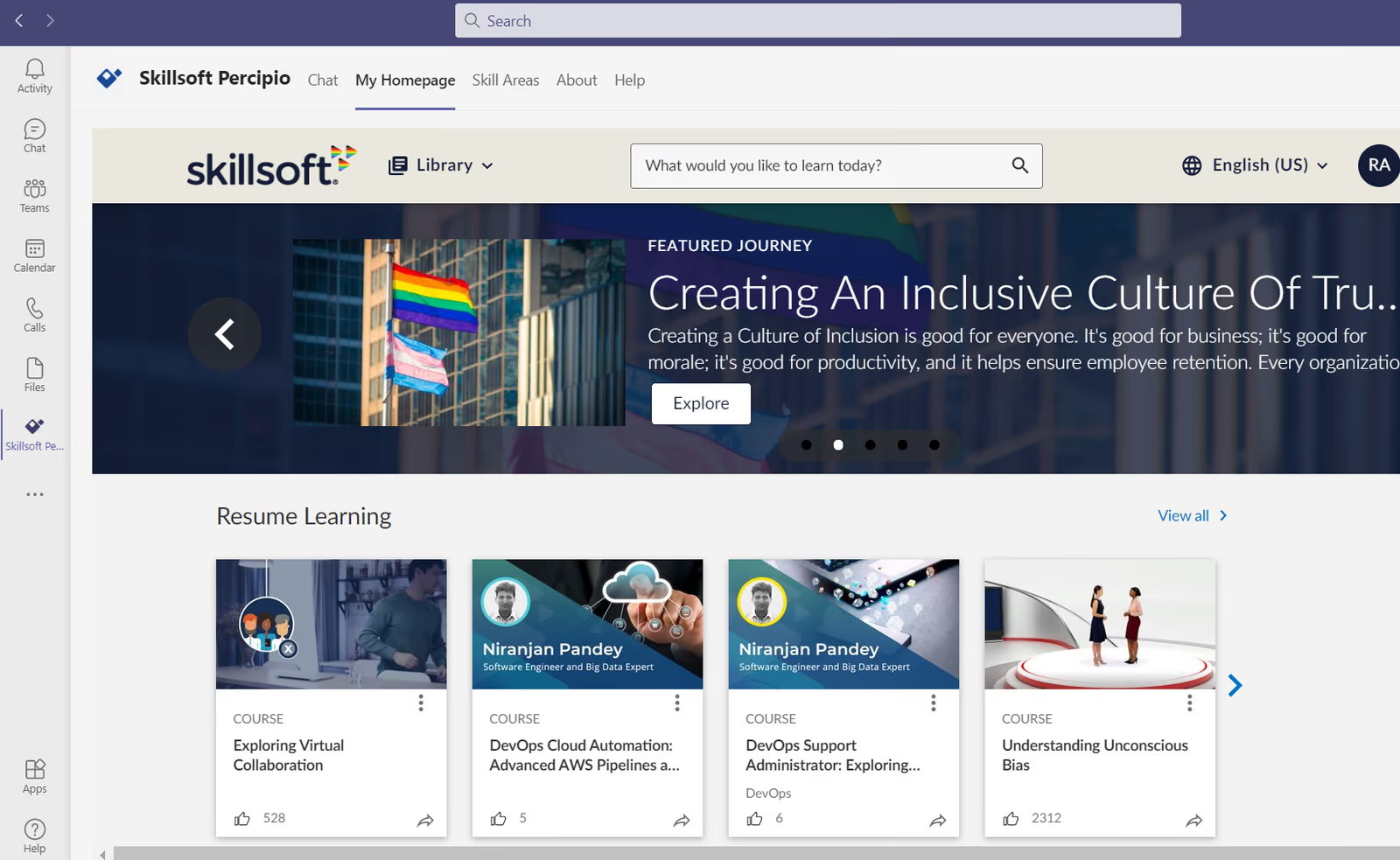
Skillsoft offers an extensive library of compliance training courses covering topics like OSHA, HIPAA, harassment prevention, and cybersecurity. Through its Percipio platform, learners access curated content in multiple formats (videos, books, interactive modules) with personalization and analytics. Pricing is subscription-based per user or per course. Some reviewers note the UI is dated and platform can be overwhelming.
Skillsoft's comprehensive course library and multi-format content make it easy for compliance officers to meet regulatory requirements.
- Extensive compliance course library across various topics
- Personalized learning recommendations via Percipio
- Multi-format content (videos, books, interactive modules)
Pros:
- Huge library of compliance courses
- Multiple content formats with personalized recommendations
- Integrates with major LMS and HR platforms
Cons:
- User interface can be dated and less intuitive
- Pricing may be high, with additional costs for premium content
- Platform can be overwhelming; customizing learning paths may be complex


4.2 (109)
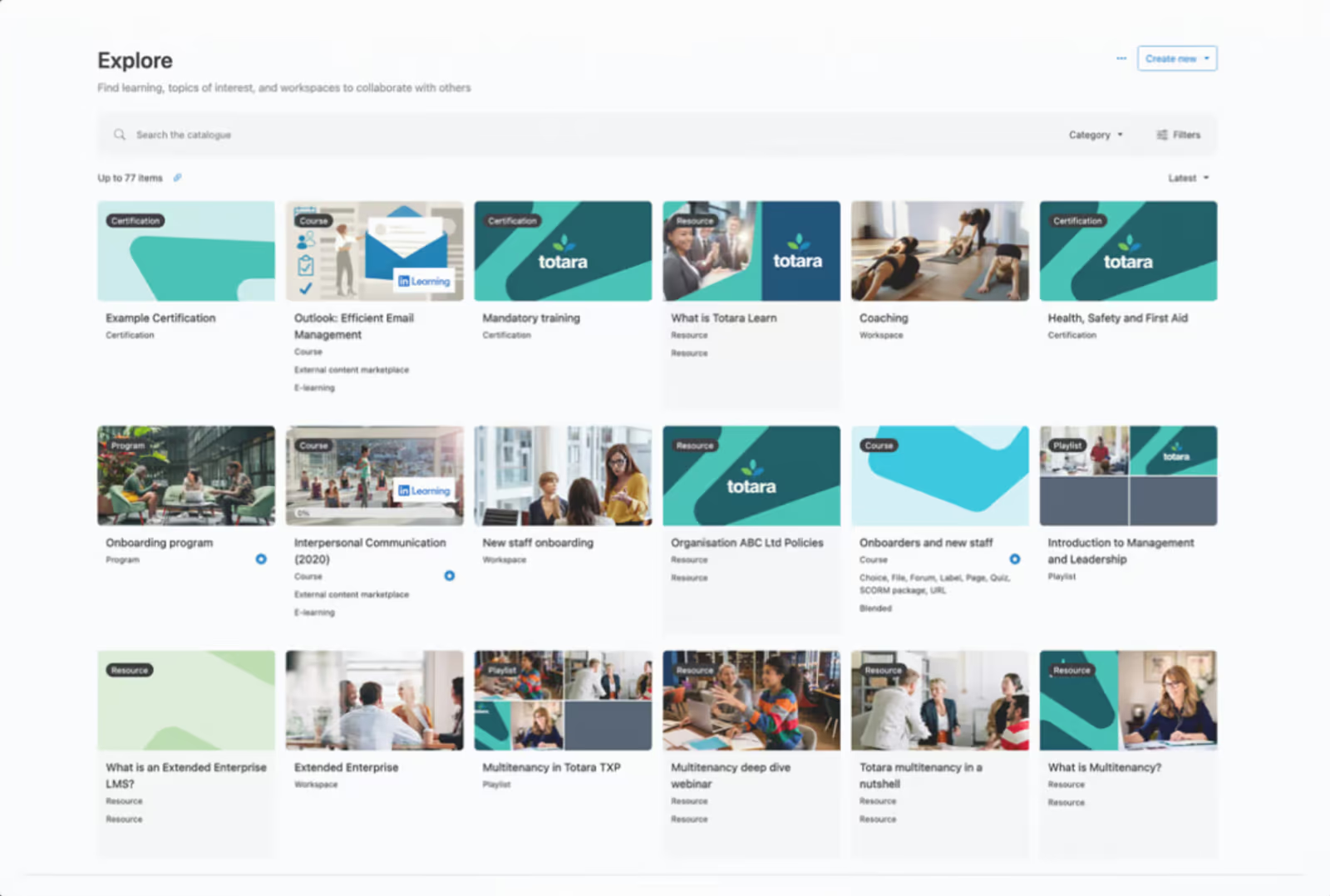
Totara Learn is an open-source LMS designed for enterprises requiring flexible and adaptable compliance training. It offers configurable learning paths, certifications, multitenancy, and advanced reporting. The platform can be self-hosted or hosted by a partner, providing flexibility. Pricing is subscription-based with per-user costs.
Totara's flexibility and open-source nature allow compliance teams to tailor training to unique organizational needs while reducing vendor lock-in.
- Customizable learning paths and certifications
- Multitenant architecture for different audiences
- Open-source with plugin ecosystem
Pros:
- Highly flexible and customizable due to open-source nature
- Supports multitenancy and extended enterprise
- Strong reporting and certifications
Cons:
- Requires technical expertise to implement and maintain
- Interface may be less modern than some SaaS competitors
- Support depends on partner; may vary

4 (100)
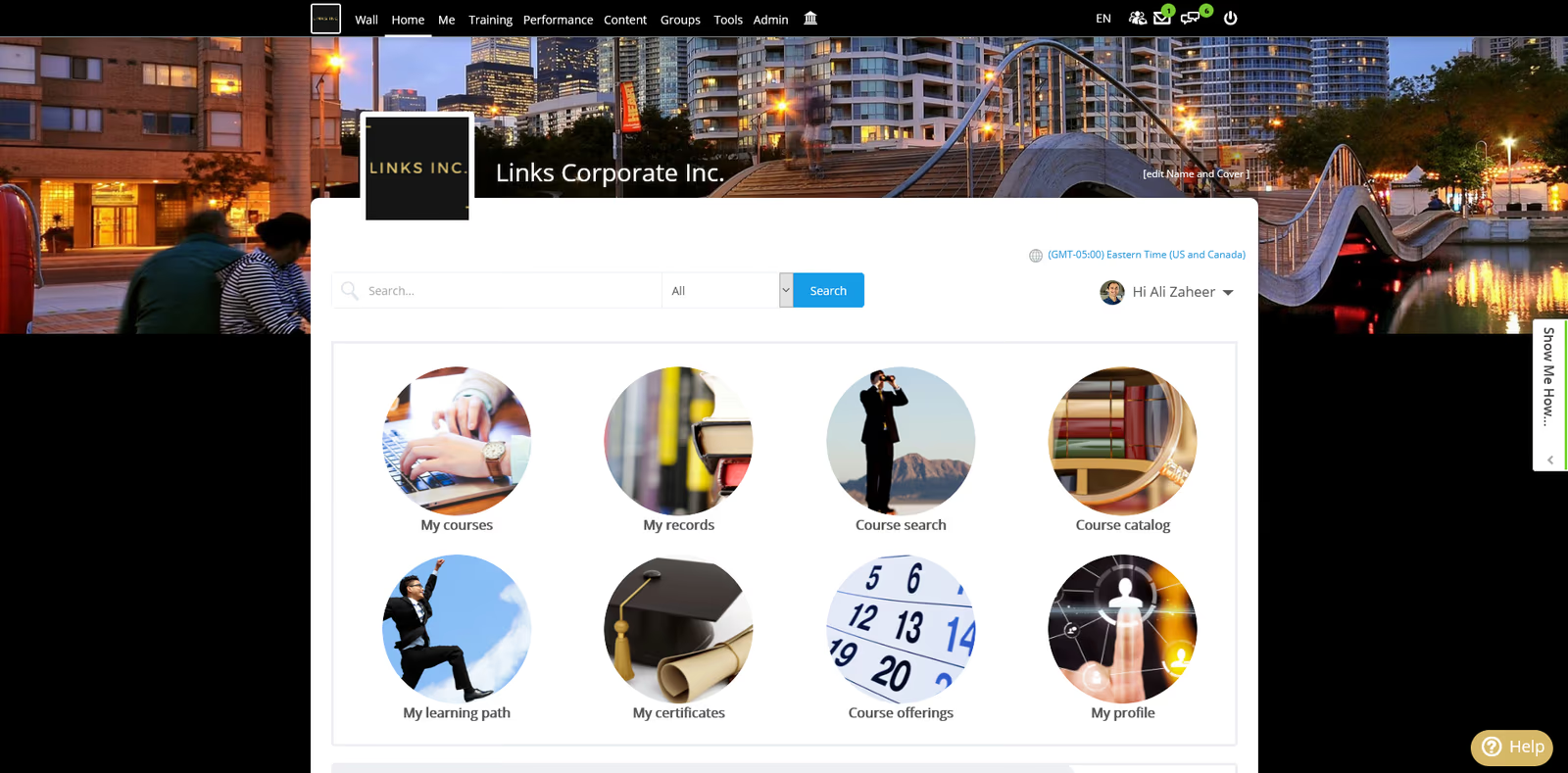
Schoox is an LMS and talent development platform focusing on learning, skills development, and employee engagement. It offers course authoring, certifications, social communities, and analytics. Pricing is per-user; features include mobile learning, gamification, and integration with HRIS systems. Some users highlight complexity and limited customization
Schoox provides strong social learning capabilities and integrated talent development features that align compliance training with skills growth.
- Social communities and discussion forums
- Skills management and certification tracking
- Mobile learning and gamification
Pros:
- Strong social and community features
- Skills tracking and talent development integrated
- Mobile-friendly with gamification
Cons:
- Backend can be complex; learning curve
- Reporting customization limited
- Pricing can be higher for small companies
How We Evaluate Compliance Training Software
Selecting the right compliance training platform requires more than feature checklists.
You need a solution that automates regulatory workflows, maintains audit-ready documentation, and scales across multiple jurisdictions.
Our evaluation methodology reflects these priorities.
Our Scoring Methodology
Each compliance training solution was assessed across seven weighted criteria.
We combined independent research with hands-on platform testing to generate a composite score out of 100.
Why These Criteria Matter for Compliance Training Solutions
Compliance training software serves a different purpose than general employee development platforms.
Your workforce faces mandatory regulatory requirements—with real penalties for missed deadlines, incomplete training, or inadequate documentation.
The best compliance training platforms reduce risk exposure, automate administrative burden, and maintain audit-ready records that prove regulatory adherence.
That's why we weighted Compliance Automation & Workflows and Audit Trail & Reporting highest.
These criteria determine whether a platform actually mitigates compliance risk and satisfies regulatory auditors—not just delivers courses.
What Is Compliance Training Software?
Compliance training software automates the delivery, tracking, and documentation of mandatory regulatory training. These platforms centralize compliance activities, automate enrollment based on employee roles and locations, track certification expiration dates, send deadline reminders, and generate audit-ready reports.
Unlike general LMS platforms, compliance training software prioritizes regulatory documentation, automated workflow management, and audit trail creation over creative learning experiences.
Who Uses It
Compliance platforms are used by HR teams, compliance officers, risk managers, legal departments, and L&D professionals across every regulated industry.
Organizations leverage these systems to maintain OSHA certifications, deliver anti-harassment training, ensure HIPAA compliance, meet SOX requirements, and track safety certifications.
Common Use Cases
Regulatory Compliance Training: Automate delivery of mandatory training for OSHA, HIPAA, GDPR, SOX, FCPA with automatic enrollment, deadline tracking, and certification management.
Safety and Workplace Training: Deliver and track workplace safety courses, equipment certifications, emergency procedures, and hazard communication training.
Ethics and Conduct Training: Manage anti-harassment, discrimination prevention, code of conduct, conflicts of interest, and whistleblower policy training.
Data Privacy and Security: Ensure employees complete cybersecurity awareness, data protection, GDPR compliance, and information security training based on data access levels.
Industry-Specific Certifications: Track professional licenses, continuing education requirements, and certifications for healthcare providers, financial advisors, real estate agents, and licensed professionals.
Third-Party Compliance: Extend compliance training to contractors, suppliers, and partners who require regulatory knowledge.
How It Works
Platforms integrate with HR systems to automatically identify which employees need specific training based on job roles, locations, and regulatory obligations.
The system enrolls users in required courses, sends scheduled reminders, tracks completion and assessment scores, and generates certificates.
Administrators receive real-time dashboards showing completion rates and upcoming deadlines. The system maintains complete audit trails. When regulations change or certificates expire, the system automatically triggers recertification workflows.
Market Context
The corporate compliance training market reached $6.15 billion in 2025 and is projected to grow to $9.02 billion by 2030 (7.96% CAGR). Growth is driven by increasing regulatory complexity, rising penalties (North American regulators issued $4.6 billion in fines during 2024), and the shift toward automated compliance management.
7 Benefits of Compliance Training Tools for Businesses
Investing in compliance training software delivers measurable returns across risk mitigation, operational efficiency, and regulatory positioning.
Here are seven benefits that matter most for organizations managing complex compliance obligations.
1. Reduced Non-Compliance Risk and Penalties
Organizations face an average of $14.82 million in annual costs from non-compliance—2.71 times more expensive than investing in proper compliance programs.
Compliance training software reduces this exposure by ensuring systematic training delivery and automatically identifying compliance gaps before they trigger violations.
Companies using automated compliance platforms experience 60% fewer regulatory violations compared to manual management.
When violations do occur, organizations with comprehensive training records face 40% lower penalties because they can demonstrate good-faith compliance efforts to regulators.
2. Dramatically Improved Completion Rates
Manual compliance tracking results in 67% completion rates.
Employees miss deadlines due to inbox overload, unclear requirements, and lack of accountability.
Automated compliance platforms achieve 95% average completion rates through systematic reminder workflows, deadline escalation, and manager visibility.
Higher completion rates directly reduce regulatory risk by ensuring your entire workforce maintains current certifications—not just pockets of compliant employees.
3. Massive Administrative Time Savings
Compliance officers using manual processes spend 15-20 hours per week tracking training completion, sending reminders, pulling reports, and managing documentation.
This doesn't scale as organizations grow.
Automated compliance platforms reduce administrative overhead by 60%, reclaiming thousands of hours annually that compliance teams can redirect toward strategic risk management.
Organizations with 500+ employees typically save $150,000-300,000 annually in direct labor costs by automating compliance workflows.
4. Audit Readiness in Minutes, Not Weeks
Regulatory audits create substantial business disruption.
Compliance teams scramble to compile training records, HR pulls employee data from multiple systems, and everyone hopes documentation is complete.
Organizations with dedicated compliance training software reduce audit preparation time by 70% because all required documentation is centralized and immediately accessible.
Instead of spending weeks compiling spreadsheets, compliance officers generate comprehensive audit reports in minutes.
5. Scalable Multi-Jurisdiction Compliance
Organizations expanding into new states or countries face complex compliance obligations that vary by location.
California's harassment training requirements differ from federal standards. GDPR applies in Europe but not elsewhere. Workplace safety regulations vary globally.
Compliance training platforms with jurisdiction-specific content libraries allow organizations to scale compliance programs without hiring regulatory experts in every location.
The system automatically assigns location-appropriate training based on employee address—ensuring compliance across all jurisdictions without manual intervention.
6. Enhanced Risk Culture and Employee Awareness
Beyond checkbox compliance, effective training platforms improve organizational risk culture.
Modern compliance platforms support microlearning, scenario-based training, and mobile delivery that increases engagement and knowledge retention.
Organizations using engagement-focused compliance platforms report 35% fewer workplace incidents and harassment complaints because employees understand policies and recognize problematic situations before they escalate.
When employees can complete compliance training in 5-10 minute modules during natural work breaks, they're more likely to retain information and apply it to real workplace situations.
7. Simplified Third-Party and Contractor Compliance
Many compliance obligations extend beyond employees to contractors, vendors, and partners who access your facilities, handle your data, or represent your organization.
Managing third-party compliance through email and spreadsheets creates risk—contractors slip through the cracks, certifications expire unnoticed, and you can't prove vendor employees completed required training.
Compliance platforms with extended enterprise capabilities allow you to assign required training to external users, track their completion, and maintain certification records proving due diligence in third-party risk management.
Key Features of Compliance Training Solutions
The right compliance training platform includes capabilities specifically designed for regulatory risk management and automated compliance workflows.
Here are the features that separate effective compliance training solutions from generic learning management systems.
Automated Enrollment and Role-Based Assignment
Intelligent automation assigns compliance training based on employee job roles, departments, locations, and regulatory obligations without manual intervention.
Look for systems that integrate with your HRIS to automatically detect role changes and apply predefined training rules. The best platforms support complex logic like "assign HIPAA training to all employees handling patient data in states requiring specific privacy coursework."
Regulatory Content Libraries
Pre-built, expert-developed course libraries covering anti-harassment, workplace safety, data privacy, ethics, cybersecurity, and industry-specific regulations eliminate the expense and risk of building training from scratch.
Look for platforms offering 100+ courses covering OSHA, HIPAA, GDPR, SOX, FCPA, anti-money laundering, and sexual harassment prevention. Content should be regularly updated, available in multiple languages, and customizable for company-specific policies.
Deadline Management and Automated Reminders
Systematic deadline tracking with automated escalation sends reminders to employees, managers, and compliance officers as deadlines approach.
Multi-stage reminder systems notify employees at configurable intervals (30 days, 14 days, 7 days, 1 day before, day of deadline), with automatic escalation for overdue training and system lockouts for critical certifications.
Comprehensive Audit Trails and Reporting
Detailed, tamper-proof documentation of every training activity—assignment dates, completion timestamps, assessment scores, certificate issuance—is essential for regulatory audits.
Look for platforms that maintain complete timestamped records with immutable audit logs. Reports should be exportable in auditor-expected formats (PDF, Excel, CSV) and include pre-built templates matching common regulatory requirements (OSHA 300 logs, HIPAA verification, SOX tracking).
Multi-Jurisdiction and Multi-Language Support
Compliance requirements vary by location—California has different harassment training laws than Texas, GDPR applies in Europe but not the US.
The platform should automatically assign location-specific training based on employee address in your HRIS. Look for content libraries with jurisdiction-specific versions for harassment prevention, data privacy, and workplace safety regulations across different states and countries.
Integration with HRIS and Core Systems
Seamless data flow between your compliance platform and HR systems, single sign-on providers, and enterprise applications eliminates errors from manual data synchronization.
Native integrations or APIs connecting to major HRIS platforms (Workday, BambooHR, ADP, UKG) should sync employee data daily or in real-time. Single sign-on (SSO) through Okta, Azure AD, or OneLogin removes login barriers.
Mobile Access and Offline Capability
Deskless workers—manufacturing employees, retail staff, healthcare providers, field technicians, construction workers—represent over 80% of the global workforce but often lack computer access.
Native mobile apps need full functionality including course access, assessment completion, certificate viewing, and progress tracking. Offline mode should allow downloading courses, completing training, and taking assessments without connectivity, then automatically syncing results.
Certification Management and Expiration Tracking
Automated tracking of certifications—issue dates, expiration dates, recertification requirements—prevents employees from falling out of compliance between training cycles.
A centralized certification repository should show all active and expired certifications by employee, with dashboard visibility into upcoming expirations. The system should automatically trigger recertification workflows—re-enrolling employees in annual anti-harassment training 30 days before expiration.
How to Choose the Right Compliance Training Software
Finding the right compliance training platform requires more than comparing feature lists. You need a solution that fits your organization's regulatory complexity, workforce structure, and growth trajectory.
Here's a step-by-step framework for evaluating and selecting the best compliance training software for your organization.
Step 1: Map Your Complete Compliance Landscape
Start by documenting every compliance training obligation your organization faces today and anticipates within three years.
What regulatory frameworks apply? OSHA, HIPAA, GDPR, SOX, industry-specific regulations?
Which employees need which types of training? What are the recertification cycles?
Do you operate in multiple states or countries with different requirements?
Write these down.
This mapping reveals your complexity level—a single-location healthcare clinic has simpler needs than a multi-state financial services firm with contractors handling customer data.
Step 2: Assess Current Methods and Pain Points
Before evaluating new platforms, understand what's broken in your current approach.
How do you currently track who needs which training?
What's your process when employees change roles? How do you monitor completion and send reminders?
Most importantly—how long does audit preparation take, and how many hours weekly are spent on compliance administration?
Document these pain points.
Quantify them in hours and dollars. This establishes the ROI you need to justify platform investment.
Step 3: Identify Must-Have vs Nice-to-Have Features
Based on your compliance landscape and pain points, determine which capabilities are non-negotiable.
Common must-haves for compliance training include:
- Automated enrollment based on job role and location
- Content library covering your core compliance topics
- Deadline tracking and automated reminders with escalation
- Audit trail documentation meeting your industry's standards
- Integration with your HRIS
Separate these from nice-to-have features like advanced mobile capabilities, AI-powered personalization, or gamification.
This prevents scope creep and keeps your evaluation focused.
Step 4: Determine Budget and Calculate ROI
Establish your total available budget including first-year implementation costs and ongoing annual expenses.
What's your total budget for year one? (Software, implementation, content development, training)
What's your annual recurring budget for years 2+?
Beyond subscription costs, factor in:
- Implementation and setup fees
- Content customization or development costs
- Integration development expenses
- Ongoing support and training fees
- Costs to scale as your workforce grows
Most organizations find that automated compliance platforms deliver positive ROI within 6-12 months through reduced administrative labor, fewer violations, and faster audit resolution.
Step 5: Evaluate Integration Requirements
Compliance training software doesn't operate in isolation.
Map out the systems your platform needs to connect with.
This typically includes your HRIS/HCM (Workday, BambooHR, ADP, UKG), single sign-on providers (Okta, Azure AD, OneLogin), communication tools (Slack, Microsoft Teams), and performance management systems.
Prioritize platforms with native integrations.
Custom integrations add cost, complexity, and ongoing maintenance. Verify your HRIS is supported and ask about sync frequency (real-time, hourly, daily).
Step 6: Consider the Employee Experience
Here's the thing.
Your employees won't complete training in a platform that's difficult to navigate.
They have competing priorities and limited time.
The best compliance training platforms are intuitive, mobile-friendly, and designed for quick completion.
Request a demo from the employee's perspective—not just the admin view.
If the learning experience feels clunky, expect low completion rates and regulatory risk.
Step 7: Review Audit Trail and Reporting Capabilities
You need to prove compliance during regulatory audits.
Look for platforms that go beyond basic completion tracking.
The right solution maintains tamper-proof audit trails with timestamped records of every training activity—assignment dates, completion timestamps, assessment scores, certificate issuance.
Ask vendors specifically how their documentation meets regulatory standards and what pre-built compliance reports they offer (OSHA 300 logs, HIPAA verification, SOX tracking).
Can you generate a comprehensive audit report in minutes, or will it require manual compilation?
Step 8: Understand Implementation Timeline and Resources
Determine how quickly you need to be operational.
Cloud-based compliance platforms can go live in 2-4 weeks for straightforward deployments with pre-built content and basic automation.
Complex implementations involving custom content, extensive integrations, and multi-jurisdiction requirements typically require 2-4 months.
Be realistic about your internal resources.
Organizations without dedicated learning technology staff should prioritize vendors offering implementation services and ongoing support.
Step 9: Test Before You Commit
Never select a compliance training platform based on demos alone.
Request a pilot or free trial period.
Use this time to upload real content, configure actual automation rules, invite a small employee group, and test the complete workflow—from automated enrollment to completion to certification to reporting.
Gather feedback from both employees and compliance administrators.
Their experience during the trial predicts long-term adoption success and compliance effectiveness.
Step 10: Plan for Scalability and Future Growth
Your organization will evolve.
What's your projected headcount growth over 3-5 years?
Are you planning geographic expansion into new states or countries? What compliance areas might become relevant as you grow?
Choose a platform that handles today's needs while supporting tomorrow's growth.
Platform migration is expensive and disruptive—selecting a system with enterprise capabilities you're not using today but will need tomorrow costs less than switching platforms in two years.
Find Your Compliance Training Solution
The right compliance training software protects your organization from regulatory risk while reducing administrative burden by 60%.
Organizations using automated compliance platforms achieve 95% completion rates and reduce audit preparation time by 70%.
Companies with mature compliance programs face 40% lower penalties when violations occur because they can demonstrate good-faith compliance efforts.
The platforms in this guide represent the best options for organizations managing complex regulatory requirements across multiple locations and jurisdictions.
Your next step:
Review the detailed product comparisons above, identify 2-3 platforms that match your compliance obligations and workforce structure, and request demos focused on automated workflows, audit trail documentation, and how the platform reduces your regulatory risk.
Book a demo with Continu to see how AI-powered compliance management can achieve 95% completion rates while reducing your administrative burden by 60%.
Share this article:
Author
Keith Martin
President
Compliance Training Software FAQs
What is the best overall compliance training software?
Continu is the top-rated compliance training software for 2026, especially for enterprises that require deep integration with HR systems. The platform helps organizations achieve a 95% average completion rate—significantly higher than the 67% industry average seen with manual tracking. By utilizing AI-driven personalization and real-time tracking, it allows compliance officers to automate mandatory training for regulations like OSHA, HIPAA, and GDPR. For large organizations, its ability to maintain tamper-proof audit trails and centralize documentation makes it the most effective tool for reducing regulatory risk and administrative overhead.
How does compliance training software reduce organizational risk?
Compliance training software reduces risk by automating the delivery, tracking, and documentation of mandatory regulatory training, which eliminates the human error associated with manual spreadsheets. This automation ensures that every employee receives the correct training for their specific role and jurisdiction, while also providing automated reminders for upcoming or overdue certifications. By maintaining centralized, timestamped records of all training activities, these platforms allow organizations to prepare for audits up to 70% faster and avoid the significant financial penalties associated with non-compliance.
What integrations are essential for compliance training platforms?
To be effective, compliance training software must integrate natively with an organization's HRIS or HCM systems, such as Workday, BambooHR, or ADP, to enable automatic user provisioning and role-based training assignments. Essential security integrations include single sign-on (SSO) providers like Okta or Azure AD to ensure secure access for all employees. Furthermore, connecting with communication tools like Slack or Microsoft Teams allows for automated notifications, while integrations with performance management systems help link compliance status directly to employee records and reviews.
What is the ROI of investing in automated compliance training?
Organizations typically see a positive return on investment within 6 to 12 months of implementing an automated compliance platform. The ROI is driven by a 60% reduction in administrative overhead for compliance teams and the avoidance of costly regulatory fines, which reached $4.6 billion in North America in 2024. Additionally, by moving from manual to automated processes, companies improve their time-to-competency for new hires and reduce the legal exposure that comes from incomplete or unverified training documentation during a regulatory audit.
Behind every audit your team passes.
95% on-time completion. Automated renewals. Real-time tracking. See what Continu does for compliance at enterprise scale.